HD Audio PCI-e V2.0
74
6. Setting
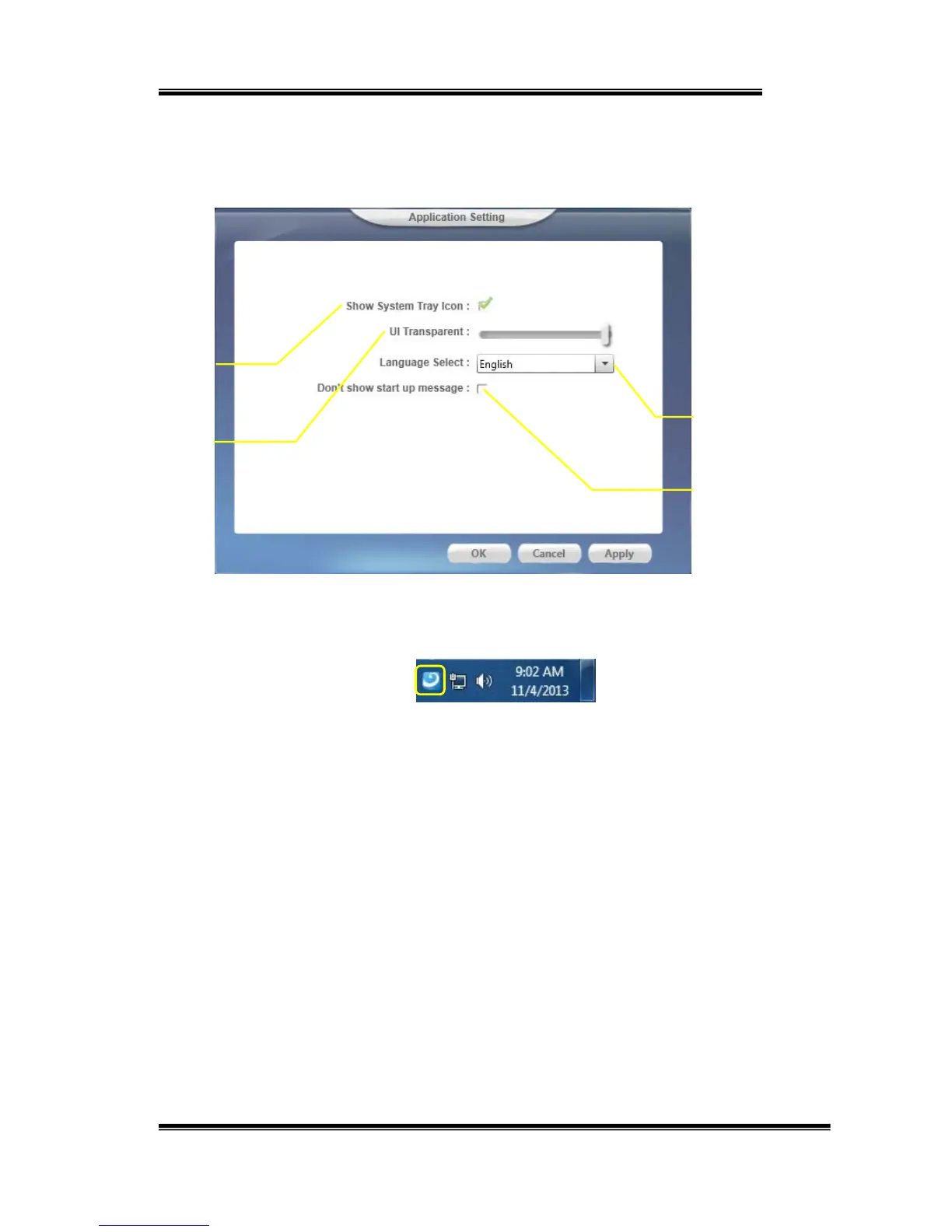
Clicksettingitemtoopenthe“XearAudioCenter”settingpageas
below.
I. ShowSystemTrayIcon–Check“ShowSystemTrayIcon”box,
theXearAudiocentericonwi llbeshowninthesystemtray.
II. UITransparent–ItcanadjusttransparentoftheUIvision.
III. LanguageSelect–itcanchangetheUIlanguage.(Referto
AppendixA)
IV. Don’tshowstartupmessage–itcanenable/disabletheUI
start ‐upmessage.
7. Exit:
Clickingthe“Exit”itemwillexitthetrayIconfromsystemtray.
I
II
II
IV


 To Next Page