Watch TV
Watch TV
12 13
There will be times when you would want to watch a
programme depending upon your mood. Like you
may just wish to see all the action and adventure
programmes running currently on any channel.
This menu option does all that!
• Select this option from the main menu by
pressing ‘OK’.
• Use up/down buttons to select a category you are in
a mood to watch.
• On selecting a specific category, for example –
Action & Adventure, a list of all such programmes
currently running on any channel will appear.
• Highlight a programme and hold for a few
seconds to see it in the preview screen. To switch to
full screen TV mode, just press ‘OK’.
• The time-bar shows how much of a programme
is still left for you to watch.
What’s Playing Now
1. Main Menu > What’s Playing Now
1.
2.
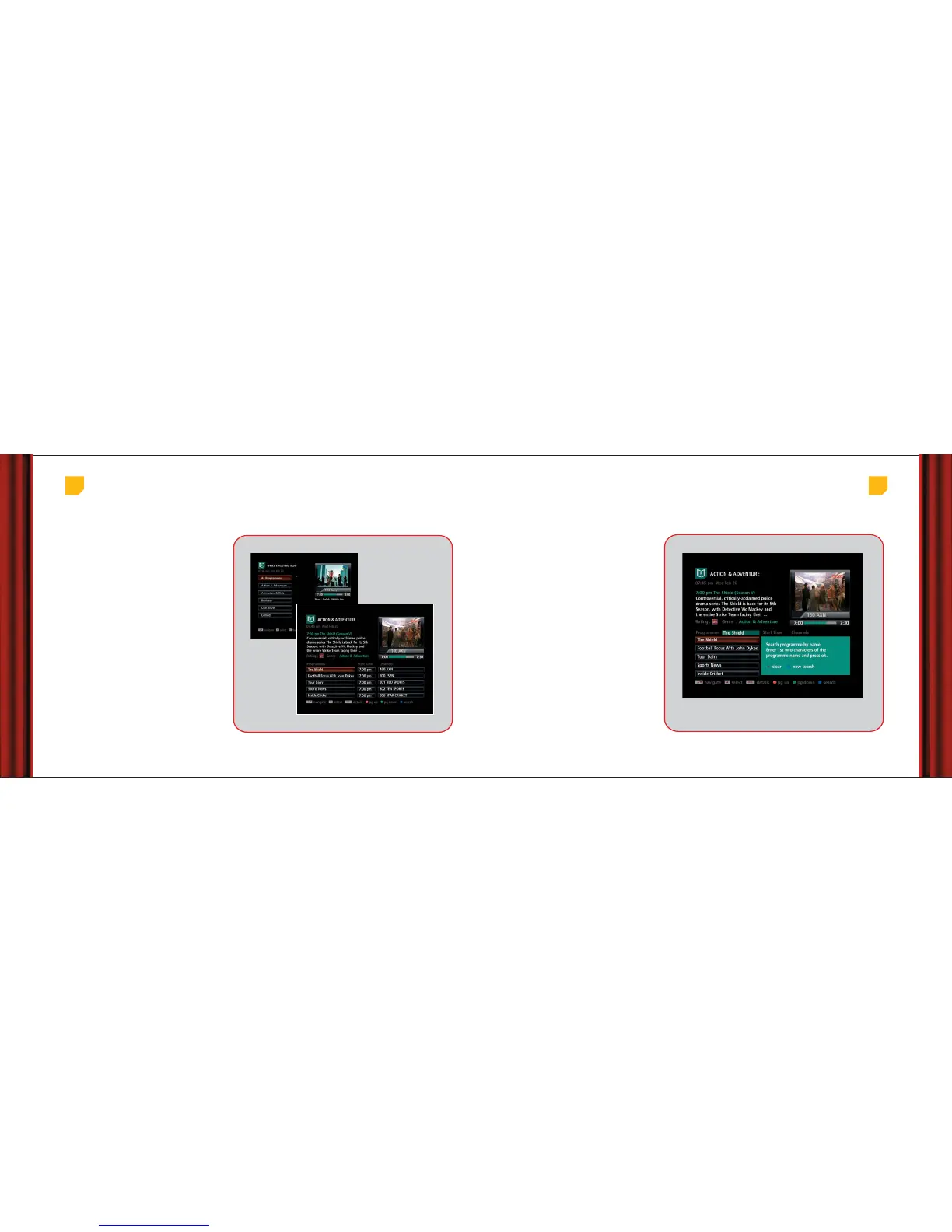
2. Main Menu > What’s Playing Now > Action & Adventure
You can search for a programme simply by it’s name.
Here’s how:
• While viewing ‘What’s Playing Now’, a search box
will appear on pressing the blue button on the
remote.
• Enter the first two characters of the programme
name in the search box using number buttons (the
way you type an SMS).
• Use the left arrow button to delete the text in case
you input it wrongly.
• After you have finished typing, press ‘OK’ to see the
programmes with names starting with the two
characters that you entered.
• You can press ‘info’ button on the remote to see
more details of the highlighted programme.
• To start a new search press the blue
button again.
• Press the ‘back’ button on your remote while on
the filtered results page to go back to the complete
list of programmes.
Search a programme
Main Menu > What’s Playing Now > Press blue button on remote



 To Next Page