Tag Favourites & Set Reminders
Tag Favourites & Set Reminders
17 18
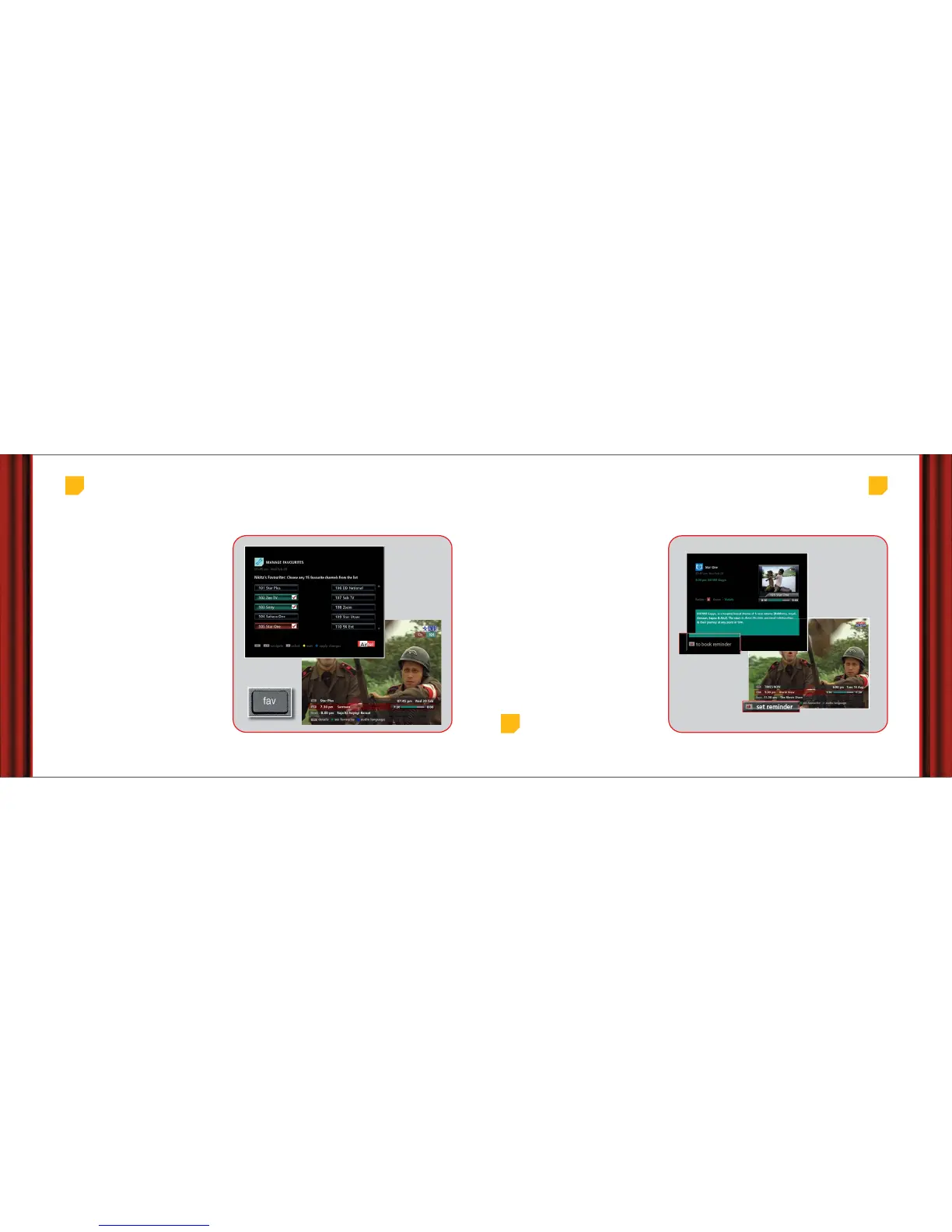
1. Press ‘menu’ button to go to main menu.
2. Select ‘My Settings’ then ‘User Settings’ and
finally ‘Manage Favourites’.
3. Highlight the channel that you want to add
as your favourite and press OK. A tick
appears next to the channel.
4. When you have selected upto 15 channels,
press the blue button to apply changes.
You can name your favourite lists using a maximum of
8 characters. By default the names appear as fav 1, fav
2, fav 3, fav 4.
You can also set a channel as your favourite, by
pressing the green button in your remote while
viewing the channel.
To switch to your favourite channels press ‘fav’ button
on your remote and use corresponding colour
buttons on the remote to go to the defined favourite
list.
To set a channel as favourite
Main menu > My Settings > User Settings > Manage Favourites
If there’s a programme that you would not want to
miss, the EPG can remind you before it’s scheduled to
start.
• You can set a reminder for any future
programme either from the miniGuide which
appears on screen as soon as you change a
channel or from the channel guide screen.
• Press OK on any highlighted future programme
to set a reminder.
There are two ways in which you can set a reminder.
1. Press OK on Channel Guide where it says “OK to
book reminder”.
2. Press OK on miniGuide where it says “Set
reminder”.
A reminder message appears on your screen 5 minutes
before the programme starts.
Setting Reminders
1. Main Menu > Channels > All Channels > Selected Channel > Ok
2. Current Channel > miniGuide > Set Reminder
1.
2.
Top
tip
When the reminder message appears on screen, pressing
the red button on the remote autotunes to the programme
when it starts.



 To Next Page