Watch TV
Watch TV
14 15
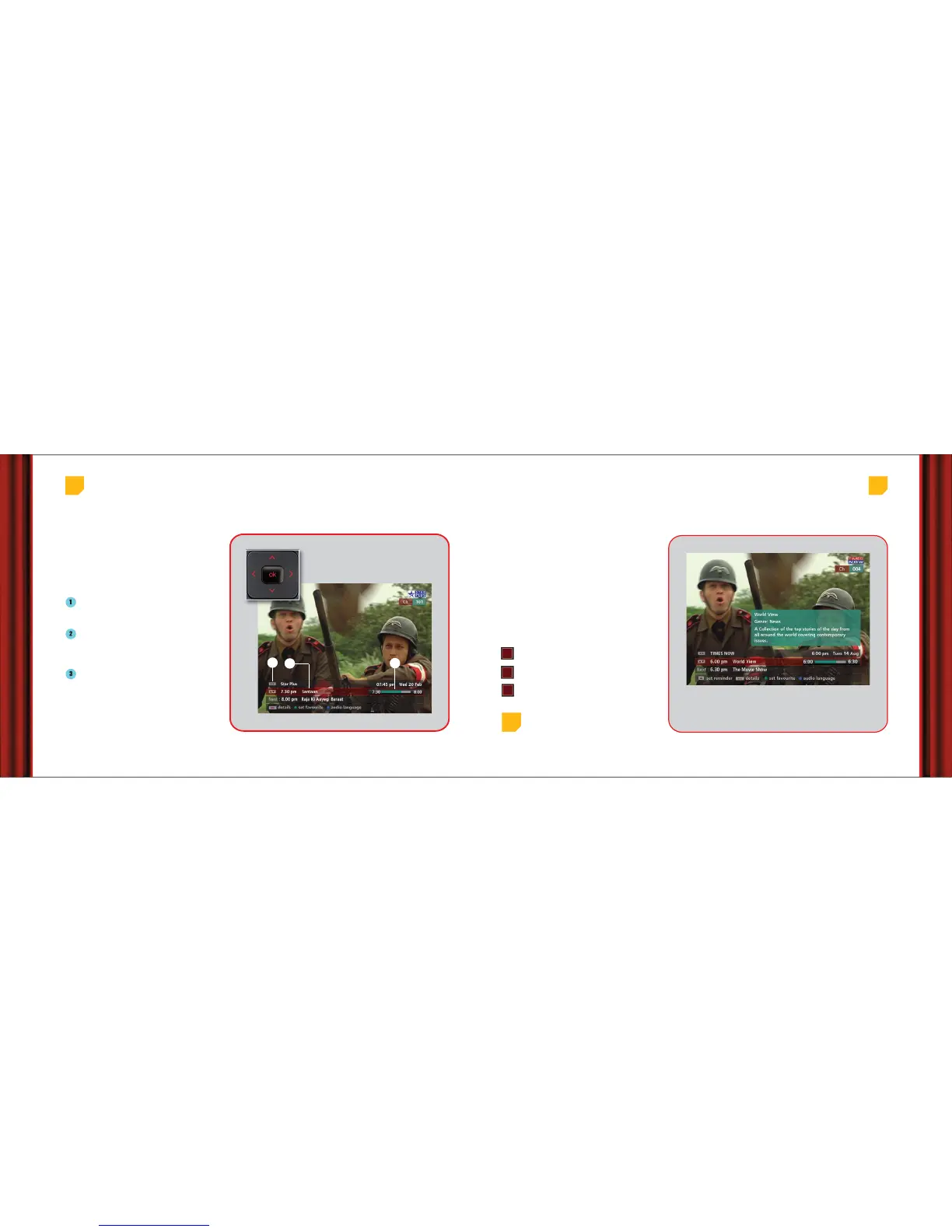
Using the miniGuide
If you want to know how much of the programme
you are watching is over, what’s the next
programme, change channels and set reminders, all
without interrupting what you are watching, just use
the miniGuide. It comes on the screen as soon as you
press any of the arrow buttons or by pressing OK on
your remote.
Shows the name of the channel you are
watching. Press left/right arrow button to see
what’s on other channels.
Shows the name of the current programme
(always comes in red highlight). Press top/down
arrow button to see the next programme on same
channel.
The Time-Bar indicates time elapsed for the
current programme.
• To see a programme (highlighted in red bar)
press ‘OK’.
• If you want to set a reminder for a future
programme (highlighted in red bar), press
‘OK’ (more details on page 18).
3
2
1
Press any arrow button while
watching a programme to
bring up the miniGuide
Sometimes merely the name of a programme
doesn’t tell you what the programme is all about.
You can find out more details about a programme
with the ‘info’ button on your remote. Press this
button to see details about a programme while
watching it or when it is highlighted in the
miniGuide or channel guide.
The information pop-up appears with all that you
need to know about the programme.
You may sometimes see programme ratings with
the following codes:
Universal - suitable for all viewers including
children
Adult - suitable for viewers over 18 years
Universal/Adult - Suitable for viewers aged
above 12 years under parental guidance.
Press ‘info’ button on remote to see
more details of a programme
Finding out more about a programme
Top
tip
Press the ‘back’ button on your remote to remove the
information pop-up
U/A
A
U



 To Next Page