Watch TV
Watch TV
08 09
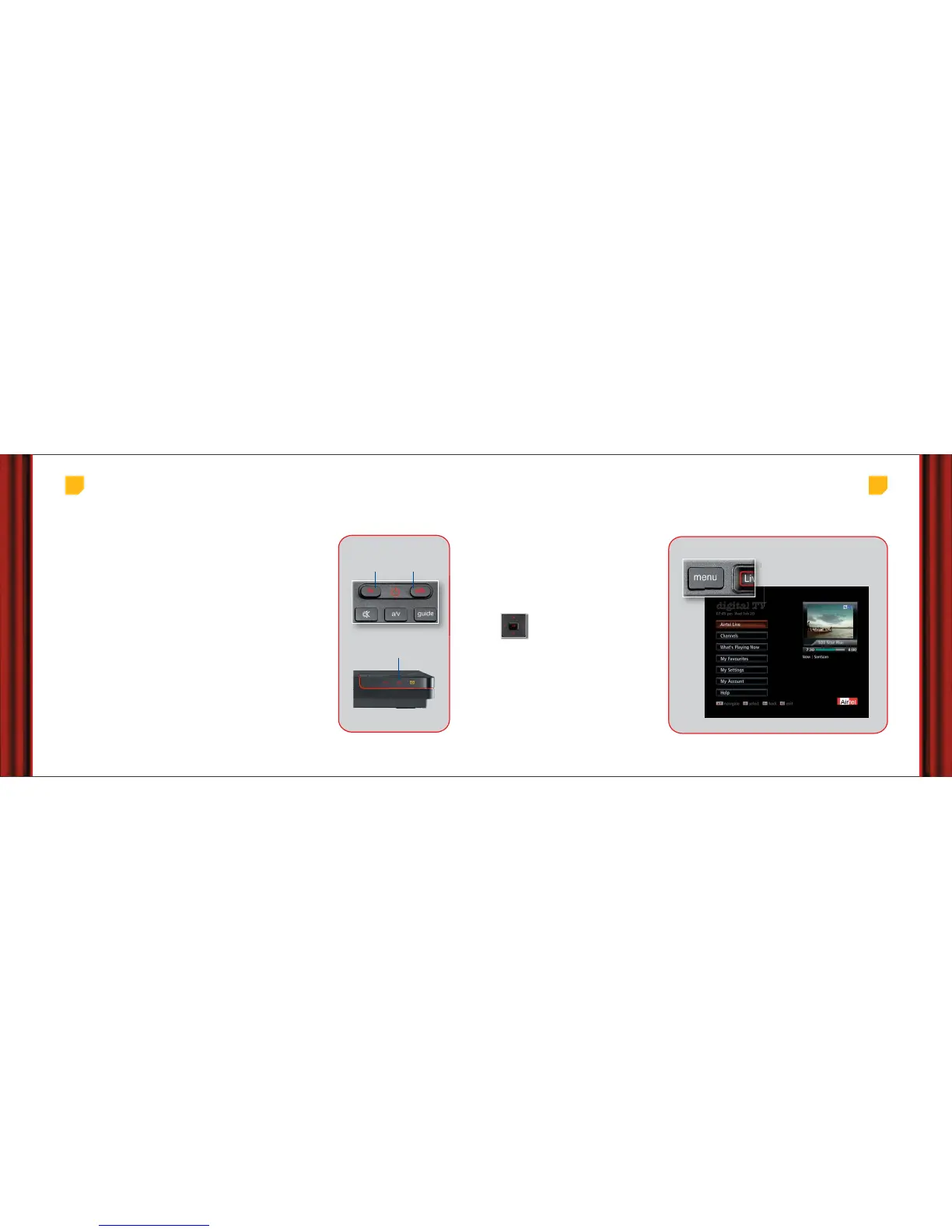
Turning TV and Set Top Box on/off:
Step 1: Press TV on your Airtel digital TV remote to turn the TV on.
Step 2: Press the AV button.
Step 3
: Now press STB button to turn the Set Top Box on, and wait for a few moments
for it to start.
Once both your STB and TV are on, you will be able to see the last viewed channel.
The standby light on the front panel is red when the STB is plugged into the power
supply but not switched on. The light turns green when switched on.
Changing the volume: Use the vol +/- button to change the volume of your TV.
You can turn the volume off with the ‘mute’ button. To change the volume of your
STB, please see details on page 26.
Changing the channels: You can use the ch +/- buttons to change the
channels one at a time. To jump straight to a certain channel, use the number
button to enter the channel number. For example, enter 9-9-9 for help channel.
What’s more, in case you don’t know the channel number, press the ‘guide’ button
on your remote and look up the channel from the ‘All Channels’ list.
When you change channels, a miniGuide appears on the screen with details of the
current and the next programme.
Get Started
Red= Standby
Green= On
Red in Stand by,
turns Green when On
Turn TV on/off Turn STB on/off
We have made it simpler for you to enjoy and
control your TV with the Electronic Programme
Guide. Press the ‘menu’ button on your remote for
the main menu to appear.
You can watch TV, order a movie, listen to radio,
create lists of favourite channels, play games and
even shop from your TV in just a few clicks.
The main menu helps you navigate through various
features of our service categorized under different
headings. Each section is briefly explained in
subsequent
pages.
Use arrow buttons to go up/down and press
Ok to select an option.
Press ‘menu’ to go to the
Main Menu
Main Menu
P



 To Next Page