Understand the Basics
Understand the Basics
01
Your Set Top Box (STB):
Your Set Top Box with
state-of-the-art MPEG4 technology receives signals
through your Dish Antenna and then sends them to
your television.
Front Panel: You will see three indicator lights:
• Remote command light: Blinks when you
press any button on the remote.
• Standby light: Red, when Set Top Box is plugged
in but not switched on (standby), green when
it is switched on.
• Message light: This will turn yellow when you
have an unread message in your inbox.
Top Panel: Some basic functions of the digital TV
system can be operated directly from your Set Top
Box, in case the remote batteries run out:
• Power button: Turn your Set Top Box on and off.
• OK button: Press for 3 seconds to see main menu
of digital TV.
Remote command light Standby light Message light
02
Digital quality picture & sound
Connecting your Equipment
The installation team from Airtel will show you
how to use your equipment. However here is a
quick description of what you need, to enjoy great
entertainment and the features we offer.
Your Dish Antenna: Your Dish antenna receives
signals from the satellite and then sends them to
your Set Top Box. It will be installed by Airtel’s
professional service engineers and you should not
attempt to change its direction or tamper with it
after installation. In case the Dish gets damaged
please contact us.
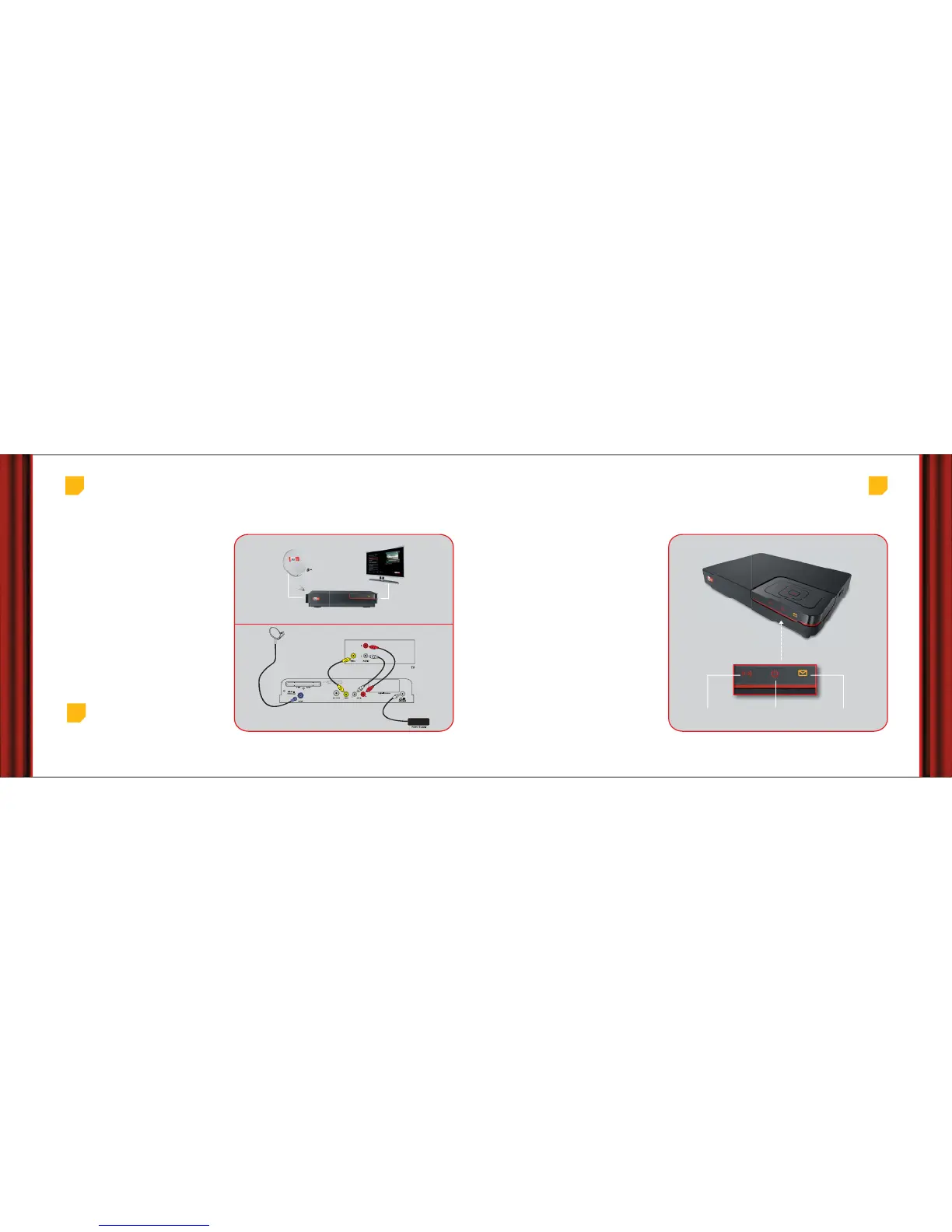
Airtel service engineers will install and connect
your Set Top Box with your Dish Antenna and your
Television. A representation of the standard setup
is shown here.
Magic begins here
Top
tip
You must disconnect your STB from the main supply
before you connect it to any other equipment
STB



 To Next Page