Customize Your System
27
There could be certain programmes that you
would not want your kids to watch. Use the
‘Parental Control’ feature to control what your
children are watching.
Your default PIN is 0000.
To change your PIN, go to
‘My
Settings’ and then to ‘Parental Control’.
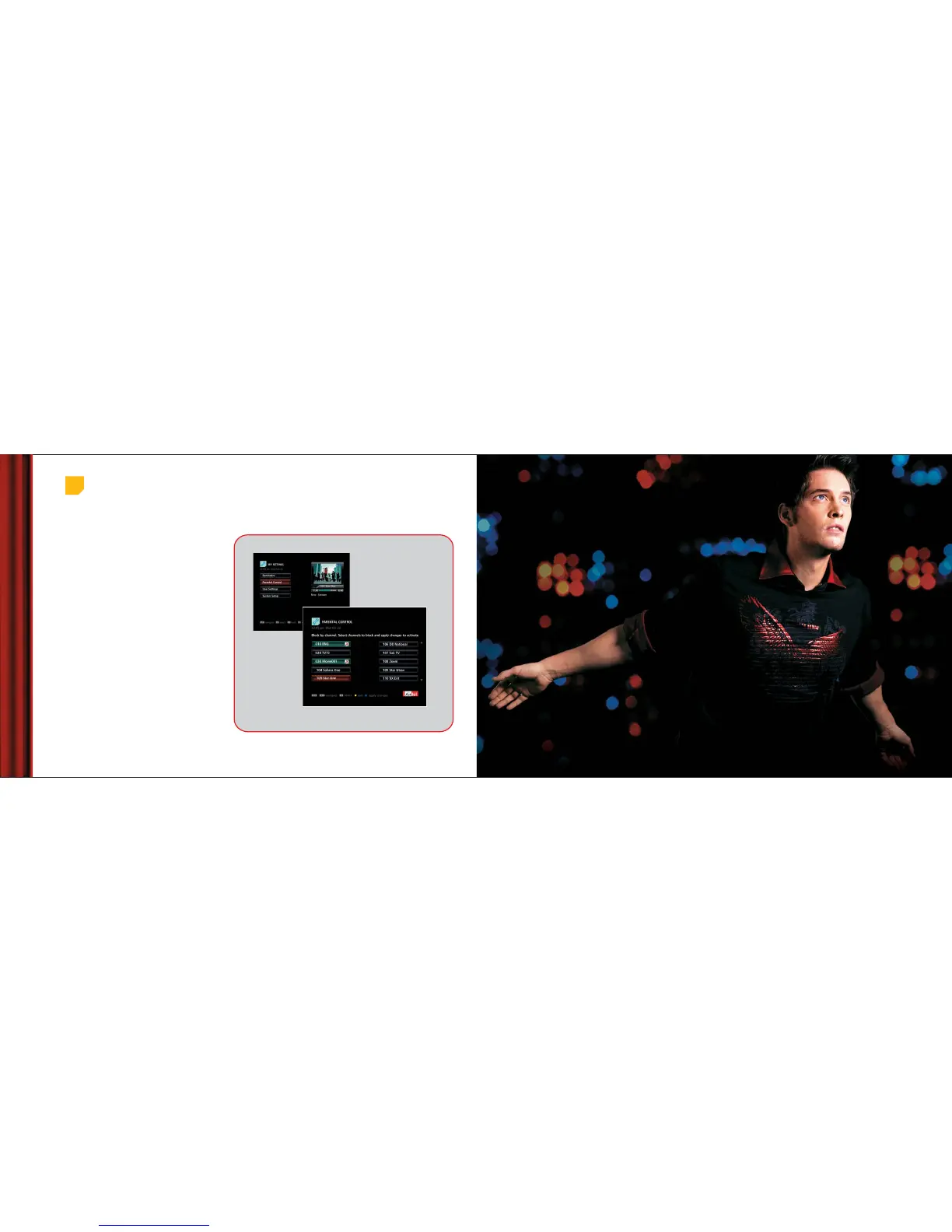
You can choose to block certain channels/programmes
f
rom Parentel Control in ‘My Setings’, based on
your preference or rating. Highlight the channel
that you want to block by pressing ‘OK’ on you
remote and press the blue button to apply changes.
Blocking Channels &
Programmes
Parental Control
Choose channel/s you wish to block. The blocked
channel/s will show a cross next to them.
Changing your PIN
Main Menu > My Settings > Parental Control
Note: Restriction by program rating can only be applied where the
broadcaster provides content related information.
Manage
Your Account



 To Next Page