Customize Your System
Customize Your System
25 26
We give you complete control of your digital TV
system. You can customize the settings as per your
choice. However there are certain system settings
which we recommend you not to change in the
System Setup section.
System settings
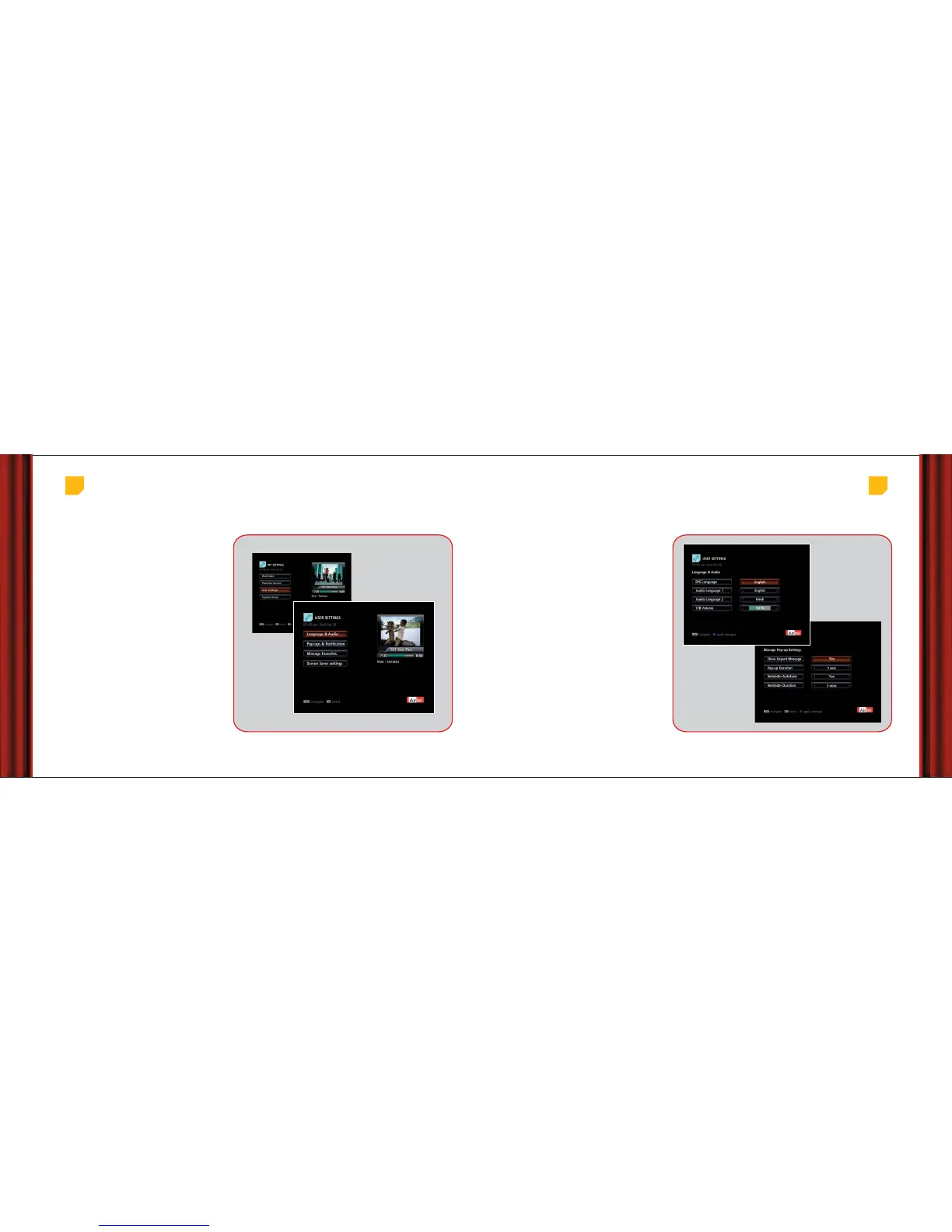
Main Menu > My Settings > User Settings > Language & Audio
EPG Language: The default language of the EPG
is English however you can change it to Hindi as
per your preference.
Audio Language:
There are some channels which
broadcast in more than one language. You can
change the audio language. If the language you
have chosen is not available, default language is
played.
You can also change the audio language from
the miniGuide (if audio in another language is
available).
Language and
Audio settings
Set Top Box audio level: While you can change
the TV audio volume with the vol +/- buttons of
remote, you can also set a standard volume level for
the Set Top Box at which all the channels will play.
It is recommended that you keep this level at 50%.
Pop-up & notification settings: Many
times information on your TV screen appears in
form of a miniGuide , pop-up or a message icon.
You can control the duration for which these
stay on the screen.
• Go to ‘My Settings’, select ‘User Settings’ and
then ‘Manage Pop-up Settings’.
• Show urgent message: You can choose not to
see the urgent message notification on your
screen as a yellow envelope (It is recommended
not to change this setting).
• Pop-up duration: Changes the time for which
the information pop-ups stay on screen.
• Reminder duration: Allows you to choose how
early, before the start of the programme the
reminder should show.
1. Main Menu > My Settings > User Settings > Language & Audio
1.
2.
2. Main Menu > My Settings > User Settings > Manage Pop-up Settings



 To Next Page