FS-HDR Frame Synchronizer/Converter/HDR-WCG Processor v1.0r1 23 www.aja.com
DELAY
• Audio delay settings
MAP
• Output mapping controls
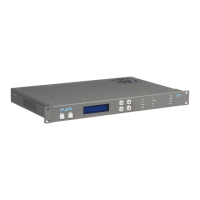
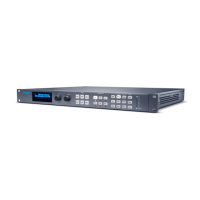
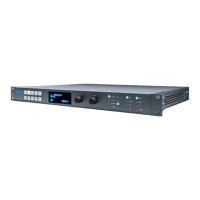
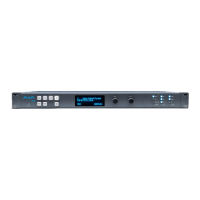
Status LED Indicators
Indicators on the front panel are multi-state LEDs that light when a condition is
present. The indicators and the conditions that cause them to light are as follows:
PS1/PS2
• Blue = Power Supply 1 or 2 is operational and receiving power. Both PS1 and
PS2 LEDs must be lit blue to indicate redundant power is available.
• Red = Power supply is not receiving power or not operating within 10% of
nominal value (unless the alarm has been suppressed, in which case the LED
will be turned o).
• O = Power supply alarm is suppressed and nominal power is not being
received.
2SI
• Blue = (Single Ch only) The processor’s output mapping is set to 2SI (2 Sample
Interleave).
• O = In Single Channel Mode the processor’s output mapping is set to
Quadrant (Square Division). In Four Channel Mode this LED is always o.
REF
• Blue = The FS-HDR is operating with a valid reference.
• Red = A reference alarm condition exists (unless the alarm has been
suppressed, in which case the LED will be turned o).
ID
Blinks blue on and off when you right-click on an FS-HDR system name and
choose Identify in the web interface Network list. This action helps identify
which system you’re controlling when multiple units are operated from a single
computer. The ID LEDs on the front and rear panels perform the same function.
No matter which side of a rack you’re facing, you’ll be able to see one of the LEDs.
REMOTE
This multicolor LED indicates the current control mode:
• Blue= Local Only (front panel control only)
• Red = Remote Only (remote browser or panel control only)
• Purple = Local + Remote (front panel and remote control both enabled)
Incompatibility Alarms
The FS-HDR produces signal incompatibility alarms for a number of reasons. For
example, incompatible conversion alarms can occur because the FS-HDR cannot
convert between frame rate families (59.94/29.97/23.98, or 50/25, or 60/30/24).


 To Next Page