FS1-X v1.1 www.aja.com
104
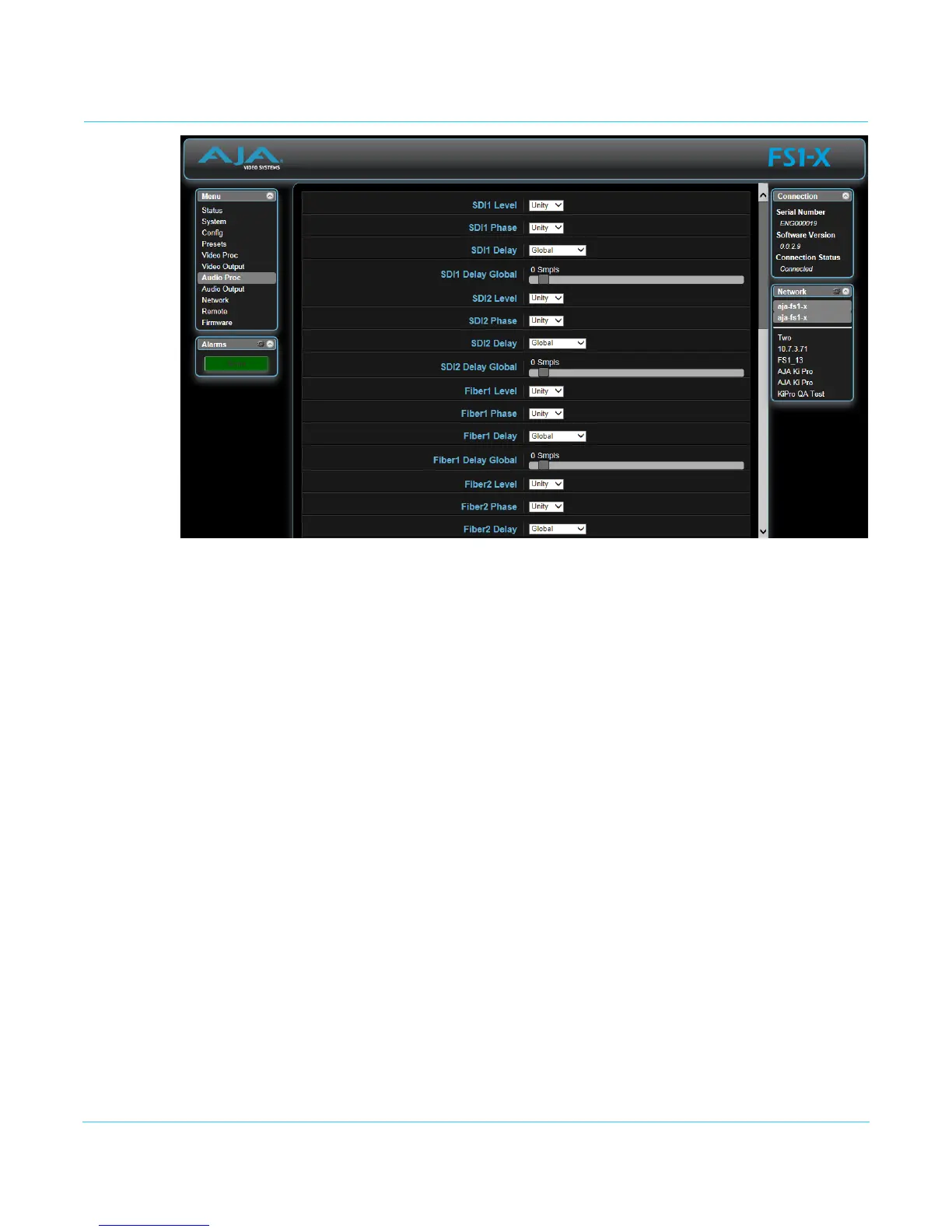
Audio Proc Screen
The Audio Proc browser screen displays the audio control selections for the audio inputs,
audio signal generator, and embedded audio.
The parameters available on the Audio Proc browser screens are essentially identical to
the front panel display menus. The only difference is parameters are set using webpage
controls (drop down menus, slider adjustments) instead of control knobs.
NOTE: Selecting Adjust or Channel Pairs will apply whatever individual settings were previously set
for the individual channels or channel pairs, and brings up individual sub-menu controls, to
allow making changes to those settings. The sub-menus are a lighter gray color and have a
collapse/expand button on the parent selection. This lets you collapse the sub-menus to make
it easier to navigate the menu while configuring the system. The collapsed setting only stays
in effect until the user reconnects or refreshes the browser.
Descriptions of these parameters are accessible using the following cross references:
• “1.0 SDI1 Level” on page 82
• “2.0 SDI1 Phase” on page 83
• “3.0 SDI1 Delay” on page 83
NOTE: The same basic adjustment procedures for SDI Audio Level, Phase, and Delay are also used for
Fiber, AES, MADI, HDM, and Analog.
• “28.0 Mix Down 1 Mode” on page 85
• “30.0 Mix Down Reset” on page 87
• “34 Embedded Audio Out” on page 87



 To Next Page