FS1-X v1.1 www.aja.com
43
Chapter 4: Display Menus
Overview
The FS1-X can be controlled in two different ways: (1) direct control using the front panel
buttons, knobs, and display menus, (2) remote control using a web browser. This chapter
describes the first, using the front panel controls, which is the most direct way to
configure and use an FS1-X. The other method, using a computer, is described in the next
chapter.
In Chapter 2 we discussed the panel controls overall, so please read and understand that
material first. In this chapter we discuss each of the Parameter Menus and their use.
These are the topics covered:
• “Menu Operation Examples” on page 44
• “STATUS Menu Group” on page 47
• “REMOTE Menu Group” on page 50
• “CONFIG Menu Group” on page 53
• “PRESET Menu Group” on page 57
• “SYSTEM Menu Group” on page 58
• “VIDEO PROC Menu Group” on page 63
• “VIDEO OUTPUT Menu Group” on page 80
• “AUDIO PROC Menu Group” on page 82
• “AUDIO OUTPUT Menu Group” on page 87
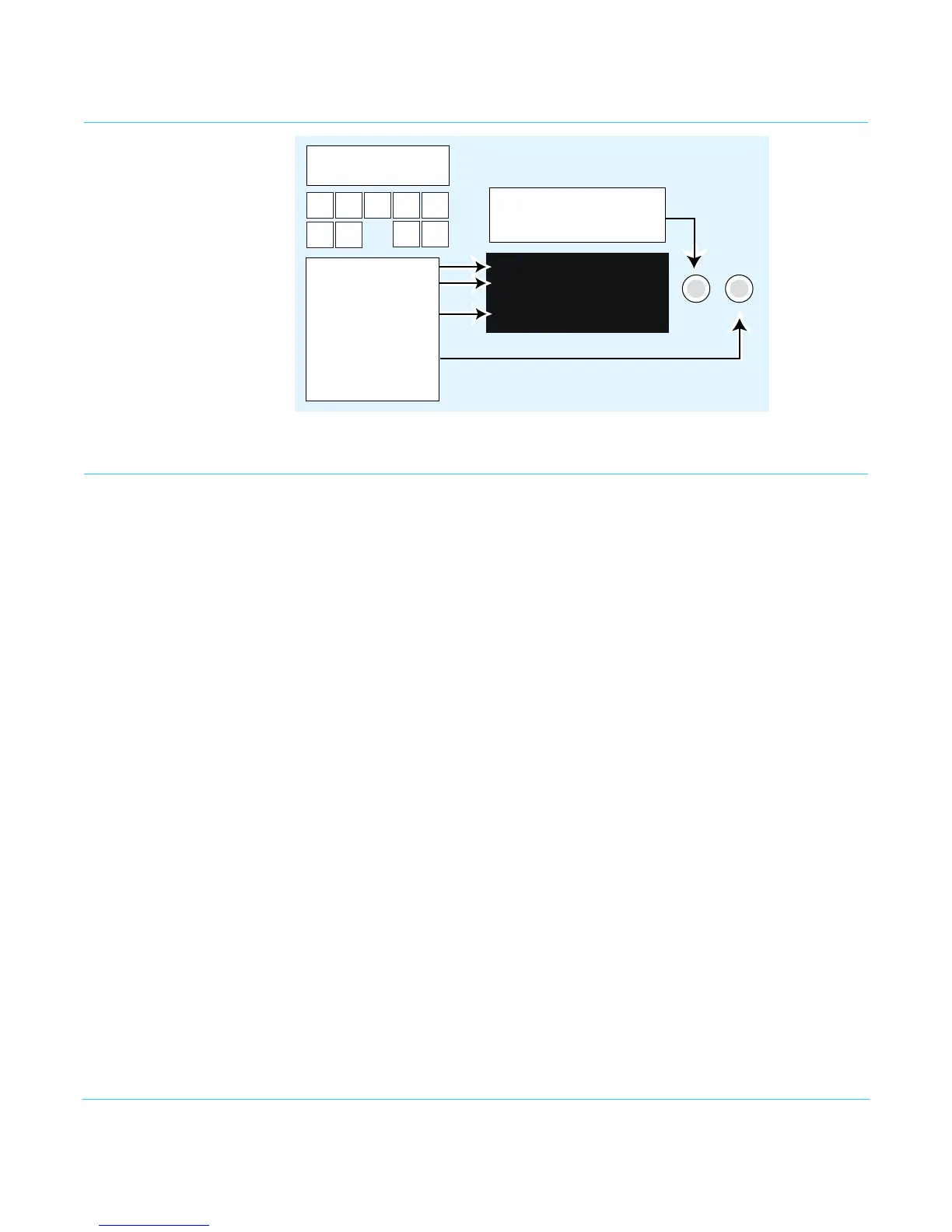
Parameter Menus The FS1-X display presents five major types of menu pages:
• Status pages—present status information that cannot be changed.
• Simple parameter menus—contain a parameter number and name on line 1 and its
current value setting on line 2. The line 2 value can be changed using SELECT and
ADJUST. Example: Output Format.
• “Take action” parameter menus—contain a parameter number and name on line 1, and
the value to “take” on line 2. A “take” prompt may appear on line 3. The line 2 value can
Turn the Select knob to scroll
through parameter menus.
Push Select to undo changes.
SELECT
ADJUST
Use buttons to select
a Menu Group
Parameter Menu
Current Setting
Info or Prompts
Turn Adjust to
change current setting.
Hold down Adjust to
restore default value.
STATUS
REMOTE
CONFIG
PRESET
SYSTEM
VIDEO
PROC
VIDEO
OUTPUT
AUDIO
PROC
AUDIO
OUTPUT
12.0 ProcAmp
On
SDI 1 1080i59.94



 To Next Page