Page 40 DD8
plus
Version 2.20 - September 1998
RESTORING A BACKUP
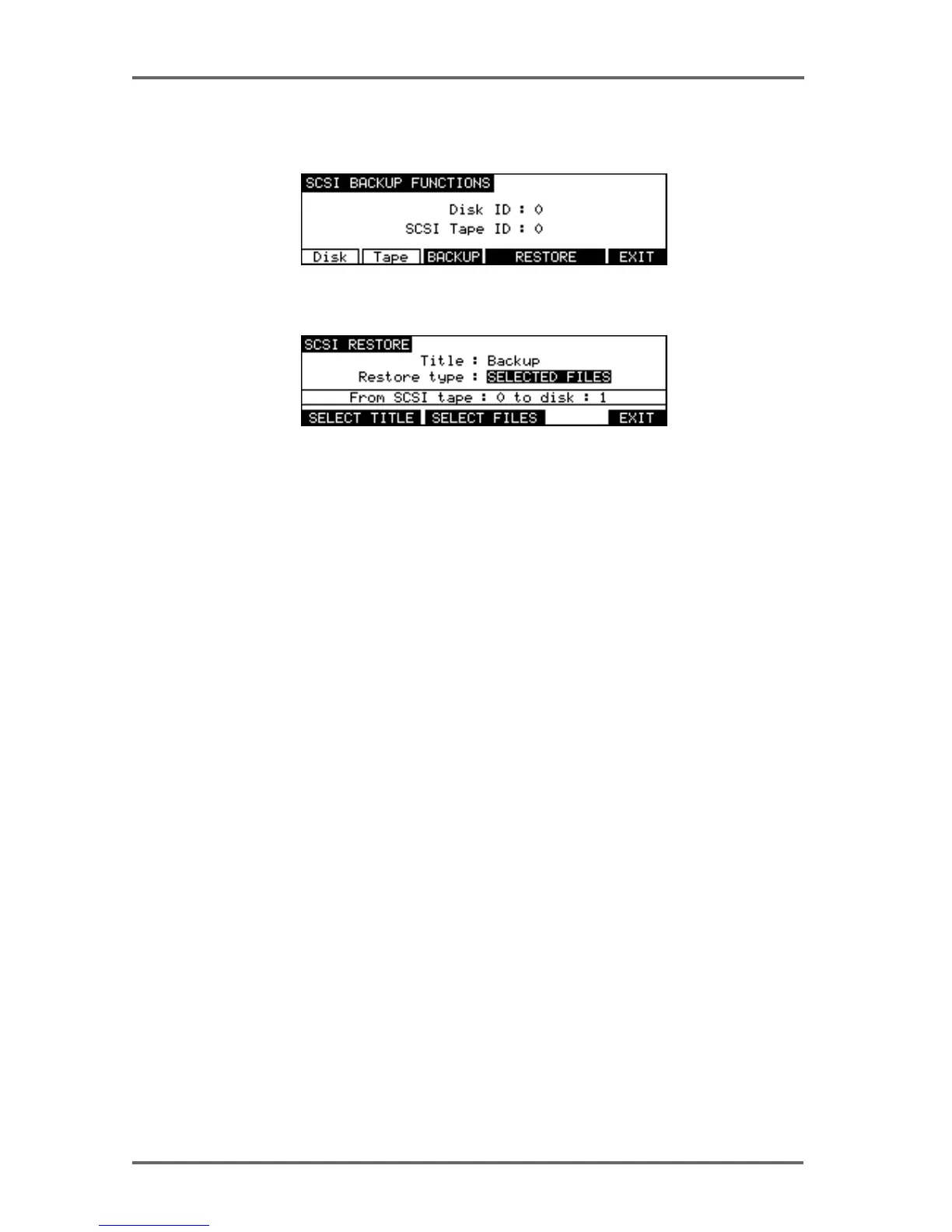
To restore data, in the DISK UTILITY page press BACKUP. You will see this screen:
Select RESTORE (F5/6). You will see this screen:
As you can see, this is basically the reverse of the SCSI BACKUP page. The fields are:
TITLE Shows the name of the backup you wish to restore.
RESTORE TYPE Selects what will be restored to the disk.
FROM SCSI TAPE Shows the tape drive the data will be restored from.
TO DISK Shows the disk the data will be restored to.
DISK PAGES - 7


 To Next Page