Page 86 DD8
plus
Version 2.20 - September 1998
CLEAR SETTINGS
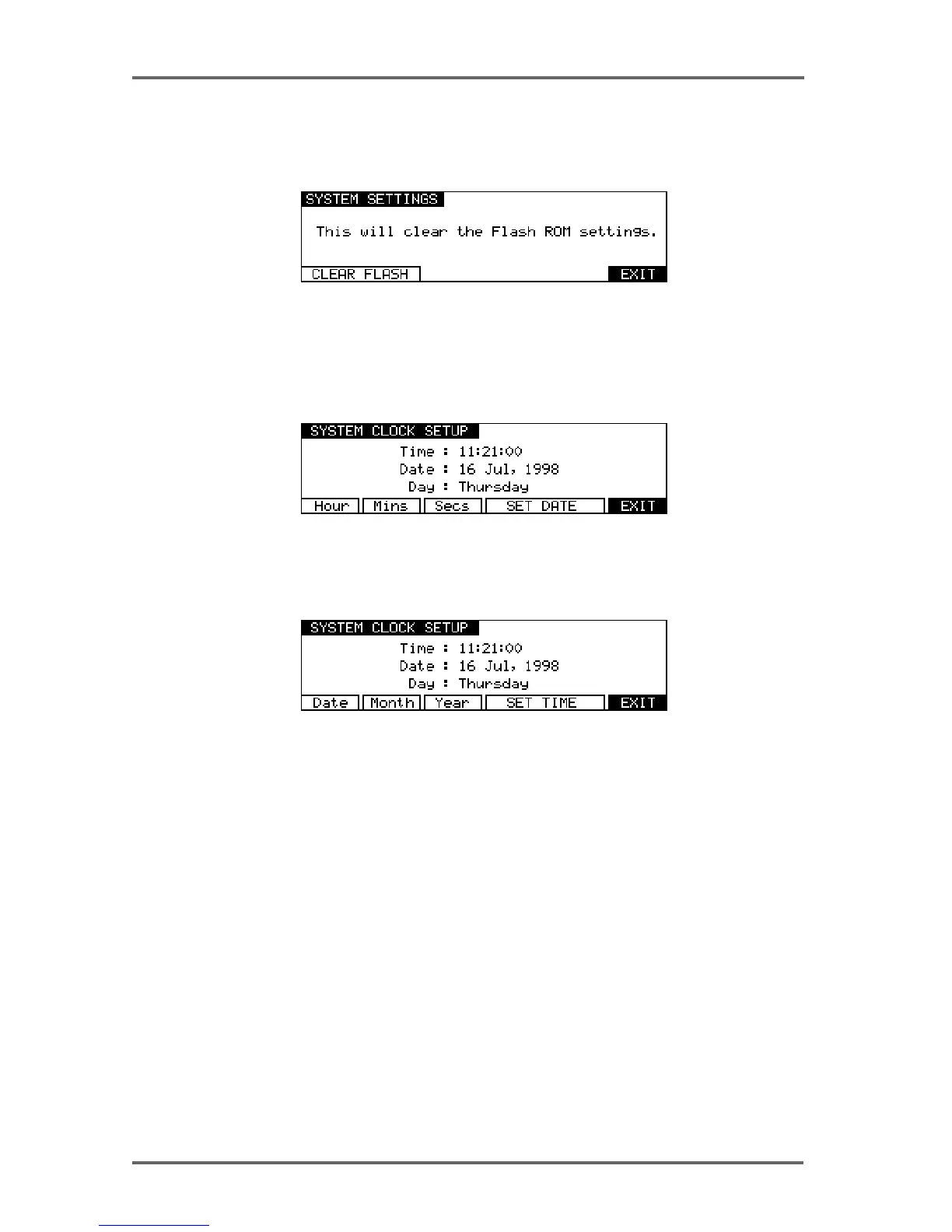
Pressing CLEAR (F4) on the third System Settings page takes you to a page which allows you
to clear the current system parameter settings from the Flash ROM:
Pressing CLEAR FLASH (F1/F2) will clear the Flash ROM parameter settings.
REAL-TIME CLOCK
Pressing CLOCK (F5) on the third System Settings page takes you to the SYSTEM CLOCK
SETUP page:
To change the current time, press HOURS (F1), MINS (F2) or SECS (F3) to move the cursor to
the required field and use the DATA+/- keys to adjust the time. Pressing SET DATE (F4/F5) will
change the soft-key selections to allow you to move the cursor to the date fields:
The Real-time clock is used to timestamp new files and recordings as they are saved to disk.
SYSTEM - 8


 To Next Page