— 19 —
Section Header
MOTION ALERTS Continued
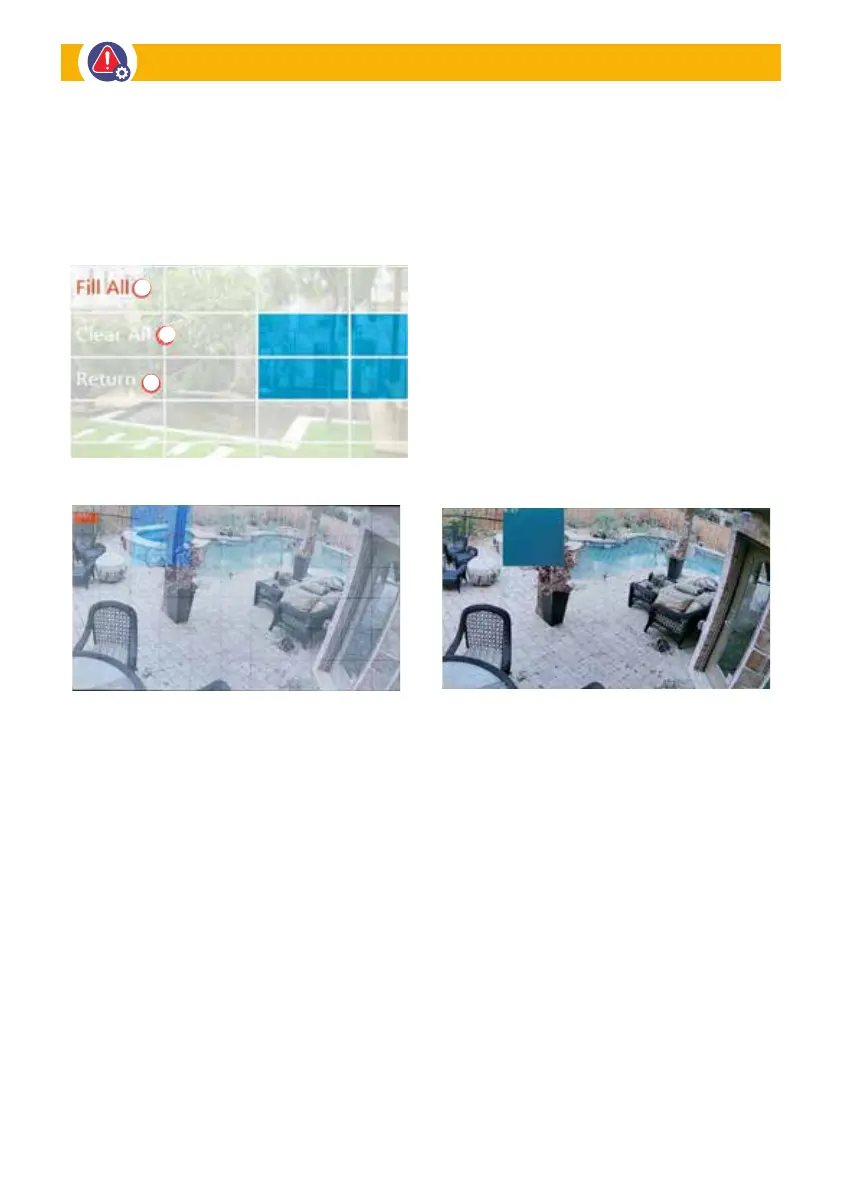
This section allows you to tap the screen and select the area you wish to have hidden in any
Live or Recorded Video.
Designated Privacy Zones: Select individual
areas to block from camera view.
Blocked Areas: Resulting video with areas
masked are NOT shown in video playback.
FIT ALL: Click to select full screen
to be detected
CLEAR ALL: Click to delete all detection
area and then, you can reselect the area
you want to be detected.
RETURN: Click to go back to Camera
Privacy Zone


 To Next Page