— 18 —
MOTION ALERTS Continued
2/2
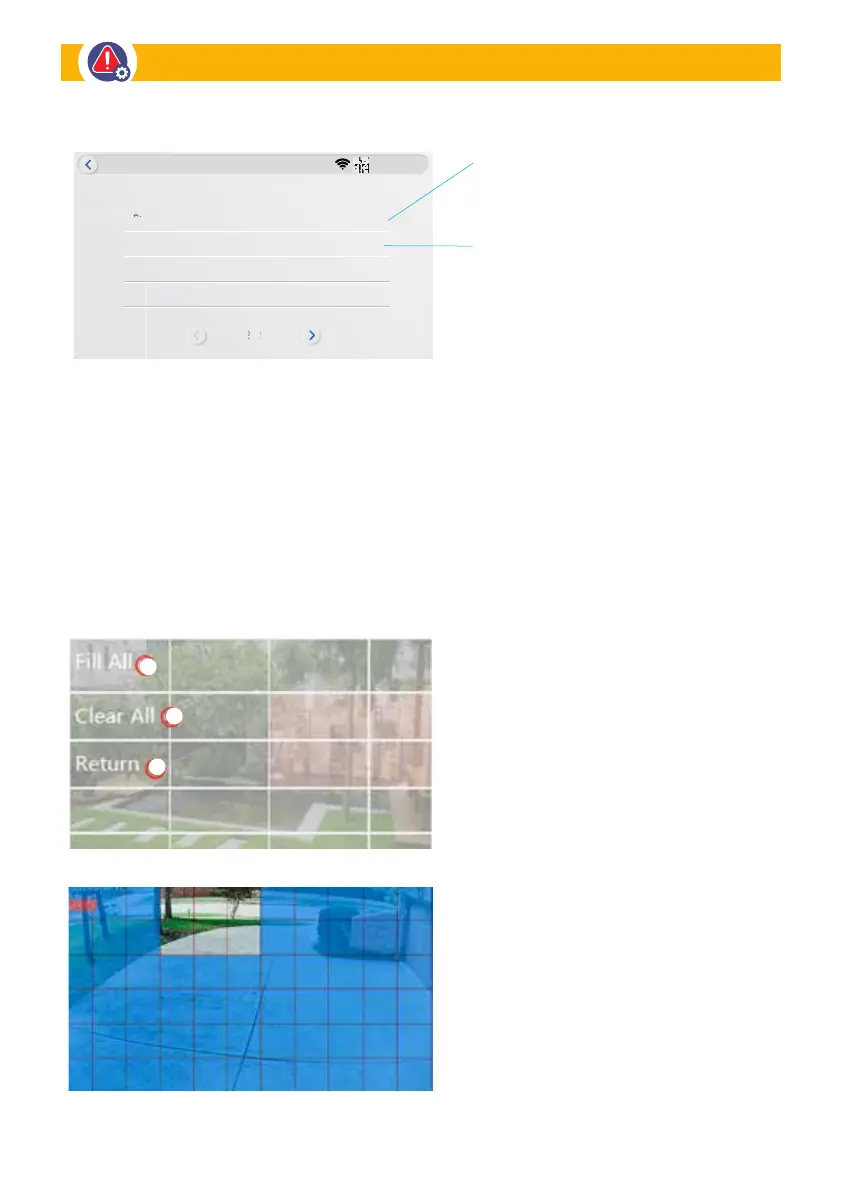
Sensitivity Highest
Infrared Mode
Motion Area Masking
Privacy Zone
IRcut Mode
3810380843
Motion Alerts
Sensitivity: This section allows you to
setup the motion sensitivity for Camera 1.
(Low
•
Medium
•
High
•
Highest).
IR cut Mode:
• Infrared Mode: The video is white
& black mode in night time
• Daylight: The video is colorful
mode in the whole day
• Night: The video is white & black
mode in the whole day
• Full Color Mode: The video is
colorful mode in the night time
• Smart Mode: IR cut is auto-switch
mode based on light changing
FIT ALL: Click to select full screen
to be detected
CLEAR ALL: Click to delete all detection
area and then, you can reselect the area
you want to be detected.
RETURN: Click to go back to Camera
Motion Area Masking
This section allows you to tap the screen and select the area you want to be eliminated from detection.
An example would be a flag constantly waving in the video.
Designated MASKING: Deselect areas
to be excluded for Motion Detection.
Motion Sensitivity • IR Mode


 To Next Page