— 30 —
2-WAY AUDIO
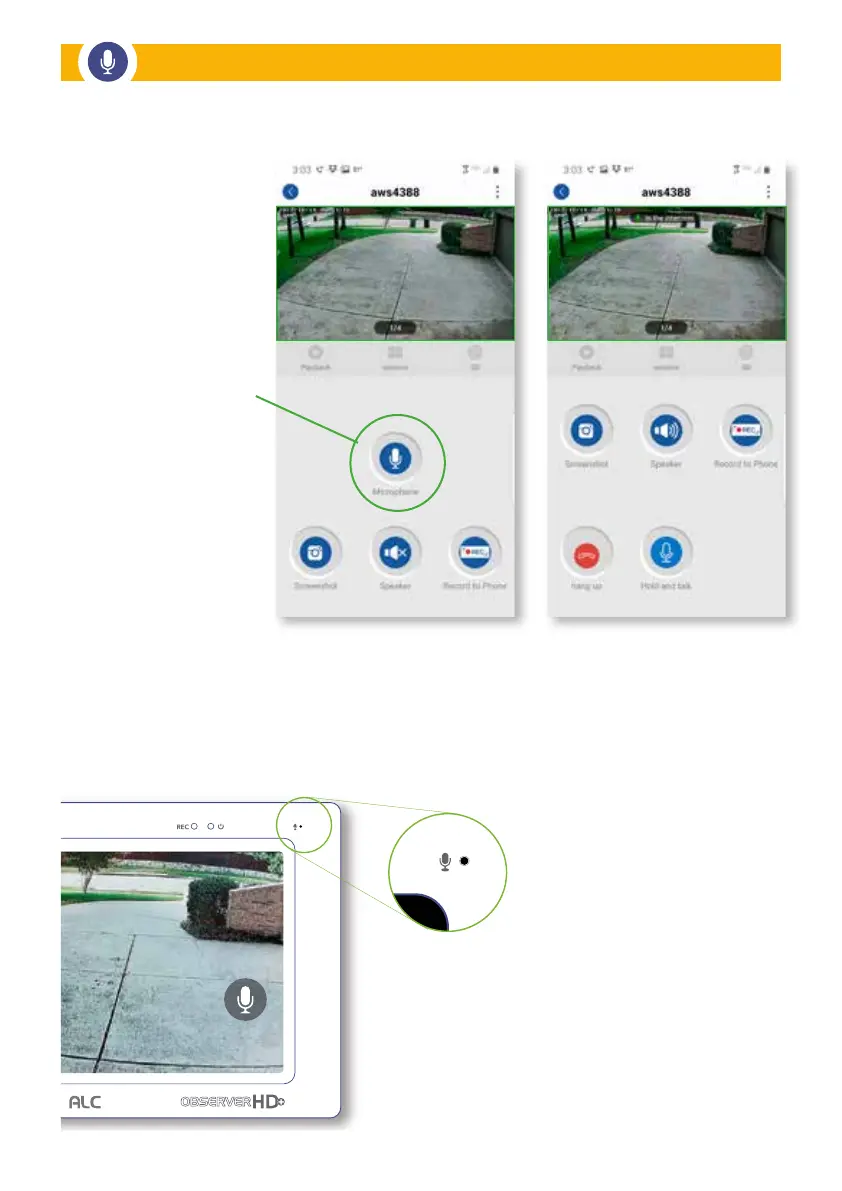
Monitor Microphone
On the Observer HD+ Monitor, tap on
a CAMERA VIEW and go full screen
where a MICROPHONE icon will be
displayed at the bottom right corner
of the screen.
Tap and HOLD the MICROPHONE
symbol to talk through the speaker
on the camera.
In the APP, a green box will
outline one of the cameras
to indicate Active Audio for
that camera.
Tap the MICROPHONE icon
to initiate an intercom feature
for that camera.
Press and hold the
MICROPHONE icon to talk
through the camera speaker.
Audio can be muted,
but will be unmuted when
you press and hold the
microphone icon.
Monitor 2-Way Audio
Remote Access 2-Way Audio


 To Next Page