— 29 —
Section HeaderREMOTE ACCESS
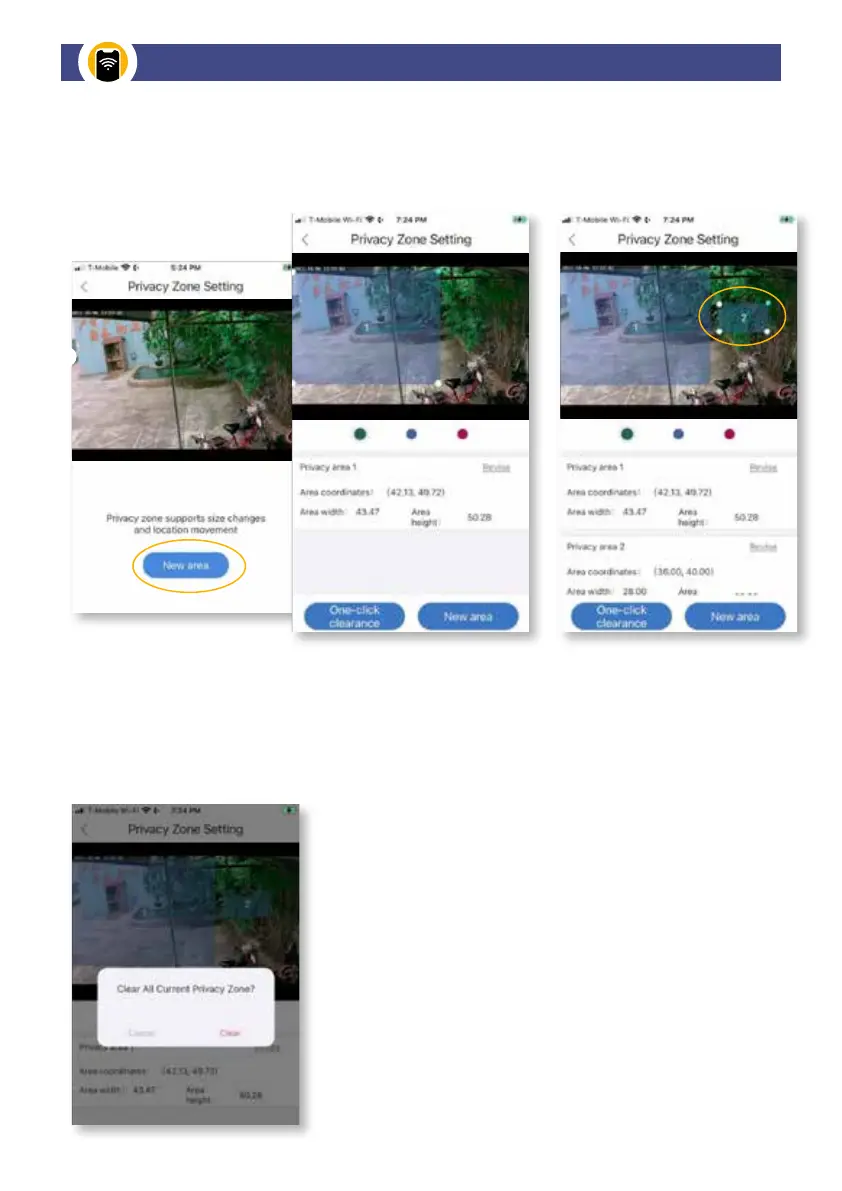
This section allows you to tap the screen and select the area you don’t want to be viewable.
Customize privacy zones for cameras located inside and outside.
To confirm removal of all
Privacy Zones, tap Clear.
Privacy Zones Settings: For each active camera, add a privacy
area by framing the area you want to mask from live view and
recording. Adjust the area by stretching and condensing the mask
area and tap One-click Clearance to save.
Tap New Area to create an additional privacy area to mask.
To clear Privacy Zone masks, tap One-click Clearance .
Camera Privacy Zone Settings


 To Next Page