EasyManua.ls Logo

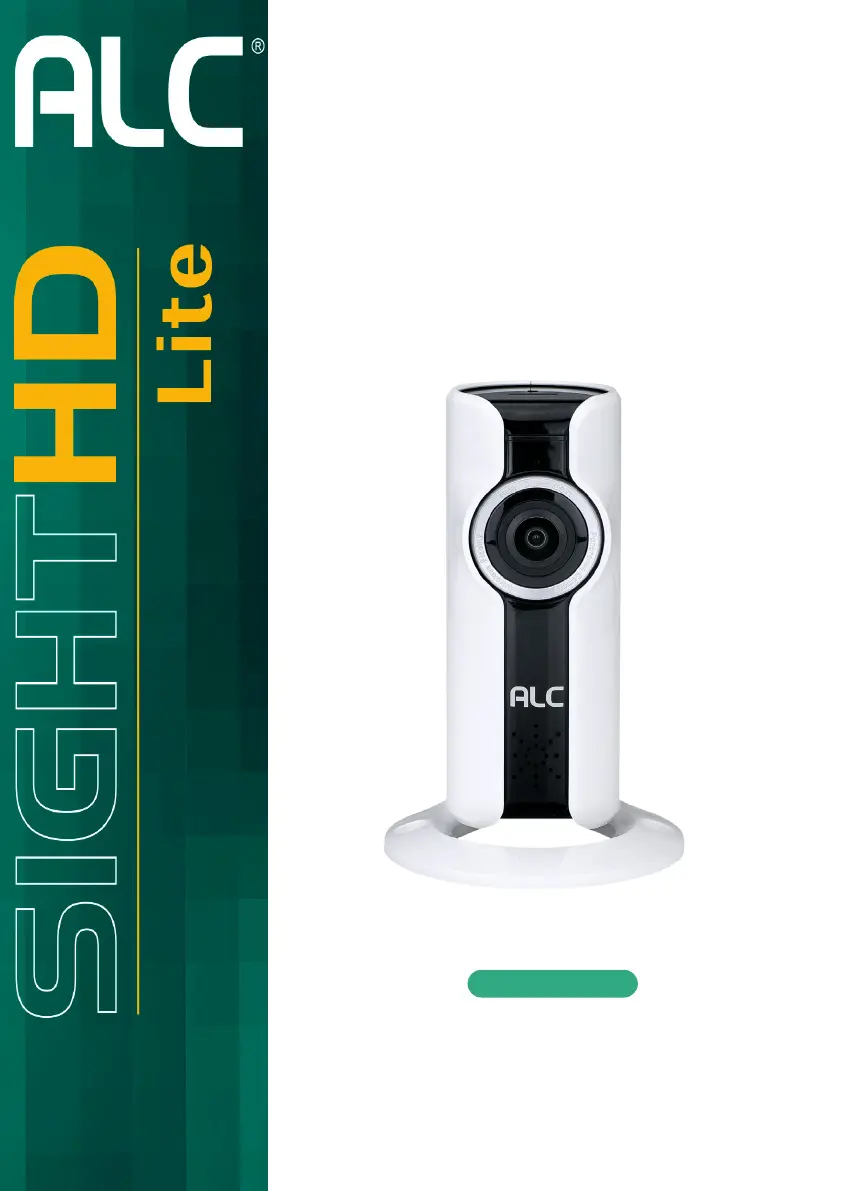
ALC SightHD Lite AWF08 - User Manual

ALC SightHD Lite AWF08
44 pages
Print Icon
To Next Page IconTo Next Page
Loading...
720p Indoor
Panoramic Wi-Fi Camera
User Guide
Please read these instructions completely
before operating this product.
Model AWF08
Wireless Made Simple.

Questions and Answers

  • J
    Jon CarterAug 13, 2025
    What to do if my ALC SightHD Lite AWF08 Security Camera app cannot locate the camera?
    • S
      Sara CarterAug 14, 2025
      If the ALC Security Camera app can't find the camera, verify that the camera is powered on, your network supports DHCP protocol, and both the camera and your mobile device are connected to the same network or router. Try manually adding the camera using the 'Add Camera' feature and ensure the home network is selected.
  • T
    Tonya HaynesAug 17, 2025
    What to do if my ALC Security Camera has no image?
    • A
      Adam LopezAug 17, 2025
      If your ALC Security Camera displays no image, first ensure the camera is powered on and the power adapter is functional and plugged into a working outlet. Then, try relocating the camera for better wireless signal reception. Also, confirm that the camera is properly configured in the app and that your mobile device has a stable 3G/4G/Wi-Fi connection.
  • T
    Tracy SimmonsAug 21, 2025
    Why is my ALC Security Camera push notification not working?
    • M
      Maria HolmesAug 21, 2025
      If push notifications aren't working for your ALC Security Camera, ensure that you're using a Class 10 rated memory card and that the Push Notification option is turned on in the app settings.
  • D
    Daniel JonesAug 25, 2025
    How to fix ALC Security Camera memory card error?
    • C
      christopher13Aug 26, 2025
      To resolve a memory card error with your ALC Security Camera, ensure the MicroSD card is correctly inserted and formatted. Also, make sure you are using a Class 10 rated memory card.
  • E
    Edward ShawAug 28, 2025
    Why does my ALC SightHD Lite AWF08 show a white image at night?
    • T
      troweAug 29, 2025
      A white image at night on your ALC Security Camera is caused by the camera’s infrared LEDs reflecting off surfaces like glass. To fix this, place the camera on the other side of the window or in a well-lit area. Installing a security lamp can also improve lighting.
  • C
    Crystal FordSep 1, 2025
    Why is the motion sensor on my ALC SightHD Lite AWF08 Security Camera not responding?
    • C
      Carmen Morgan DVMSep 1, 2025
      If the motion sensor on your ALC Security Camera isn't responding, make sure a MicroSD card is inserted into the camera. Also, ensure there is actual movement to trigger the sensor and that the Motion Detection setting is turned on.
  • M
    Melissa MooreSep 5, 2025
    Why is my ALC SightHD Lite AWF08 Security Camera app not recording video clips?
    • S
      Sandra GraySep 5, 2025
      If the ALC Security Camera app isn't recording video clips, check that the camera is powered on and the MicroSD card is correctly inserted. Ensure the motion detection function is enabled. Format the MicroSD card if it's its first time being used.
  • A
    Amy PearsonSep 8, 2025
    How to improve poor picture quality on ALC SightHD Lite AWF08 Security Camera?
    • M
      Mr. Anthony EdwardsSep 9, 2025
      To improve the picture quality on your ALC Security Camera, start by cleaning the camera lens with a microfiber cloth. If the issue persists, try selecting a different setting for video quality.

Summary

Safety Instructions

General Safety & Electrical Precautions

Covers product safety, electrical hazards, fire prevention, and operating alerts.

Environmental, Usage & Cord Safety

Addresses heat, water, attachments, cord protection, and power source guidelines.

Regulatory Compliance

FCC and CE compliance statements and warnings.

Introduction & Camera Overview

System Contents

Lists all items included in the product package.

Camera Component Identification

Identifies and describes the physical components of the camera.

Installation Guide

Installation Tips & Night Vision

Advice for placement, Wi-Fi signal, and explanation of night vision features.

Physical Camera Setup Steps

Step-by-step guide on mounting and connecting the camera.

Remote Access Setup

Requirements & App Download

Lists compatible devices and instructions for downloading the ALC SightHD Lite App.

Connecting Camera via App

Step-by-step guide to setting up the camera using the mobile application.

App Features and Media Management

Understanding App Icons

Explains the functions of various icons within the ALC SightHD Lite app.

Capturing and Viewing Media

Instructions for taking screenshots, recording videos, and viewing saved content.

Deleting Media Files

Procedures for selecting and removing screenshots and video recordings.

Device Configuration and Settings

Navigating Setup and Advanced Options

Accessing setup screens and configuring advanced device settings.

Managing Storage and Firmware

Information on storage capacity, formatting, and firmware updates.

Device Operation and Sharing

Multi-Device Viewing & Notifications

Viewing camera on multiple devices and setting up push notifications.

Device Editing and Removal

Steps to edit device name/password and delete a camera.

Maintenance and Troubleshooting

Routine Maintenance and Reset

Cleaning instructions and procedure for factory default reset.

Troubleshooting Common Issues

Solutions for app connectivity, image quality, recording, and notification problems.

Firmware Upgrade Process

Instructions on how to update the camera's firmware.

Product Specifications

Camera Technical Details

Specifications including communication range, resolution, view angle, and dimensions.

Warranty Information

Limited Warranty Terms

Details of the one-year limited warranty and exclusions.

Warranty Service Procedure

Steps for obtaining warranty service and contact information.

ALC SightHD Lite AWF08 Specifications

General IconGeneral
BrandALC
ModelSightHD Lite AWF08
CategorySecurity Camera
LanguageEnglish

Related product manuals