EasyManua.ls Logo

ALC AWF61 - User Manual

ALC AWF61
62 pages
Print Icon
To Next Page IconTo Next Page
Loading...
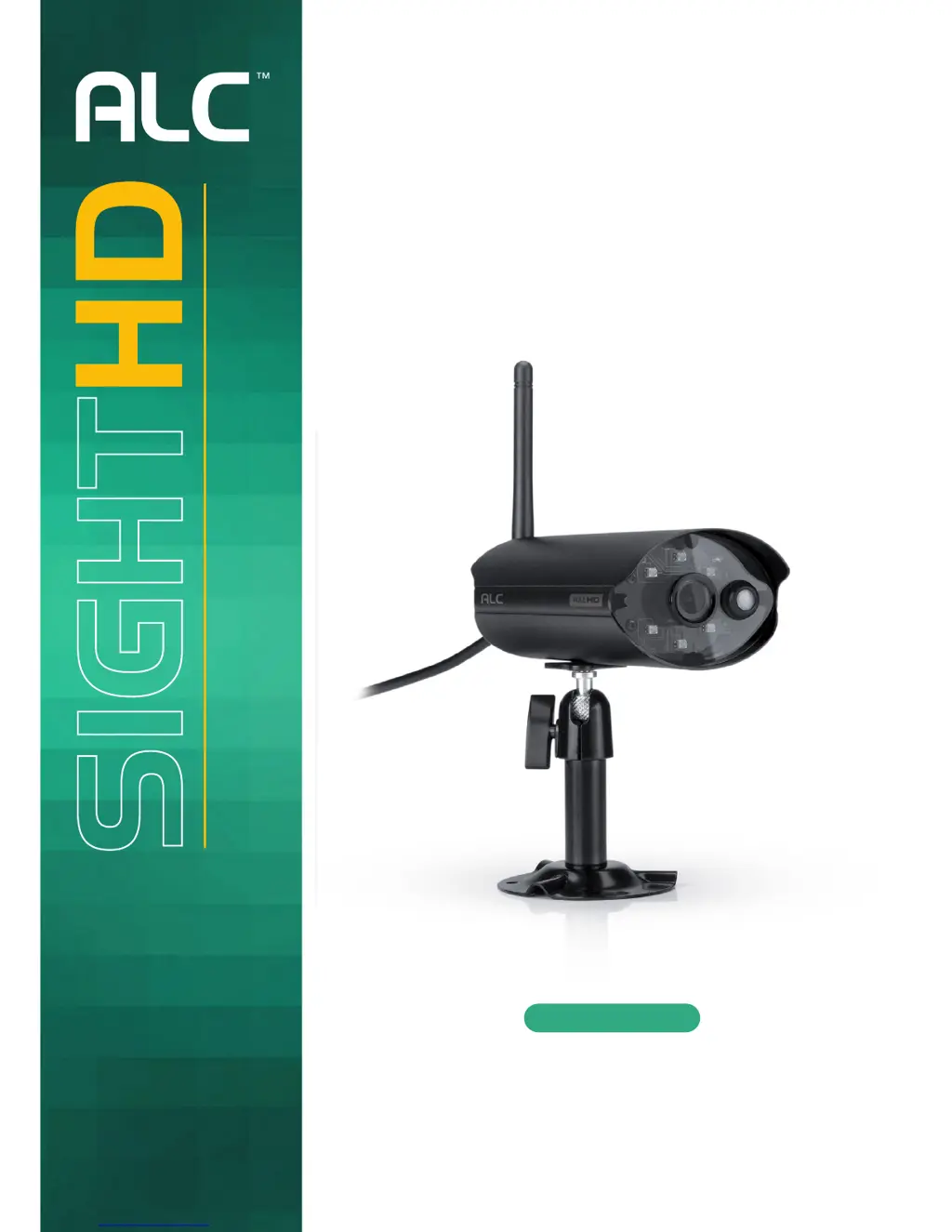
1080p Indoor/Outdoor
Wi-Fi Camera
User Guide
Please read these instructions completely
before operating this product.
Model AWF61
Wireless Made Simple.
Full HD 1080p Indoor
Pan & Tilt
Security Wi-Fi Camera
with Siren
User Guide
Please read these instructions completely
before operating this product.
Model AWF33-S2
Wireless Made Simple.
Remote Monitoring Anytime from Anywhere
Waiting for
Rauls pic

Questions and Answers

  • J
    Joseph HarrisonAug 14, 2025
    How to fix ALC AWF61 Security Camera when app cannot locate the camera?
    • S
      Sheri BlackwellAug 14, 2025
      If the app isn't finding your ALC Security Camera, first ensure the camera is powered on. Check that your network supports DHCP protocol, and confirm that both the camera and your mobile device are connected to the same network or router. You might also try manually adding the camera using the 'Add Camera' feature, making sure your home network is selected.
  • S
    Stacey IbarraAug 17, 2025
    Why no image appears on my ALC AWF61?
    • R
      Randy AliAug 17, 2025
      If your ALC Security Camera isn't showing an image, start by verifying that the camera has power. Check the power adapter for any damage and ensure it's properly plugged into a working electrical outlet. Try repositioning the camera to improve the wireless signal. Also, confirm that the camera is correctly configured in the app and that your mobile device has a stable 3G/4G/Wi-Fi connection.
  • A
    Anna EllisAug 20, 2025
    What to do if ALC Security Camera app cannot record any video clips?
    • J
      John MendozaAug 20, 2025
      If your ALC Security Camera isn't recording video clips, first, ensure the camera is powered on. Next, verify that the MicroSD card is correctly inserted. Also, make sure the motion detection function is enabled. If it is the first time you are using the MicroSD card, format it.
  • C
    Catherine AustinAug 25, 2025
    Why does my ALC AWF61 show the wrong date and time?
    • E
      Edwin LeachAug 25, 2025
      If your ALC Security Camera displays the wrong date and time, this can lead to recording issues. To resolve this, ensure you've selected the correct time zone in the settings. Also, check the date and time on your mobile device to ensure they are accurate, as the camera will sync its clock when connected to the internet. Make sure the system is properly connected to the internet. You can use your mobile device to check if remote viewing is working correctly.
  • V
    Victoria FranklinAug 27, 2025
    Why is email alert not working on my ALC Security Camera?
    • M
      Matthew PrestonAug 27, 2025
      If your ALC Security Camera's email alerts aren't working, ensure that the email alert function is enabled in the settings. It's recommended to use a Gmail account for this feature. Make sure you've configured the system settings as outlined in the Email Alert section and that you've entered the email address correctly. Also make sure you are using a Class 10 rated memory card.
  • M
    Mariah ClarkAug 31, 2025
    Why does my ALC AWF61 Security Camera show a white image at night?
    • K
      kathleennewmanAug 31, 2025
      If you're seeing a white image at night with your ALC Security Camera, it's likely due to the camera's infrared LEDs reflecting off a surface like glass. To fix this, try placing the camera on the other side of the window to improve night vision. Alternatively, improve the lighting in the area by installing a security lamp.
  • S
    Steven PattersonSep 2, 2025
    How to fix memory card error on ALC AWF61 Security Camera?
    • T
      Timothy GriffinSep 3, 2025
      To address memory card errors with your ALC Security Camera, first, ensure the MicroSD card is correctly inserted into the camera. Then, format the card. Also, make sure you are using a Class 10 rated memory card.
  • S
    Samuel WoodsSep 6, 2025
    Why is the motion sensor not responding on my ALC Security Camera?
    • R
      Ronald PageSep 6, 2025
      If the motion sensor on your ALC Security Camera isn't responding, first, ensure that a MicroSD card is inserted into the camera. It is possible that there has been no movement to trigger the sensor. Also, check that the sensitivity option is activated.
  • R
    Randy MorrisSep 9, 2025
    How to improve poor picture quality on my ALC AWF61?
    • S
      Shannon NewmanSep 10, 2025
      If your ALC Security Camera has poor picture quality, start by cleaning the camera lens with a microfiber cloth. You can also try selecting a different setting for video quality.

Summary

Safety Instructions

General Safety Precautions

Covers product safety, service safety, and general warnings for safe operation.

Introduction and Camera Overview

Installation Guide

Camera Mounting Procedure

Step-by-step guide on physically mounting and positioning the camera.

Remote Access and App Usage

Network Connection Methods

Guides for connecting the camera via Wi-Fi (Android/Apple) and Ethernet.

Camera Settings Configuration

Covers information screen options, system settings, and advanced configurations.

Troubleshooting Common Issues

Camera Connection and Image Problems

Solutions for camera location, no image, and poor picture quality issues.

ALC AWF61 Specifications

General IconGeneral
Connectivity TechnologyWireless
Video Capture Resolution1080p
Resolution1920 x 1080
Lens2.8mm
Weather ResistanceIP65
StorageMicro SD card (up to 128GB)
Special FeaturesMotion Detection, Two-Way Audio
Power SourceBattery
Night Vision Range10m
ConnectivityWi-Fi
Operating Temperature-10°C to 50°C

Related product manuals