— 30 —
REMOTE ACCESS
To View and/or Take Videos
u
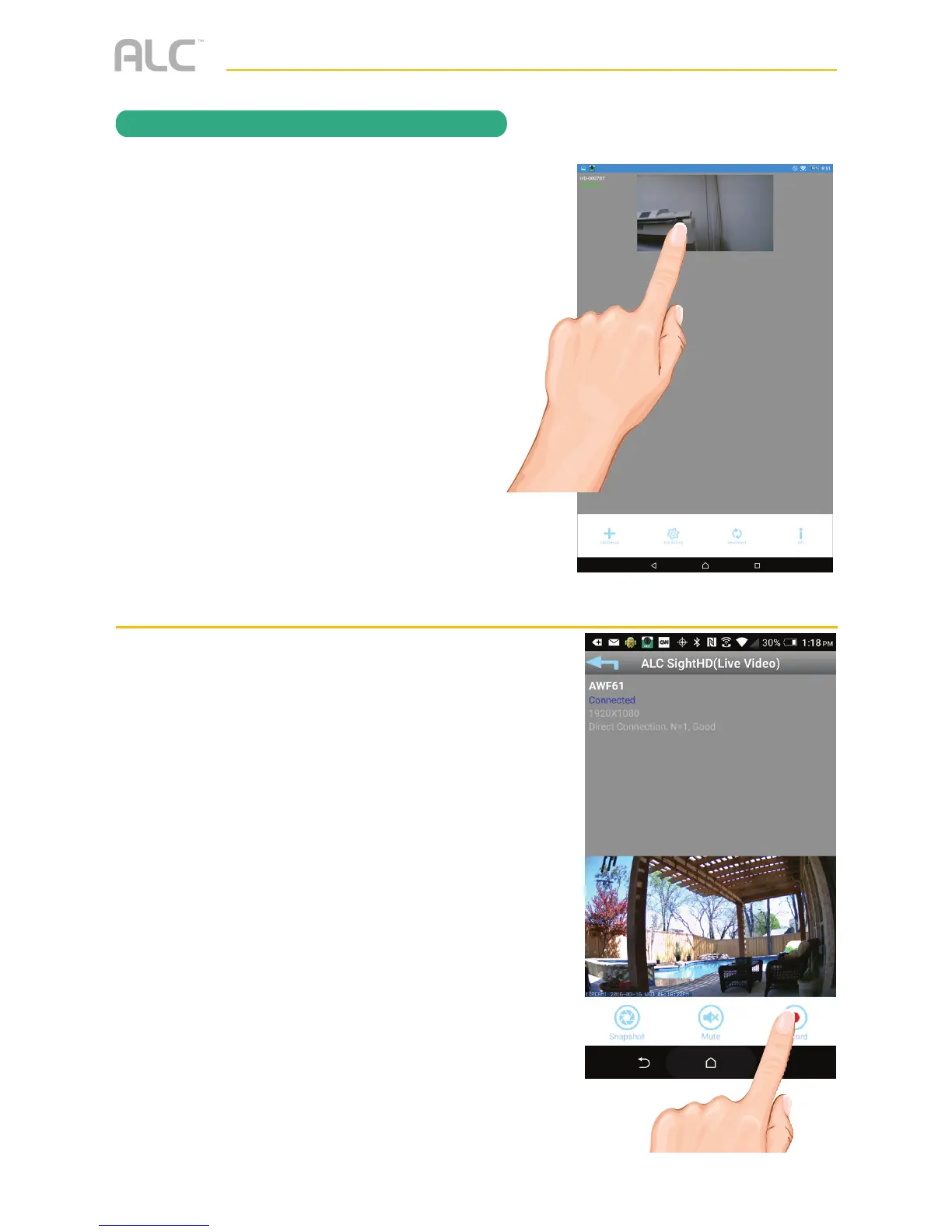
From the main screen, tap to remote
view your camera system.
v
Tap the Record icon to start recording
(the recording icon appears at the
top-right corner). The App will record
for 1 minute. See page 32 to playback
videos.
Note: An SD Card is needed. If no
SD card is inserted, “NO SD CARD”
message will appear briefly. See page 9
for details.
Cloud: When an SD card is inserted
and the Cloud option is activated
(see page 45), recorded videos will
automatically be transferred onto the
cloud, i.e. Google Drive.



 To Next Page