EasyManua.ls Logo

Alcatel-Lucent 8242 - Programming Your Telephone; Voice Mail Initialization and Customization

Alcatel-Lucent 8242
85 pages
Print Icon
To Next Page IconTo Next Page
To Previous Page IconTo Previous Page
Loading...
8242 DECT Handset
8AL90311USADed01
40 /83
7 Programming your telephone
7.1 Initializing your voice mailbox
Before starting initialization, make sure the administrator has created a voice mailbox.
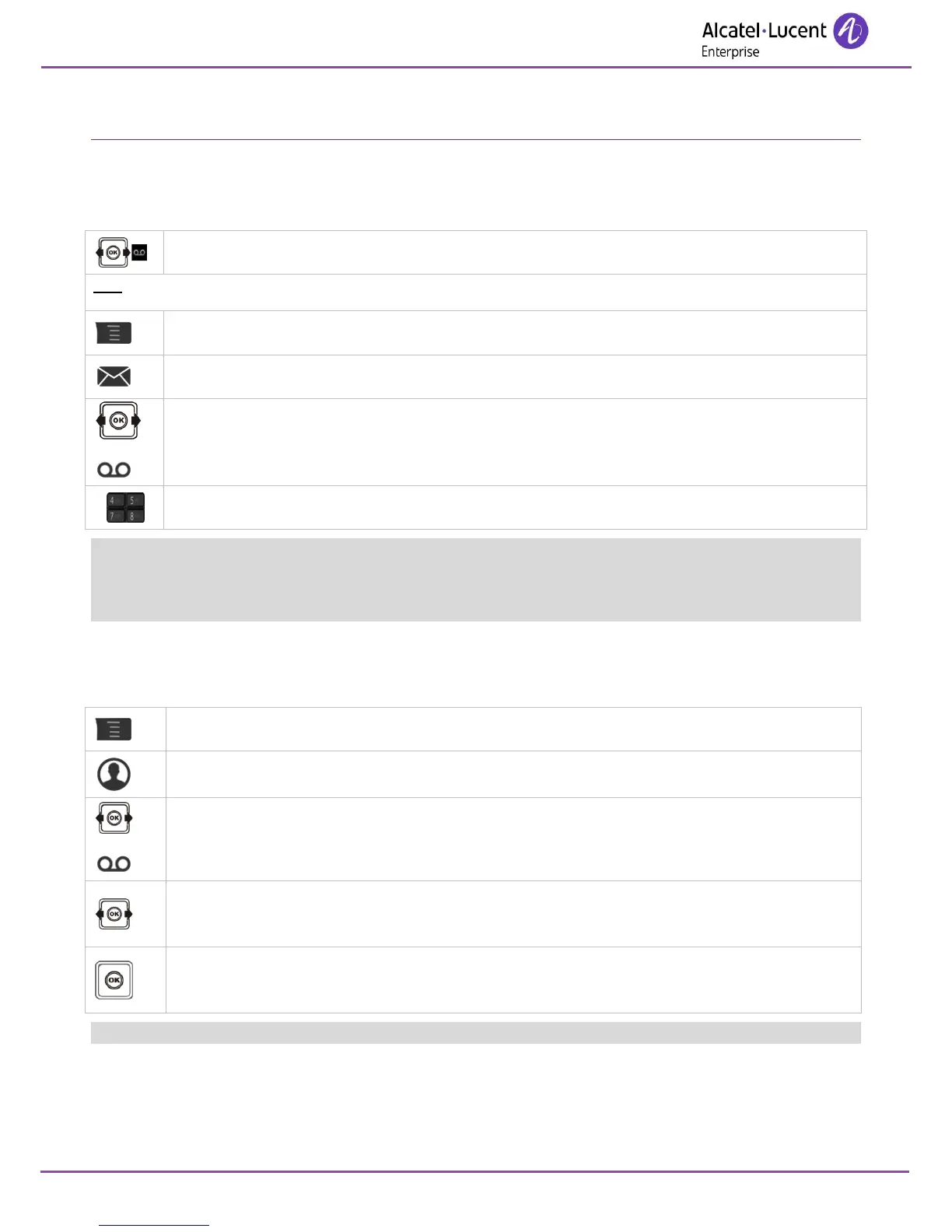
You can use the Message icon on the welcome screen to initialize your voice mailbox.
OR.
Access MENU.
Messages
Confirm access to the voice mailbox.
Enter your password and record your name in accordance with the spoken instructions.
Your personal code is used to access your voice mailbox and to lock your telephone.
A weak personal code with 6 identical digits (000000, 111111, etc.) or a simple sequence of 6 digits
(012345, 123456, etc.) will be rejected by the system. The list of weak passwords provided does not
contain all the possibilities.
7.2 Customizing your voice greeting
You can replace the greeting message by a personal message.

Access MENU.
Services
Mbxgreeting
Apply.
Custom ?
Apply.
Record
Apply.
While recording a comment you can select other functions using the navigate-up-down key.

Table of Contents

Other manuals for Alcatel-Lucent 8242

Related product manuals