H2 DeskPhone
H2P DeskPhone
8AL90394ENAAed01 52 /111
9.6 MCAST
This feature allows the user to make some kind of broadcast call to people who are in a multicast group. The
user can configure a multicast DSS Key on the telephone which allows the user to send a Real Time
Transport Protocol (RTP) stream to the pre-configured multicast address without involving SIP signaling.
You can also configure the telephone to receive an RTP stream from a pre-configured multicast listening
address without involving SIP signaling. You can specify up to 10 multicast listening addresses.
Multicast:
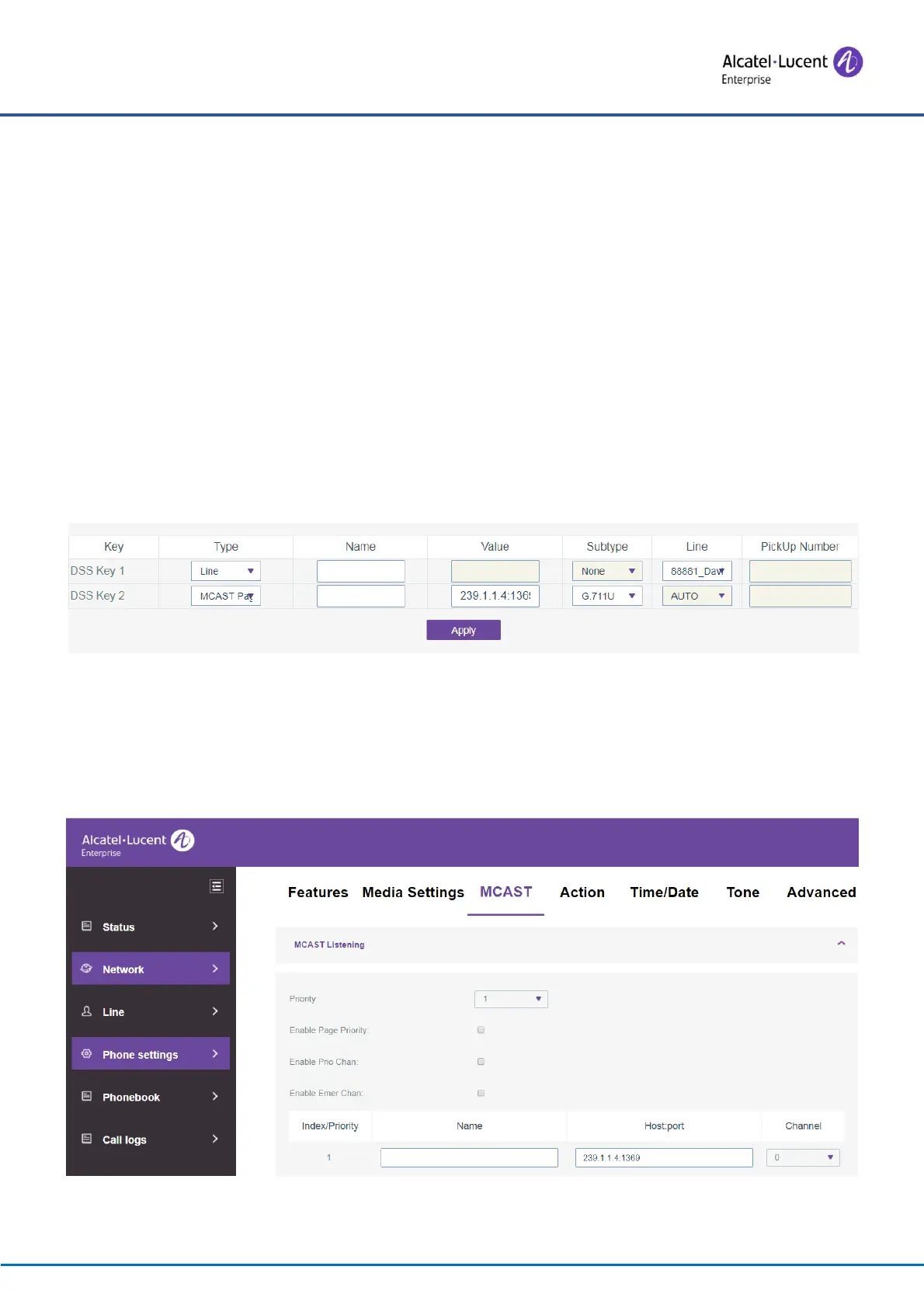
⚫ On the web page, go to [Function Key] >> [Function Key], select the type of multicast, set the
multicast address, and select the codec.
⚫ Set the IP address and port number for multicast listening, to be separated by a colon (IP address
range is 224.0.0.0 to 239.255.255.255, port number range is preferably between 1024 and 65535).
Figure 66 – Setting the Multicast function key
⚫ Click Apply.
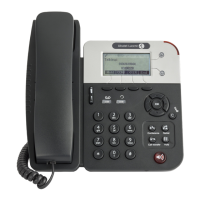
⚫ Set up the name, host and port of the multicast to be received on the web page by going to [Phone
Settings] >> [MCAST].
Figure 67 - Multicast settings page






 To Next Page