If there is a new version txt and new software or firmware on the
server, the page will display the version information, and the
upgrade button will become available. Click the [Upgrade] button to
upgrade to the new firmware.
When there is a corresponding TXT file and version on the server
side, the TXT and version information will be displayed under the
new version description information.
⚫ The file requested from the server is a TXT file called vendor_model_hw1_0.txt.Hw followed by the
hardware version number. It will be written as hw10 if there is no difference in the hardware. All spaces
in the filename are replaced by underlines.
⚫ The URL requested by the telephone is HTTP:// server address/vendor_Model_hw1_0
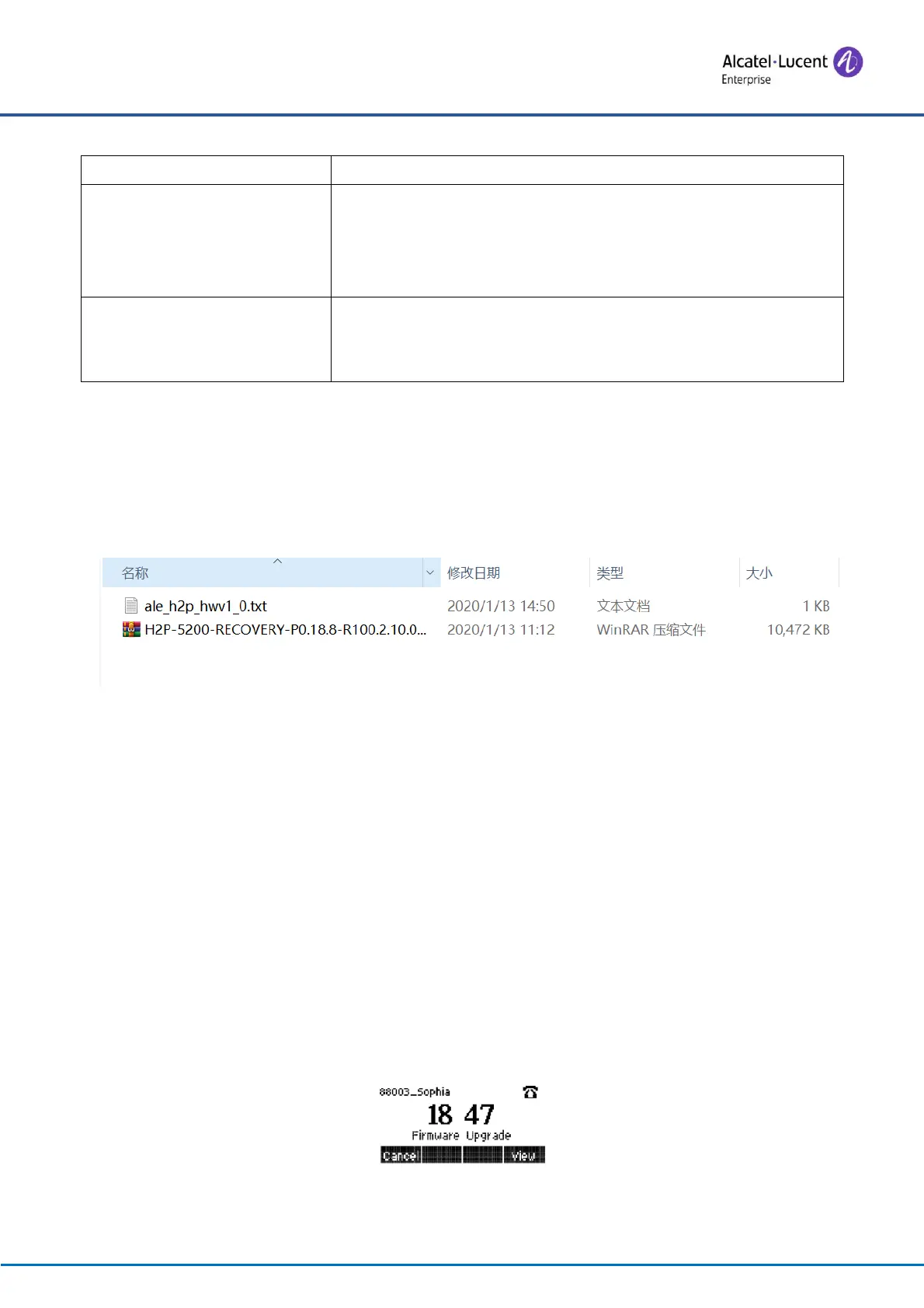
.txt: The new version and the requested file should be placed in the download directory of the HTTP
server, as shown in the figure below:
⚫ TXT file format must be UTF-8
⚫ vendor_model_hw1_0.TXT The file format is as follows:
Version= R100.2.10.00.0001020 #Software Version
Firmware=xxx/xxx.z #URL, Relative paths are supported and absolute paths are possible,
distinguished by the presence of protocol headers.
BuildTime=2018.09.11 20:00
Info=TXT|XML
Xxxxx
Xxxxx
Xxxxx
Xxxxx
⚫ After the interval of the update cycle arrives, if the server has available files and versions, the telephone
will prompt as shown below. Click [view] to check the version information and upgrade.
Figure 111 - Firmware upgrade






 To Next Page