11
3 GETTING TO KNOW YOUR PHONE
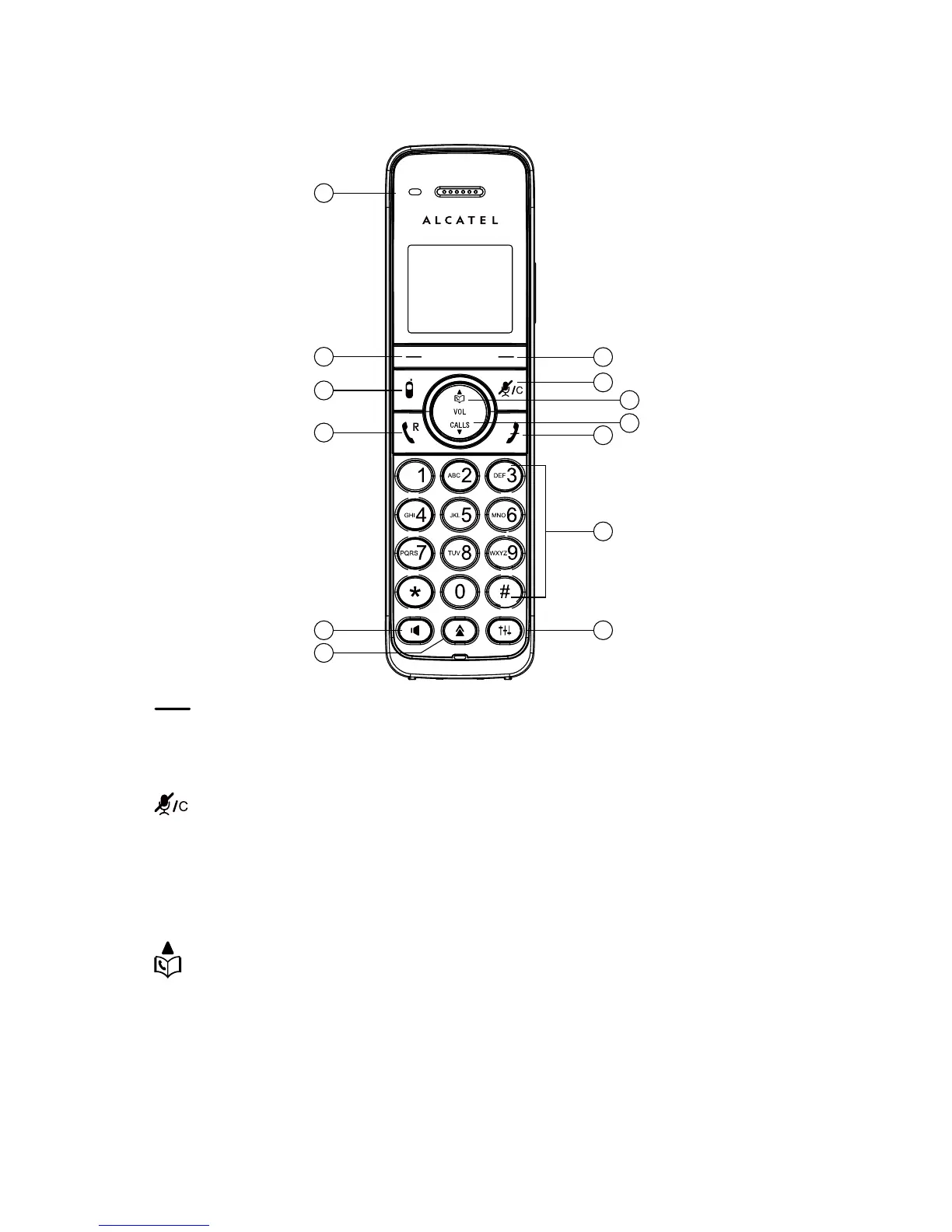
3.1 Handset Overview
3
1
2
4
5
6
7
10
9
11
12
13
8
1.
• Press to select a menu item displayed above the key.
• While in a menu: Press to select an item or save an entry or setting.
2.
• During a call: Press to mute/unmute the microphone.
• In editing/predialing mode: Press to clear a character/digit.
• In ringing: Press to suppress handset ringer.
• During message or outgoing message playback: Press to delete a
message or outgoing message.
3.
• In menu mode: Press to scroll up the menu items.
• During a call: Press to increase the volume.
• In idle mode: Press to access the phonebook list.
• While entering names or numbers in the phonebook: Press to move the
cursor to the left.



 To Next Page