8
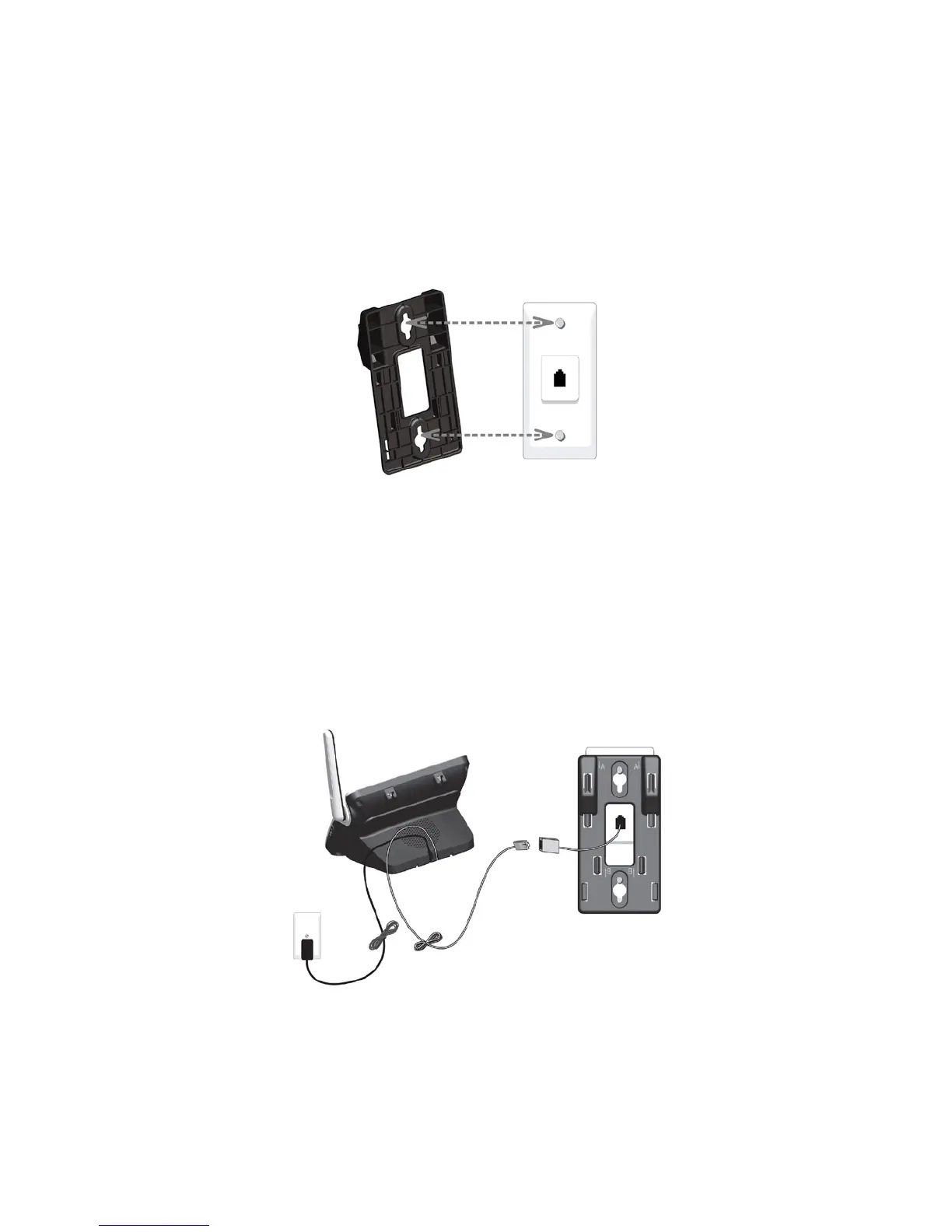
2.3 WALL MOUNTING
Use the provided wall mount bracket to attach to a standard dual-stud
telephone wall mounting plate.
Tabletop to wall mount installation
1. With the upper tabs (marked A) on top, align the holes of the wall mount
bracket with the studs on the standard wall mounting plate and slide the
bracket down until it locks securely.
2. Plug one end of the telephone line cord into the jack on the bottom of the
telephone base and plug the other end into the telephone wall jack (or DSL
lter).
Plug the small end of the telephone base power adaptor into the jack on
the bottom of the telephone base and plug the other end into an electrical
outlet. Route the telephone line cord and the power cord through the
grooves at the bottom of the telephone base accordingly.



 To Next Page