46
Listen new messages through the Handset:
1. Press MENU in idle mode.
2. Press SELECT to select Play messages.
• To play new messages, press SELECT to select Play new msgs.
• To play old messages, press
or to select Play old msgs, then
press SELECT.
When the handset is playing a message, its screen shows [2]-Call info
and the caller’s name or number. If the caller’s information is unavailable,
the handset shows No caller info.
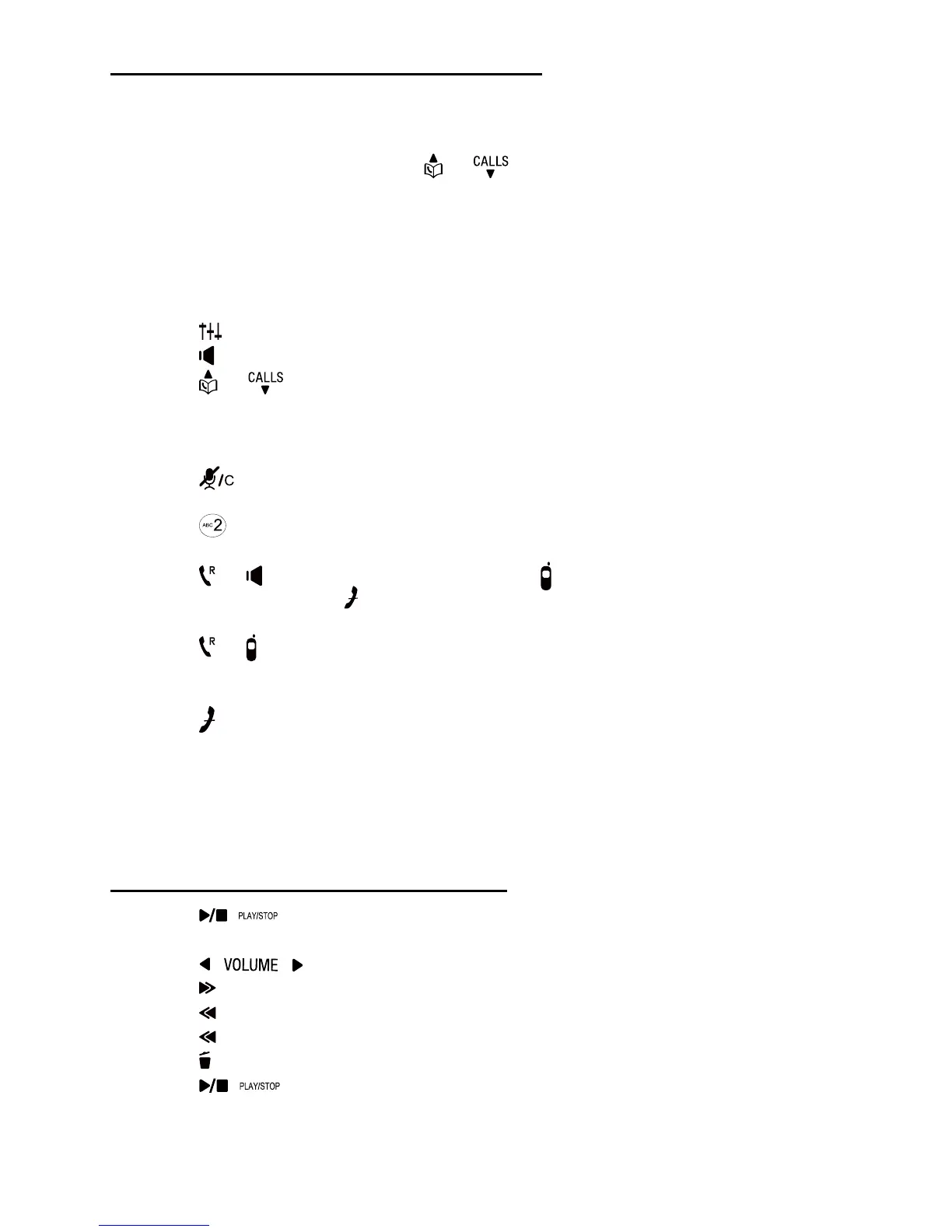
Options during playback:
• Press
to adjust the message playback audio quality.
• Press
to play the messages through the handset earpiece.
• Press
or to adjust the speakerphone volume.
• Press SKIP to skip to the next message.
• Press REPEAT to repeat the message currently playing. Press REPEAT
twice to listen to the previous message.
• Press
to delete the current message. The handset displays Message
deleted briefly and the system advances to the next message.
• Press
to pause the playback and show the calling number display
information.
• Press
or to use the fixed line, or press to use the mobile line to call
back the caller. Press or BACK to resume the playback. If you do not call
back within 10 seconds, message playback resumes.
• Press
or to pause the message playback. The handset displays Call
back? with the calling number display information. Press YES to call back
the caller, or NO to resume the message playback.
• Press
to stop.
Notes:
• When the answering machine has less than three minutes of recording
time left, it announces, “Less than three minutes to record.” and the
handset displays TAM low.
Listen new messages through the Base:
• Press
to listen to messages.
Options during playback:
• Press
to adjust the speaker volume.
• Press
to skip to the next message.
• Press
to repeat the message currently playing.
Press
twice to listen to the previous message.
• Press
to delete the current message. .
• Press
to stop.



 To Next Page