14Ver. 1.01
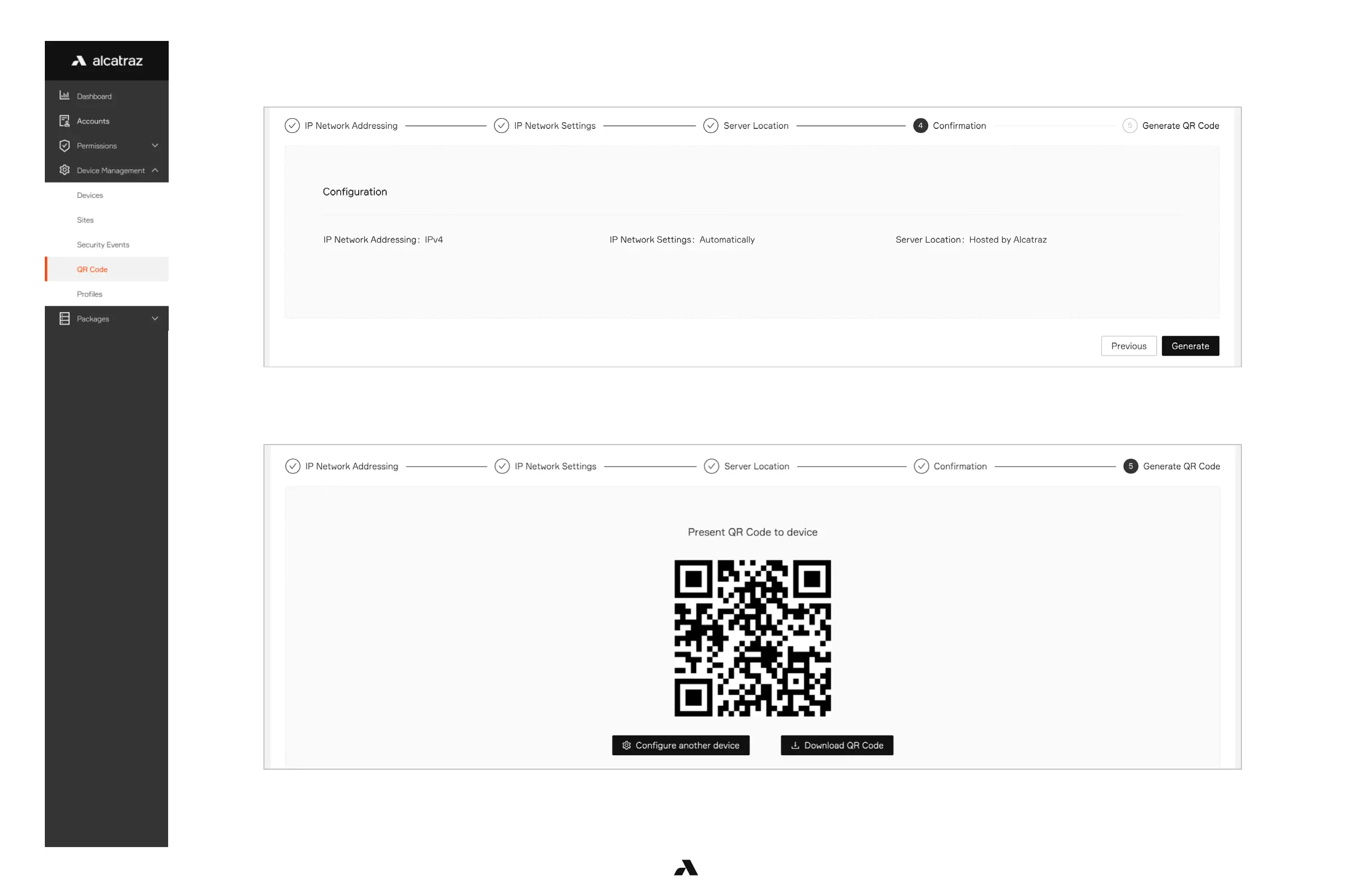
Review your settings and then hit ‘Generate’.
Click download QR Code to save to your computer, email or text.
Generate and Download QR Code
Download the QR Code and present to the Rock’s image sensor on a printout, on a laptop screen or on a mobile device.
Note: The recommended method is to print out on a piece of paper (image minimum size 2x2 inches or 5 cm).
The glare off screens of laptops and mobile devices may prevent the Rock from scanning the code reliably.



 To Next Page