SN: G2CD200800001
ID: XXXXXX COO: US
QTY: 1
28Ver. 1.01
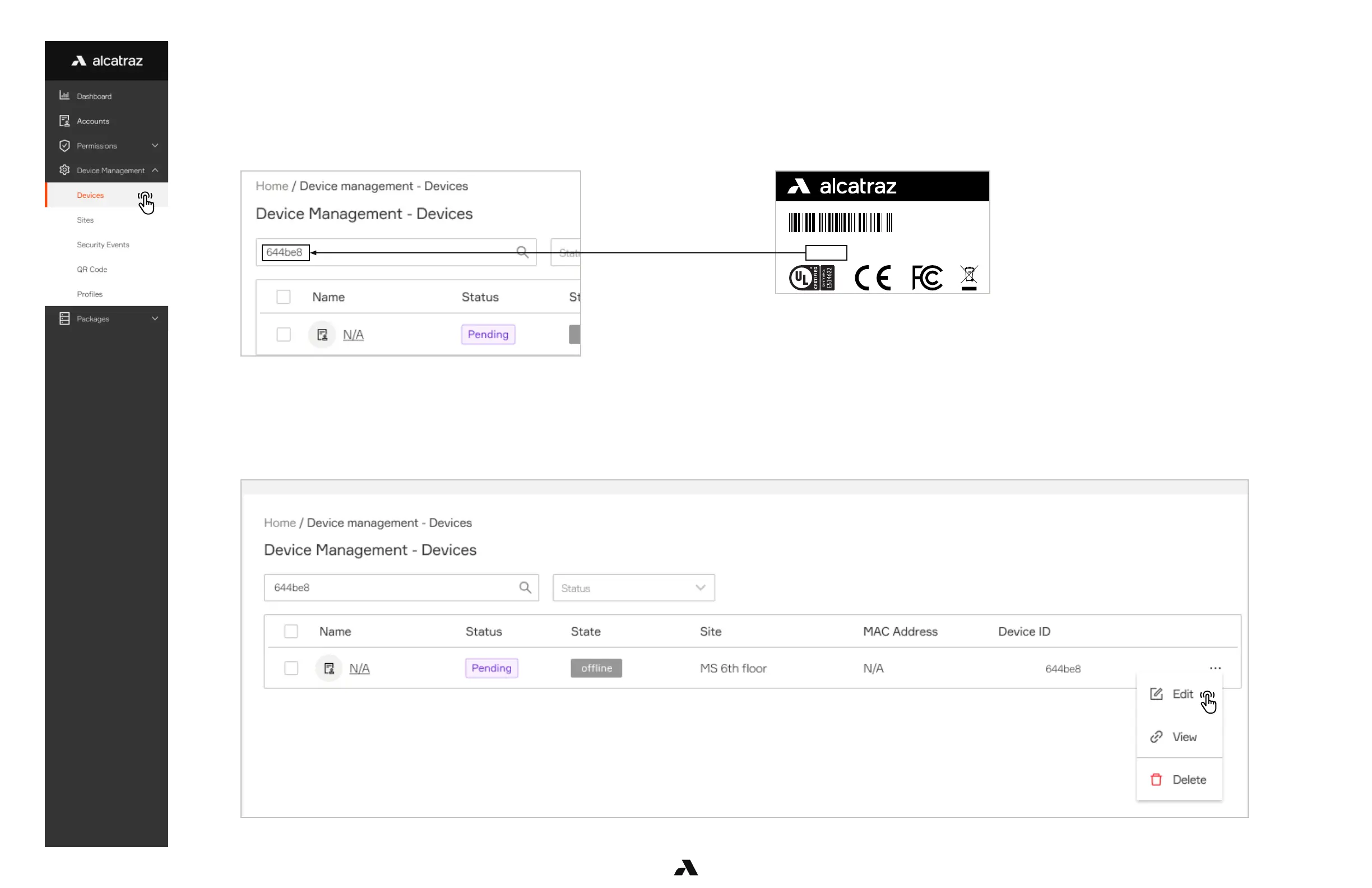
Enter the 6 digit Device ID (indicated by ID) in the search bar to locate the Rock for onboarding.
The 6 digit Device ID can be found:
1. On the outside of the package the Rock was shipped in.
2. On the back of the Rock.
Enter this Id in the Search field using all LOWER case
Click on the three dots next to the Device ID, select Edit to open the Edit Device pane.
Enter the Device ID
Select the Device to be Configured



 To Next Page