WHITEIdle / Standby
BLUE Badge ID sent
GREENAccess Granted
Info Bar
Status Bar
Main
Display
SN: G2CD200800001
ID: XXXXXX COO: US
QTY: 1
16Ver. 1.01
Step 3 – Perform end-to-end test once the Rock has successfully powered up
The Rock is designed to ensure installation is successful. It can authenticate regardless of Network
connections. There will be some icons in the status bar related to network and onboarding. These are
resolved in the section for Configuring the Network Settings. Ignore for now and carry out the installation
end-to-end test to verify that wiring is correct and the Rock is functional.
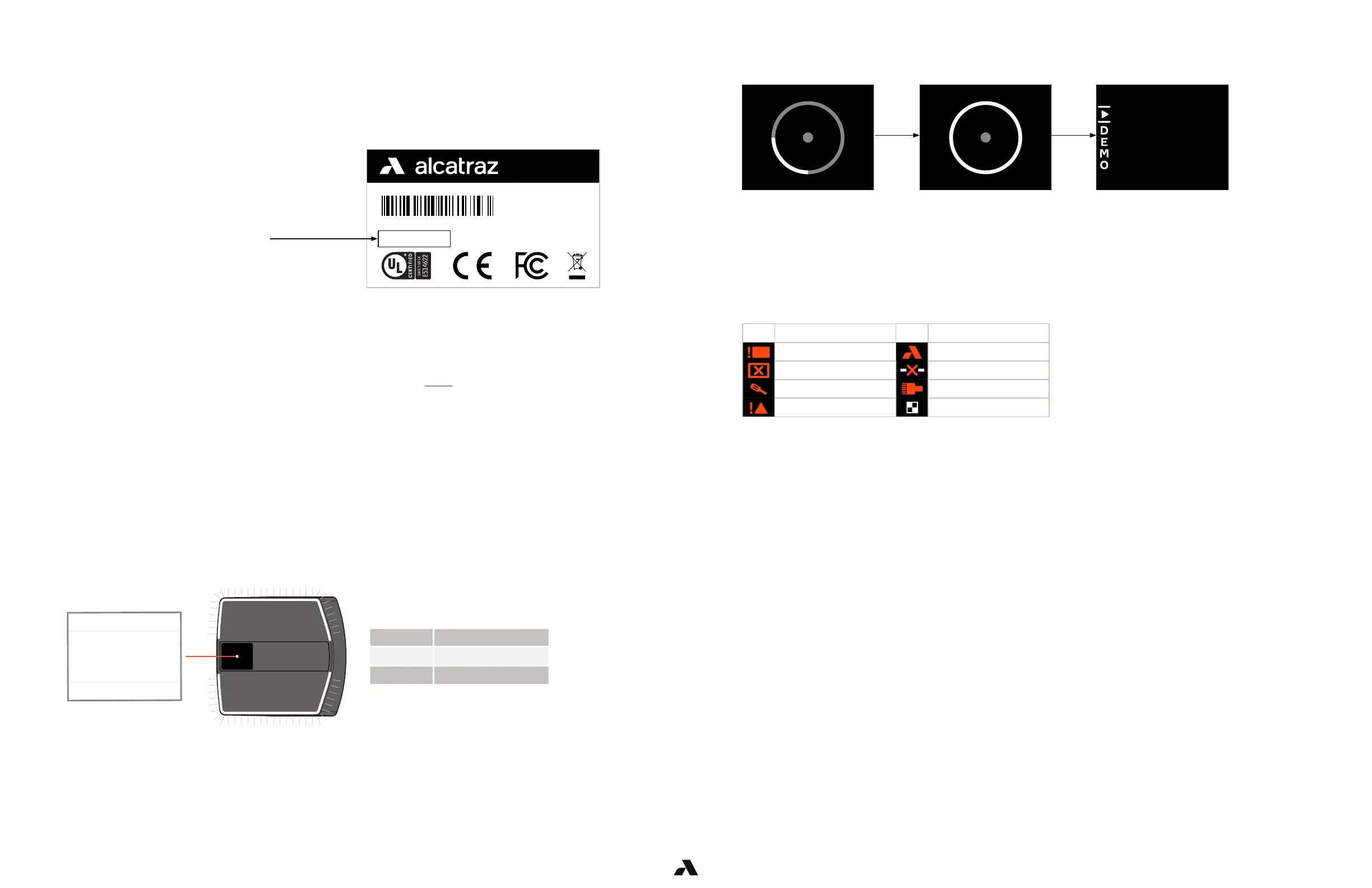
Booting up
LED ring is off
Booting Complete
LED ring is white
Demo mode
LED ring is white
* Must be resolved before completing install
There are status icons that may appear. Certain icons are not required to be resolved at this step.
Those with a red star must be resolved before the next step.
Cloud-hosted and on-premise Rock installation follow the same steps.
Before beginning, write down the Device ID found on the box the Rock was packaged in
or alternatively, on the back of the Rock. You will need this to onboard the Rock.
The Device ID is the 6 digits after ID:
Step 2 – Powering up the Rock
The Rock OLED Display contains 3 sections:
■ Status bar: displays icons that require attention
■ Main: authentication guidance icons
■ Info: informational such as the Rock’s IP and Network settings will scroll across
Step 1 – Installation of Rock to wall, includes mounting and wiring
Refer to Rock Installation Guide provided in package or access it here.
The Rock begins booting up once the PoE+ cable is attached and completes in Demo mode.
Display Zones & LED ring colors
icon name icon name
*PoE Power Fault Not On-boarded
*Panel Power Fault No Server Connection
*Tamper No Network Connection
*Internal Comms Down QR Code Receptive



 To Next Page