www.aleratec.com
4
Introduction
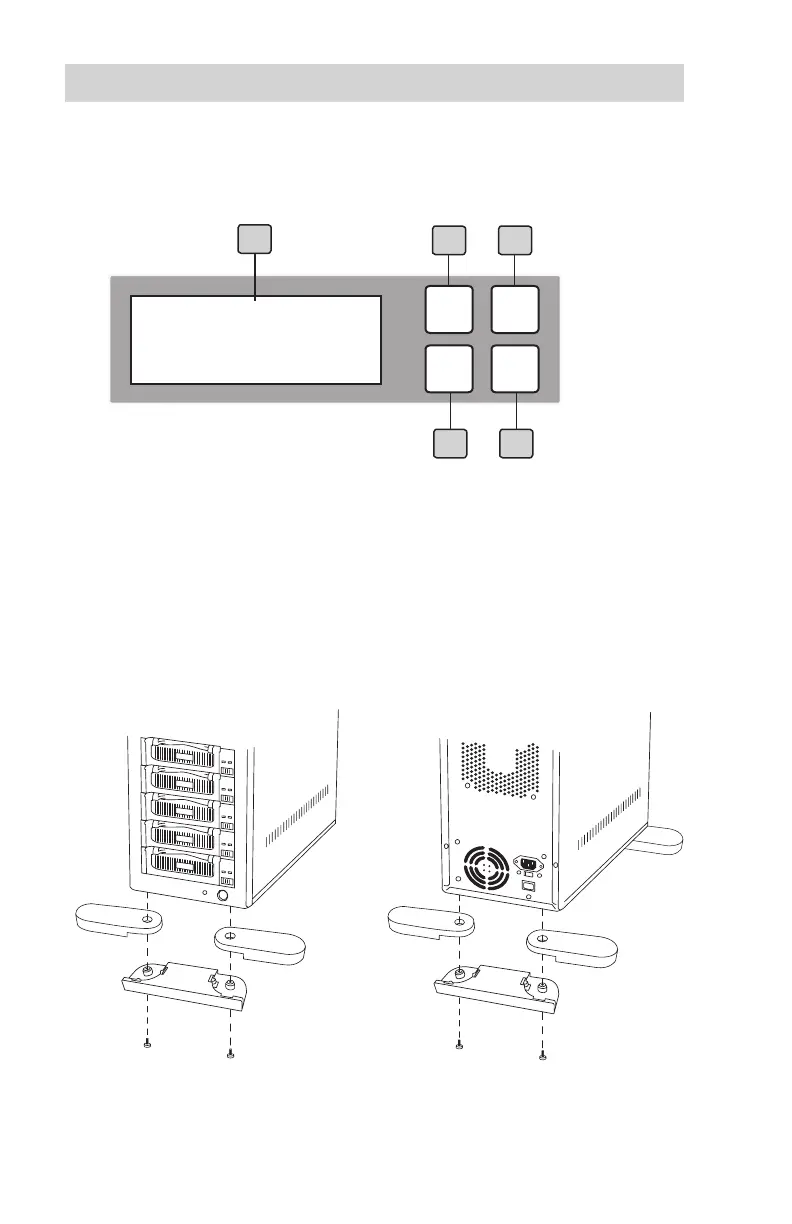
HDD Copy Cruiser High-Speed WL Copy Controller Display
Panel and Buttons
(Actual display may vary from illustration)
1. LCD display shows all functions and messages
2. OK button is used to execute a selected function, or enter a menu
3. ESC button is used to cancel a selected function, or exit a menu
4. UP arrow is used to scroll backward through functions or menus
5. DOWN arrow is used to scroll forward through functions or menus
HDD Cruiser
1-11 ver: 2.33.4
1
3
2
ESC
OK
5
4
Duplicator Stand Installation Instructions (350136 only)
1. Front Stands
2. Back Stands



 To Next Page