INSTALLATION & OPERATIONS GUIDE | MICROSET 4
© Honeywell LT-MS4IOG Rev. 04 | Revised October 2015
22
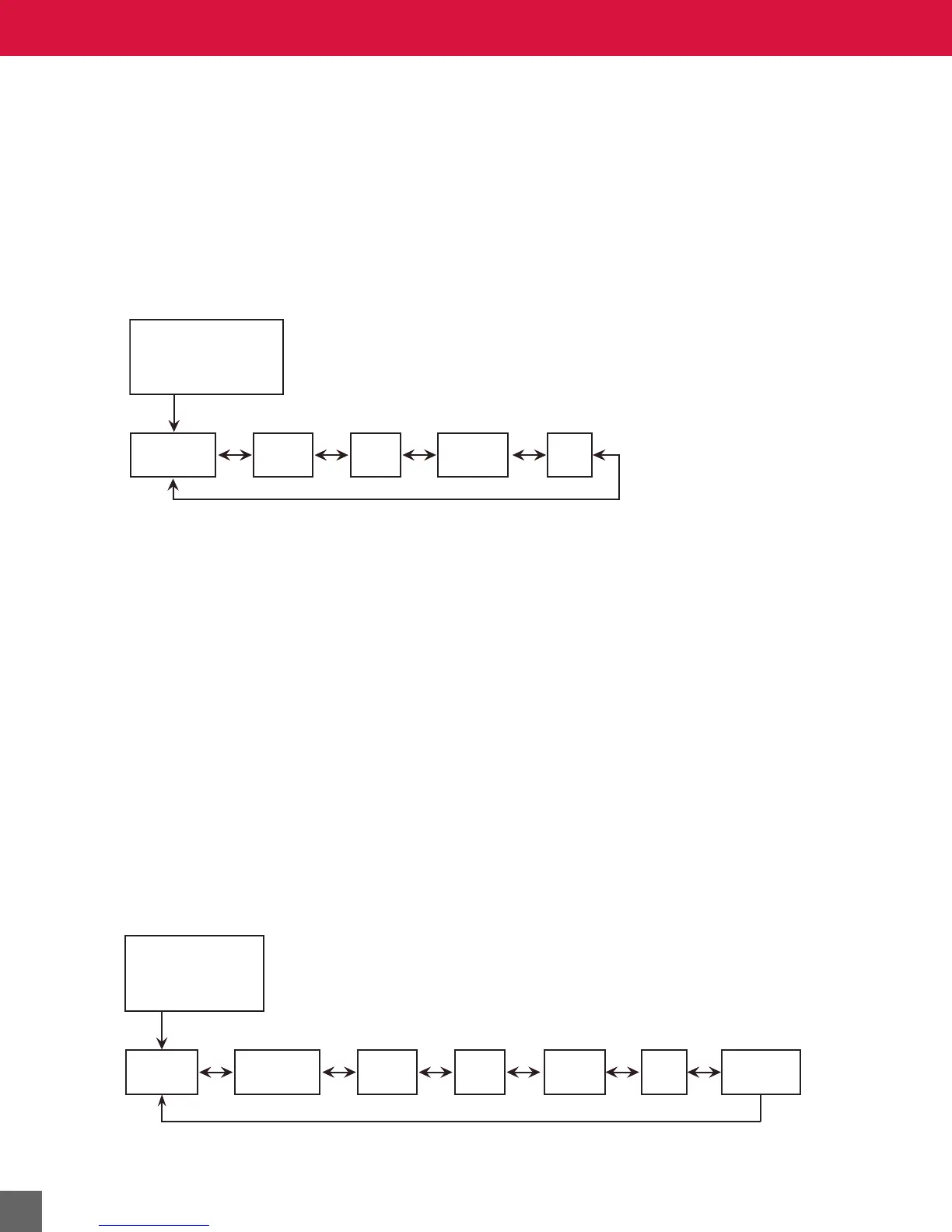
M1—Office, No Fan Control, Occupied
Set BV-64 ON and BV-65, BV-80, and BV-81 OFF. The screen in the Across the Room View shows the
value of occupant-selected space temperature setpoint (AV-90) or the room temperature (AV-101)
alternating with the current time-of-day (if enabled). The unit controls HVAC equipment to keep space
temperature within occupied setpoints.
When the unit is displaying the Across the Room View, the occupant can press anywhere on the screen
to display the Temperature screen. Once at the Temperature screen, the occupant can press the
UP/
DOWN arrows to increase or decrease the Occupied Temperature Setpoint.
This mode’s counterpart is M2, which is activated by setting BV-64 OFF.
Figure 12 M1 screen flow sequence.
M2—Office, No Fan, Unoccupied
Set BVs 64, 65, 80, and 81 OFF. In unoccupied mode, the screen in Across the Room View will be
black, or if the After-hours Override timer is set above zero the screen in Across the Room View will
show the override time remaining.
NOTE After Hours Timer AV-96 counts down by increments of 30 minutes, and override time on the
screen counts down by increments of 1 minute, so the display will show :00 during the last half-
minute of override.
The occupant can press anywhere on the screen to activate the unit, and then press the
RIGHT
navigation arrow to select after-hours override. Once at the Override screen, the occupant can press
the
UP/DOWN arrows to increase or decrease the override time.
When the override time is greater than zero, the unit controls HVAC equipment to maintain space
temperature within occupied-mode temperature setpoints.
If desired, after-hours operation can be disabled by writing a 0 value to the after-hours timer limit (AV-
97).
This mode’s counterpart is M1, which is activated by setting BV-64 ON
Figure 13 M2 screen flow sequence.
Across the Room View
“Default Occupied”
Temperature
Air
Quality
Lights
Humidity
Windows
Energy Saving State
“Unoccupied
Office Mode”
Override
Temperature
Air
Quality
Windows
Humidity
Unoccupied
Set Points
Lights



 To Next Page