© Honeywell LT-MS4IOG Rev. 04 | Revised October 2015
33
INSTALLATION & OPERATIONS GUIDE | MICROSET 4
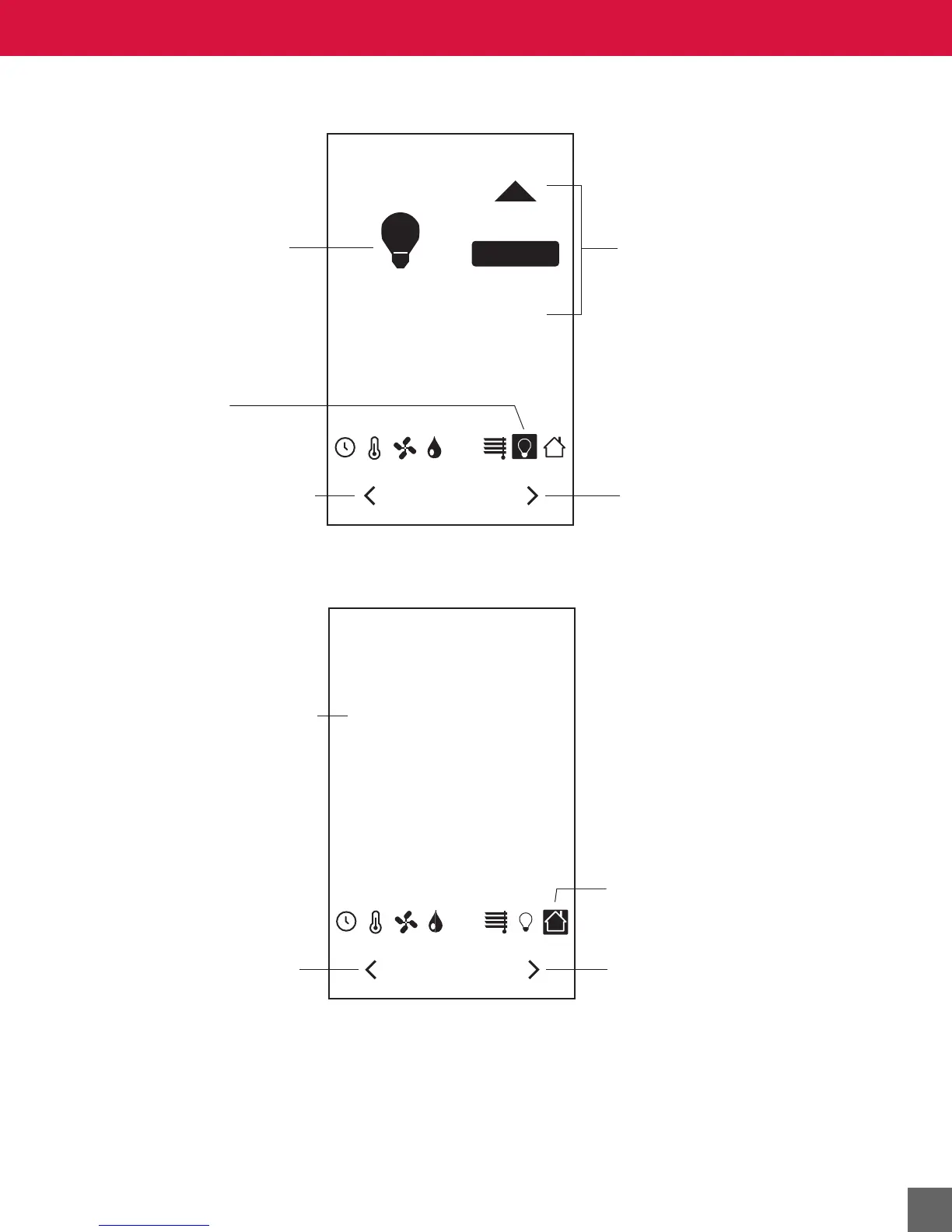
Lights screen
Unoccupied Mode Setpoints screen
LIGHTS
OFF
CO
2
ON
Lights screen
is active.
Press the left arrow to move
to the previous screen, and
save changes made to the
lights value.
Press the right arrow to move
to the next screen, and
save changes made to the
lights value.
Press the on/off button
to turn on or off the lights.
(If ON is selected, the
down arrow will be visible.)
Light bulb icon changes
when when lights are
turned on or off.
UNOCCUPIED MODE
SETPOINTS
COOLING SP 80 °F
HEATING SP 65 °F
CO
2
Temperature icon will flash
while Unoccupied Mode
Setpoints screen is selected.
Current Unoccupied Setpoint.
Press the left arrow to move
to the previous screen, and
save changes made to the
setpoint value.
Press the right arrow to move
to the next screen, and
save changes made to the
setpoint value.



 To Next Page