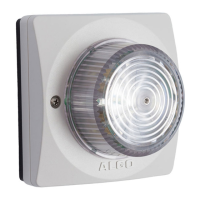
8138 SIP Multicolor Strobe Light
Strobe Pattern
Select strobe pattern to flash when page/ring event is detected on the SIP Page/Ring
extension.
Idle Pattern
Select strobe pattern to flash when ‘Call Status’ is in Idle mode.
Basic Settings Tab – Strobe
Pattern Definitions
Several different strobe patterns can be configured with a Flash Pattern, Brightness, and
one or two colors.
Configured strobe patterns are named to simplify the selection elsewhere.
On the 8138 a drop down option Strobe Pattern is displayed next to features that allow
patterns to be associated with actions such as page, ring, or multicast.
Application Intensity/Strobe
Description Wall
High Med Low
Rotate Fast ● ●
Rotate Slow ● ●
Multicolor Spin ● ● ●
Multi-strobe Fast (One color) ● ● ● ●
Multi-strobe Fast (Two colors) ● ● ● ●
Multi-strobe Slow(One color) ● ● ● ●
Multi-strobe Slow (Two colors) ● ● ● ●
Rotating Strobe ● ● ●
Steady (One color) ● ● ●
Steady (Two colors) ● ● ●
Side to Side ● ●
Flashing ● ● ●
Classic Strobe Fast ● ● ●
Classic Strobe Medium ● ● ●
Classic Strobe Slow ● ● ●
Document 90-00102C
11/27/2019
Page 22
Algo Communication Products Ltd
4500 Beedie St Burnaby BC Canada V5J 5L2
www.algosolutions.com
(604) 454-3792
support@algosolutions.com



 To Next Page