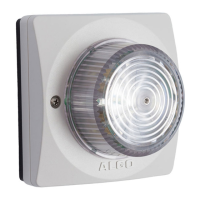
8138 SIP Multicolor Strobe Light
If using a generic configuration file, extensions and credentials have to be entered
manually once the 8138 SIP Strobe Light has automatically downloaded the configuration
file.
Generating a specific configuration file
1. Follow steps 1 to 6 as listed in the section “Generating a generic configuration file”.
2. Rename file settings.txt to algom[MAC address].conf (e.g.
algom0022EE020009.conf)
3. File algom[MAC address].conf can now be uploaded on the Provisioning server.
The specific configuration file will only be downloaded by the 8138 with the MAC address
specified in the configuration file name. Since all the necessary settings can be included in
this file, the 8138 will be ready to work immediately after the configuration file is
downloaded. The MAC address of each 8138 Strobe can be found on the back label of
the unit.
For more Algo SIP endpoint provisioning information, see:
www.algosolutions.com/provision
Advanced Settings Tab – Advanced Audio
Always Send RTP Media
If enabled, audio packets will be sent at all times while a call is active. This option is
needed in cases when the server expects to see audio packets at all times.
Document 90-00102C
11/27/2019
Page 41
Algo Communication Products Ltd
4500 Beedie St Burnaby BC Canada V5J 5L2
www.algosolutions.com
(604) 454-3792
support@algosolutions.com



 To Next Page