8138 SIP Multicolor Strobe Light
How To Upgrade 8138 SIP Strobe Light Firmware
1. From the top menu, click on System, then Firmware.
2. In the Upgrade section, click on Choose File and select the 8138 strobe firmware file
to upload. Note that a SFW file must be loaded.
3. Click Upgrade
4. After the upgrade is complete, confirm that the firmware version has changed (refer
to top right of Control Panel).
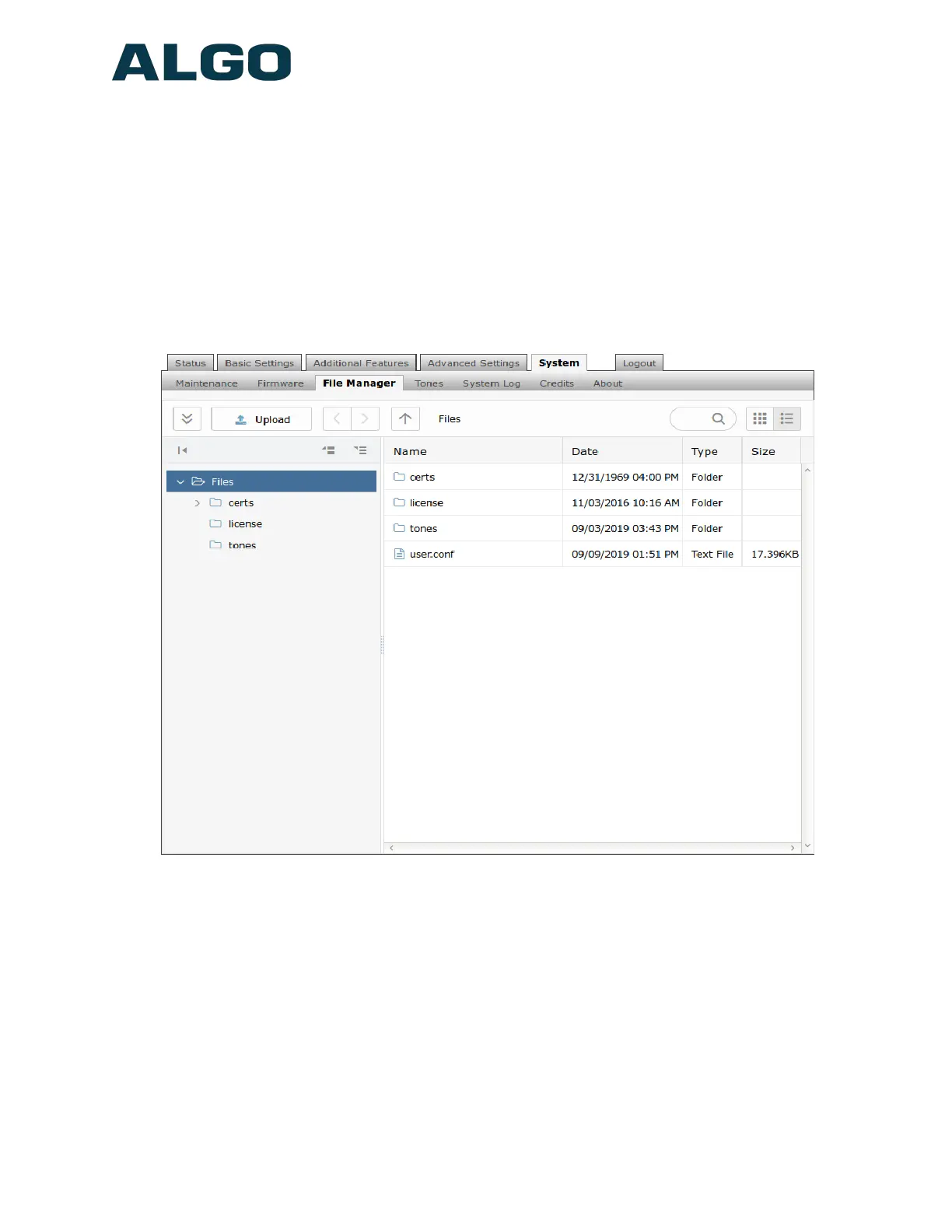
Advanced Settings Tab – File Manager
Uploading Certificate Files
To use TLS SIP Signaling and provisioning, the certificate is required for a SIP server to
validate the Algo device.
The TLS certificate can be uploaded to the certs folder. Rename the certificate to
‘sipclient’ using ‘.pem’ filetype extension before uploading.
For the HTTPS provisioning, a certificate can also be manually uploaded into the certs
folder through file manager.
Document 90-00102C
11/27/2019
Page 48
Algo Communication Products Ltd
4500 Beedie St Burnaby BC Canada V5J 5L2
www.algosolutions.com
(604) 454-3792
support@algosolutions.com



 To Next Page