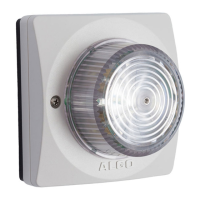
8138 SIP Multicolor Strobe Light
The 8138 supports two SIP extensions which behave differently – RING and
PAGE. One or both may be used depending on the application. If the RING
extension is called the 8138 will not answer. Instead, it will flash a light pattern until
the inbound call stops ringing. Typically the RING extension is programmed as
part of a hunt group so that it receives a ring signal simultaneously with one or
more devices.
If the PAGE extension is called, the 8138 will answer and flash a light pattern until
the call is ended.
Multicasting
Allows multiple units to simultaneously flash light patterns. The 8138 can be
configured as a multicast ‘Master’ device to send a multicast stream to other slave
devices. The 8138 can be configured as a multicast ‘Slave’ device to flash a light
pattern when a stream is received from a multicast ‘Master’ device. Any
number/combination of Algo IP speaker, paging adapter, or strobe endpoint can
be configured as multicast ‘Slaves’. This feature provides scalability without
requiring each endpoint Slave to be registered with a SIP extension.
Polycom
TM
Group Paging
The 8138 supports Polycom Group Paging. The 8138 can be added to a Polycom
Group Page so that voice paging activates a flash pattern while active.
Configuration & Provisioning
Configuration can be done through a web interface control panel or central
provisioning features. Central provisioning allows units to be pre-configured for a
specific server prior to deployment in the field. Configuration files are automatically
downloaded from a server (via TFTP, FTP, HTTP, HTTPS) using DHCP.
Terminal Block Reset
The reset relay terminal on the back can be used to reset the 8138 SIP Strobe
light at time of power up. To return all the settings to the factory default for the
8138, wait until the LED flashes, then connect the reset terminals and hold until
the 8138 LED begins a double flash pattern. Release the reset connection and
allow the unit to complete its boot process.
A reset will set all configuration options to factory default including the
password.
Document 90-00102C
11/27/2019
Page 8
Algo Communication Products Ltd
4500 Beedie St Burnaby BC Canada V5J 5L2
www.algosolutions.com
(604) 454-3792
support@algosolutions.com



 To Next Page