24
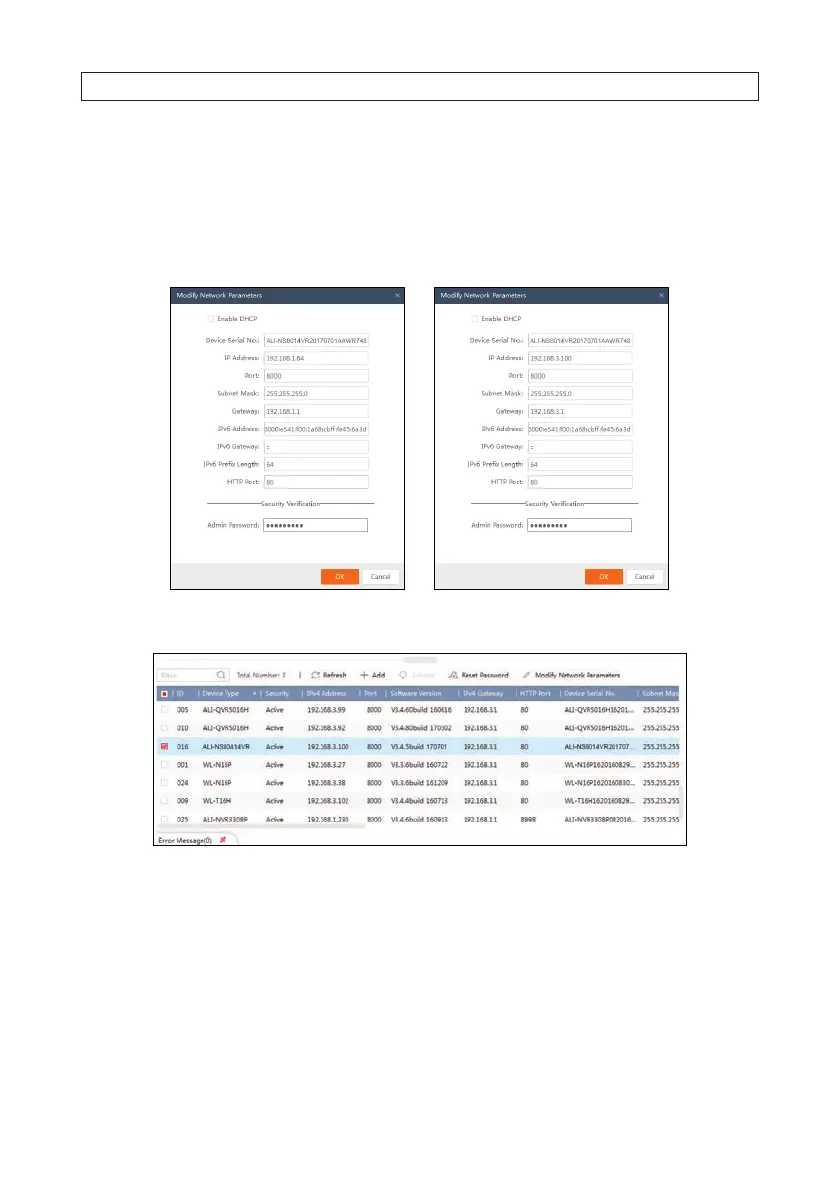
IP address, you can use DHCP to acquire compatible network settings, and then uncheck Enable DHCP and save that
conguration to retain the new network parameters.
b. In the example below, the IPv4 address was changed to 192.168.3.100, and the IPv4 Gateway was changed to 192.168.3.1.
The Subnet Mask here did not need to change. These settings were determined to be compatible with the network router
and other devices that share the same router.
3. Click OK to save your settings. The parameter change(s) will be shown device’s network parameters (see below).
SECTION 3: CONFIGURE NETWORK ACCESS




 To Next Page