18
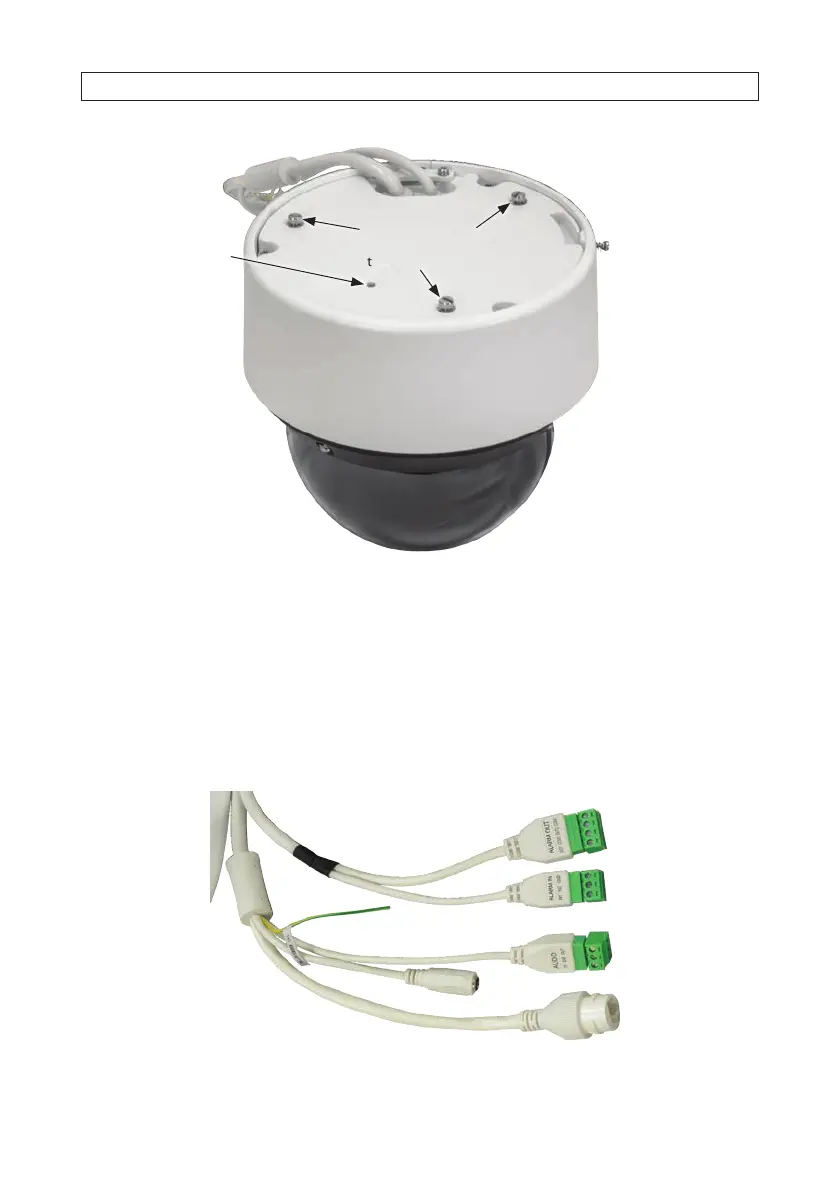
Align raised screw
heads (3) with slots on
the adapter plate
Adapter plate
lock screw
Screw hole for
safety cable
10. Tighten the adapter plate lock screw. See photos above. The lock screw should connect to the tab on the adapter plate.
11. Twist the camera base clockwise and counter clockwise to ensure it is securely locked onto the adapter plate.
12. Continue installation with “SECTION 3 Congure Network Access” on page 21.
2.6 Connecting drop cables
Drop cables connectors for the ALI-NS8014VR are shown below.
Alarm IN
terminals
Alarm OUT
terminals
12 Vdc Power
Ground wire
Ethernet RJ45
(with PoE)
Audio IN/OUT
terminals
Drop cables
SECTION 2: INSTALLATION





 To Next Page