26
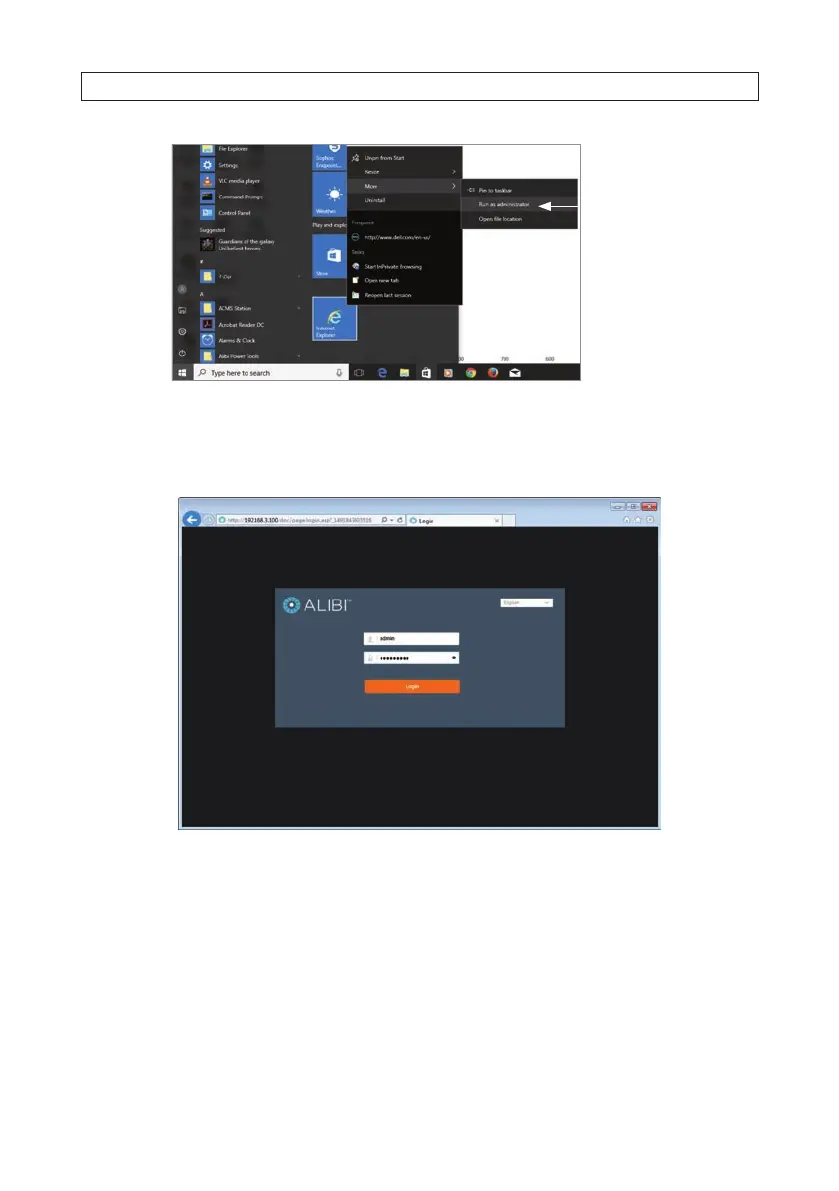
Run as
administrator
To login to the camera from a computer on the same LAN:
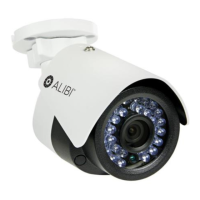
1. Open your Microsoft Internet Explorer (IE) browser on your computer and enter the IP address of the camera in the URL eld. In
the example below, the IP address of the camera is 192.168.3.100.
2. In the login window, enter admin for the User Name and the password you created in the Password eld, the click Login.
3. If this is the rst time you are logging into a camera, you may see the message in the following screen. If this appears, follow
the sub-steps below.
SECTION 4: REMOTE LOGIN




 To Next Page