30
Version 1.01
Updating the Operating Manuals
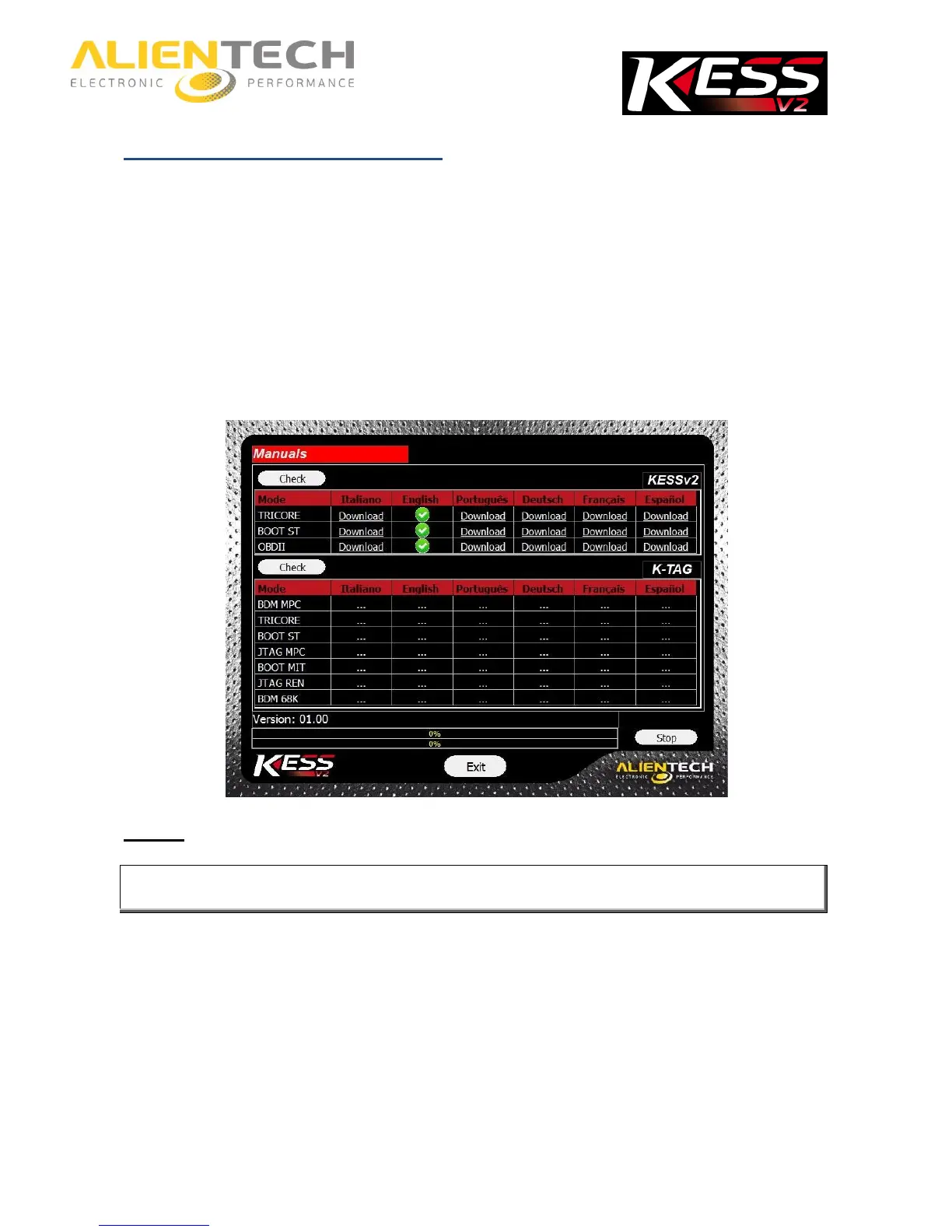
It is important to periodically check if new Operating Manuals have been released and / or
updated. To check the availability of new Operating Manuals and download them:
1. Launch the K-Suite software (it is not required that the KESSv2 is connected to your
computer).
2. Click on the Help button in the main window of the K-Suite software.
3. Click on Check.
If the green check mark is displayed it means that the manuals are updated; if there is no green
check mark, click on Download to download the latest manuals.
Always download the Operating Manuals after an update of the K-Suite software.
The Operating Manuals can be download free of charge by all the owners of KESSv2, even if
there is no subscription active.



 To Next Page