18
Version 1.01
How to view the list of vehicles supported by KESSv2
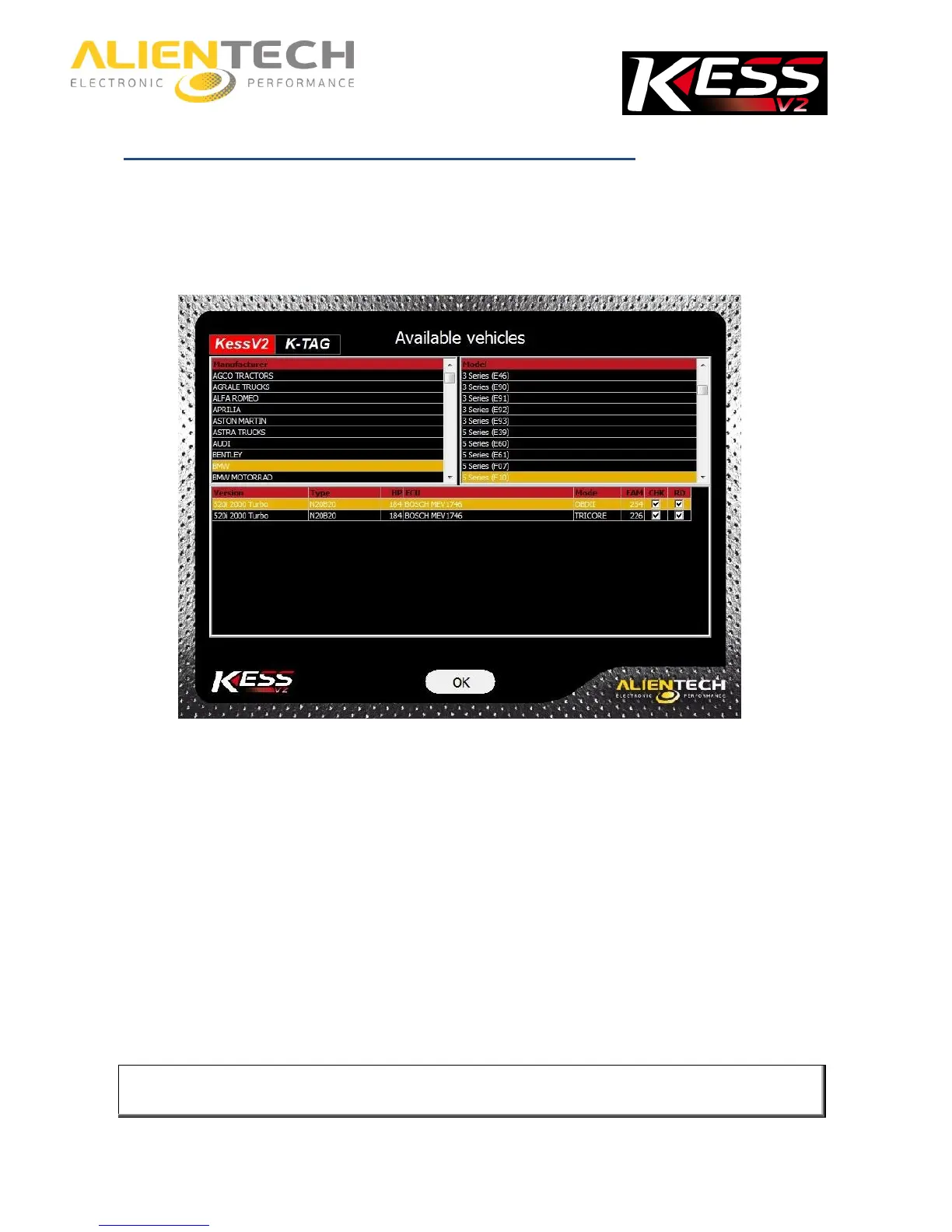
1. Click on the Options button in the main window of the K-Suite software.
2. In the Available vehicles pane, click View.
3. Select the Brand of the vehicle.
4. Select the Model of the vehicle.
At the bottom of the window, a list of all versions of the selected vehicle is then displayed. For
each version is detailed:
Type: The type of engine installed.
HP: The engine power.
ECU: The type of ECU installed on the vehicle.
Mode: The connection mode to the vehicle and / or the ECU, that is:
OBDII for connections to be made via the diagnostic connector of the vehicle.
TRICORE for connections to be made in boot mode on engine control units equipped with
Infineon Tricore microprocessor.
BOOT ST for connections to be made in boot mode on engine control units equipped with ST
microprocessor.
BOOT for connections to be made on bench in boot mode on engine control units equipped
with TEMIC engine.
To make connections in boot mode with KESSv2 on engine control units equipped with
microprocessor Infineon Tricore, you must use the Infineon Tricore Module, sold separately.



 To Next Page