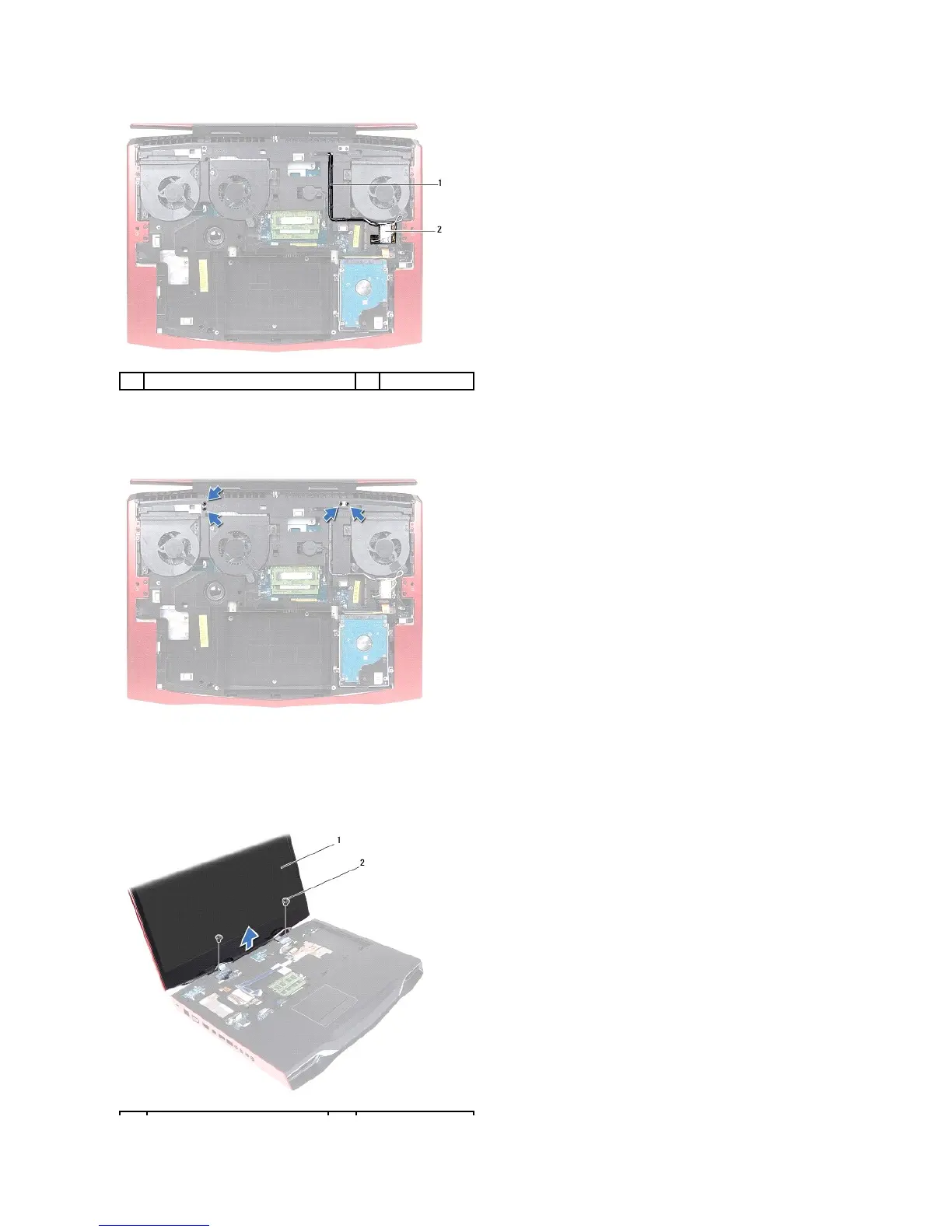
12. Note the routing of the antenna cables, and then remove the cables from the routing guides on the computer base.
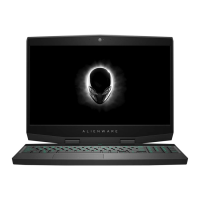
13. Remove the four screws that secure the display assembly on the computer base.
14. Turn the computer over and open the display.
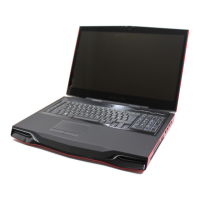
15. Note the routing of the display cable and LED-logo board cable, and then remove the cables from the routing guides on the palm-rest assembly.
16. Remove the two screws, on the display hinges, that secure the display assembly to the computer base.


 To Next Page