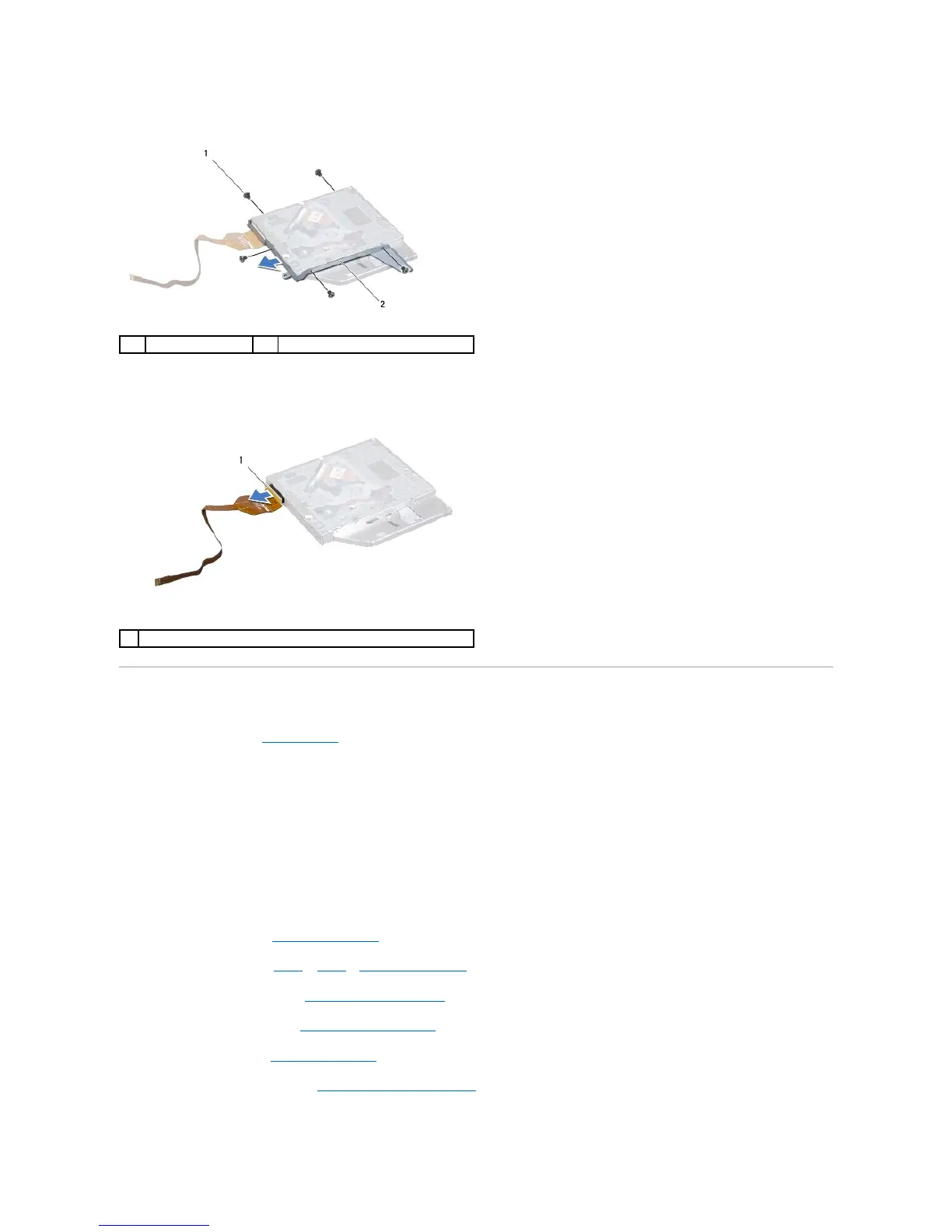
14. Remove the five screws that secure the optical-drive bracket to the optical drive.
15. Remove the optical-drive bracket from the optical drive.
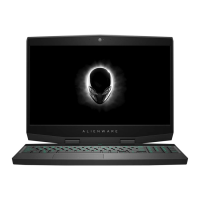
16. Remove the interposer from the optical drive.
Replacing the Optical Drive
1. Follow the instructions in Before You Begin.
2. Connect the interposer to the optical drive.
3. Align the screw holes on the optical-drive bracket with the screw holes on the optical drive and replace the five screws that secure the optical-drive
bracket to the optical drive.
4. Align the slot on the optical-drive bracket with the alignment posts on computer base and place the optical-drive assembly in the computer.
5. Replace the three screws that secure the optical-drive assembly to the computer base.
6. Adhere the optical-drive cable to the computer base, slide the cable into the connector on the system board, and press down on the connector latch to
secure the cable.
7. Replace the I/O board (see Replacing the I/O Board).
8. Follow the instructions from step 4 to step 7 in Replacing the Palm Rest.
9. Replace the display assembly (see Replacing the Display Assembly).
10. Replace the macro keyboard (see Replacing the Macro Keyboard).
11. Replace the keyboard (see Replacing the Keyboard).
12. Replace the center control cover (see Replacing the Center Control Cover).


 To Next Page