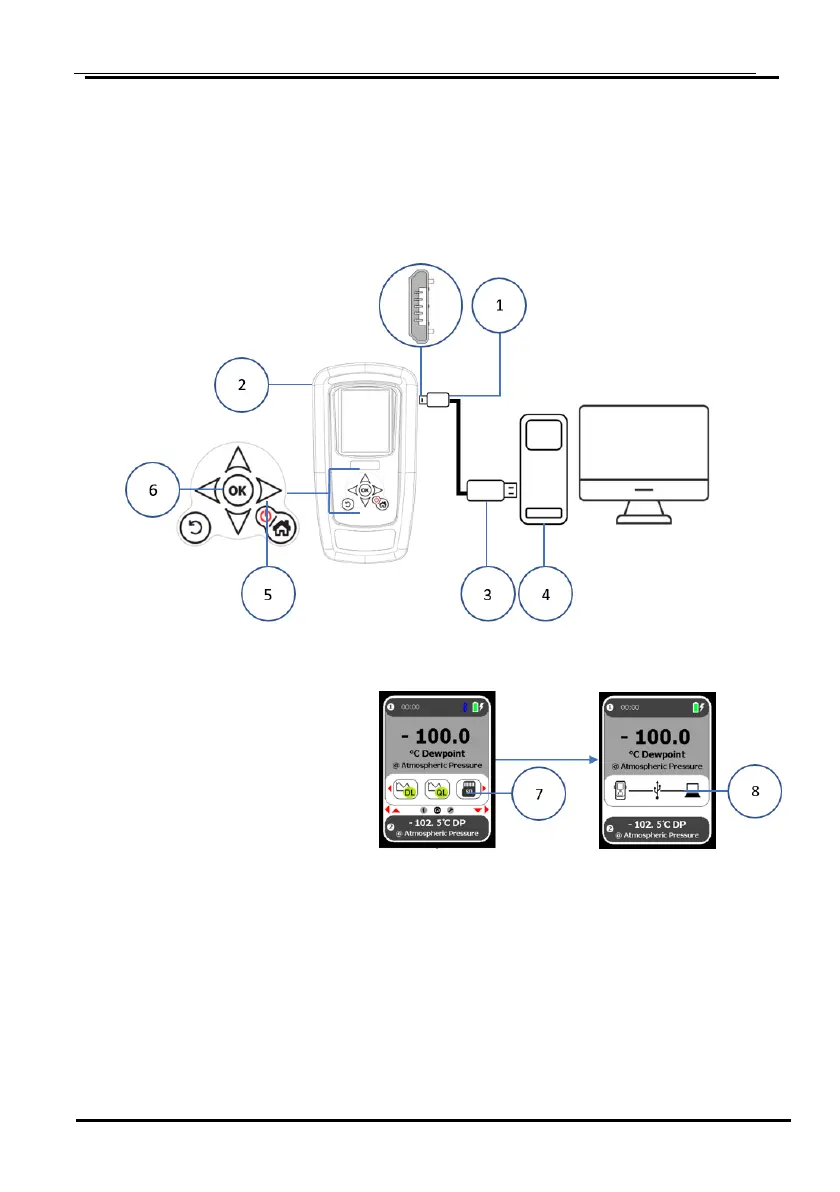
1. Install the USB cable end ① on the SADPmini2 ②.
2. Install the USB cable end ③ on the PC ④.
3. Press the power key ⑤ on the SADPmini2.
4. Press the OK key ⑥ on the SADPmini2.
5. Press the OK key ⑥
again to display the SD
Card connection.
6. Select the SD Card icon ⑦
using the navigation keys.
7. Press the OK key ⑥ to open the connection.
The SADPmini2 USB to PC transfer screen will be displayed ⑧.
NOTE: There may be a short delay as the PC installs the driver.


 To Next Page