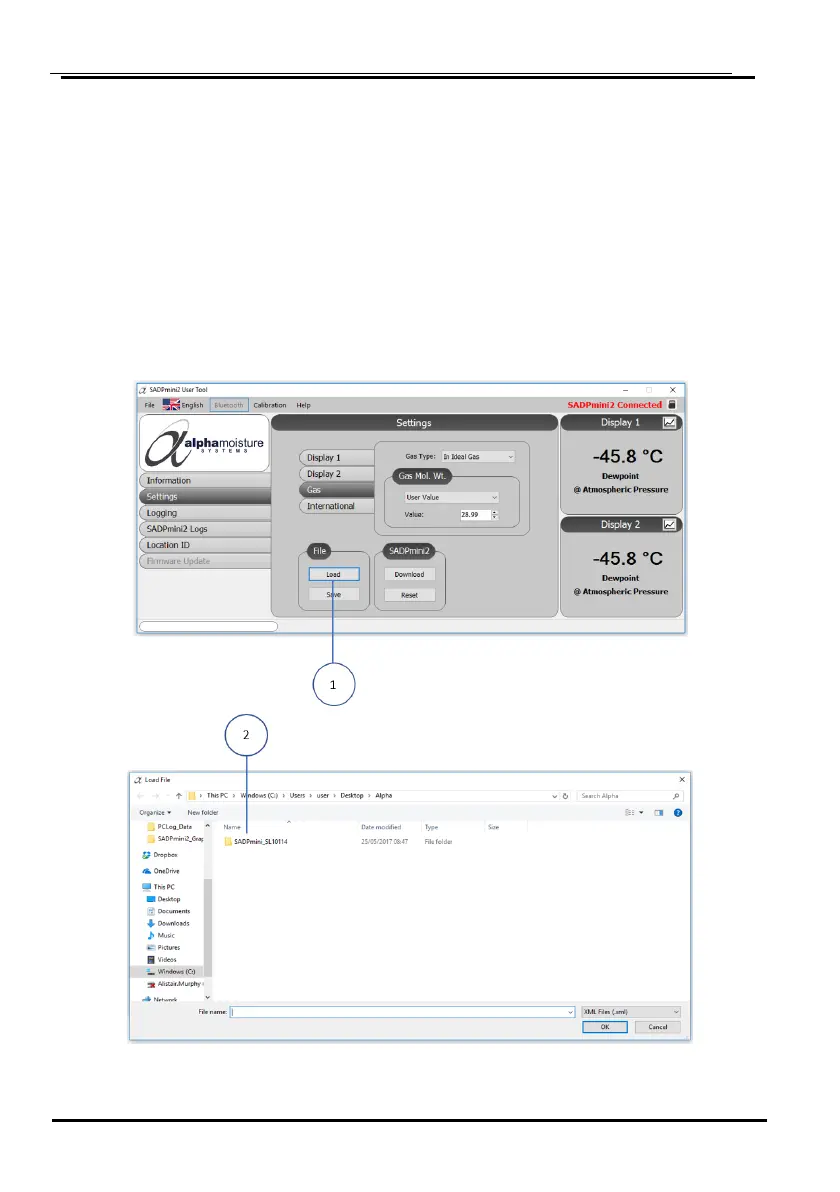
D2: Loading User Tool Configured Files
The User Tool software allows the user to load files into the SADPmini2 that contain already set
parameters. This feature is particularly useful for multiple instrument set up.
1. Select the Load tab ①.
2. A folder will open.
3. Select the relevant folder where the setting file resides ②.
4. Select the file ③ to upload.
5. Select OK ④ to load the XML settings file to the User Tool
6. Select OK to confirm ⑤.


 To Next Page