Configuring the instrument to Default Settings will change the settings to the
following defaults:
Both Display units °C Dewpoint at Atmospheric pressure
Language English
Date format dd/mm/yy
Numerical delimiter is a ‘.’
Gas Molecular weight 28.99 g/mol
Gas type Ideal Gas
Please contact your distributor for advice before proceeding with this process.
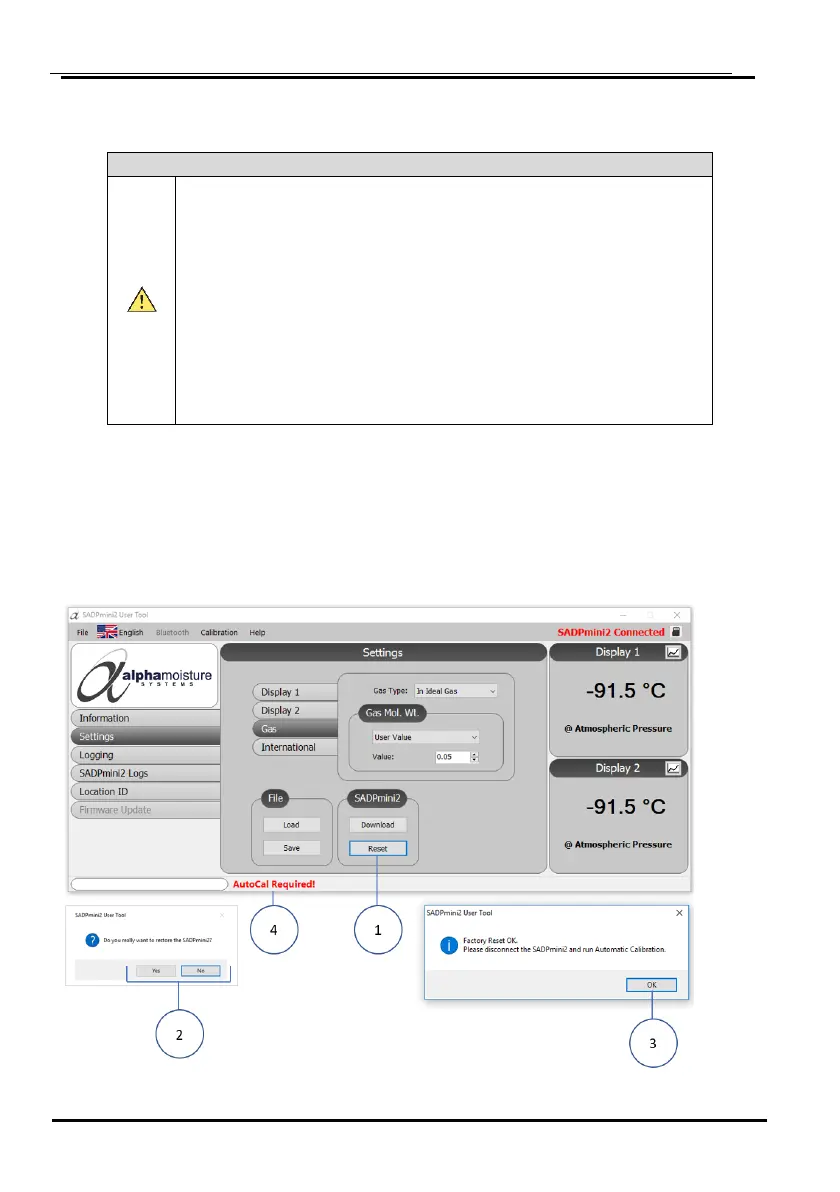
If continuing with the process, a dialogue box “Auto Calibration Required” will
appear.
1. Select the Reset tab ①.
2. Select Yes/ No ② as required and If Yes select OK ③ to confirm.
NOTE SADPmini2 will need to be disconnected form the User Tool and an AutoCal or
CalSet performed as indicated ④.


 To Next Page