%5HY
6.1 Communicating with the Alpha FXM
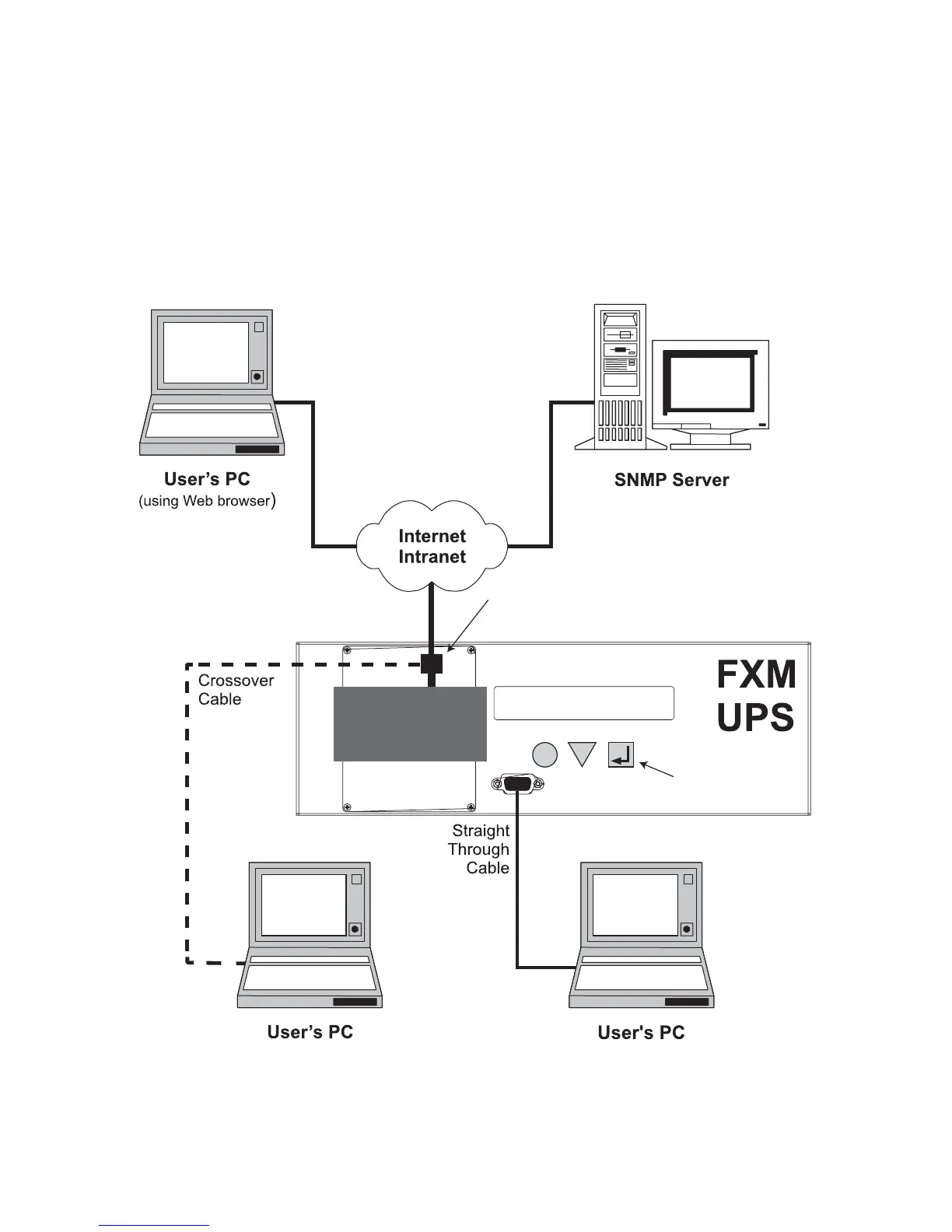
There are several ways you can communicate with the Alpha FXM UPS:
1. Using the control panel.
2. Using a RS-232 interface, you can access the UPS’s command line system with Window’s HyperTerminal or
other terminal emulation program.
3. Using a RS-232 serial connection via the Alpha UPS Monitor installed on your computer. The
Alpha UPS Monitor software can be downloaded from www.alpha.ca./downloads/.
4. Using the optional factory-installed FXM communication module, you can communicate with the Alpha FXM
over a company intranet or the internet using a web browser or with SNMP communications.
2SWLRQ
2SWLRQ
2SWLRQ
2SWLRQ
2Q6LWH
(WKHUQHW&RQQHFWLRQ
);0
&RPPXQLFDWLRQ
0RGXOH
(WKHUQHW3RUW
1RWH);0&RPPXQLFDWLRQ0RGXOH
LVDIDFWRU\LQVWDOOHGRSWLRQ
CANCEL
SCROLL
SELECT
$OSKD
);0
1
/,1(
2SWLRQ
&RQWURO3DQHO
563RUW
8VLQJ$OSKD);00RQLWRU
DYDLODEOHDWZZZDOSKDFD
8VLQJ:HEEURZVHUIRU
(WKHUQHWFRQQHFWLRQ
WRRQVLWHFRPSXWHU
)LJXUH ² $OSKD);0&RPPXQLFDWLRQ2SWLRQV



 To Next Page