%5HY
6.9.12 Checking Your Windows Computer for the .NET Framework
1. Click on the Start button.
2. Go to and click on Settings.
3. Click on Control Panel.
4. Double-click on the Add or Remove Programs icon.
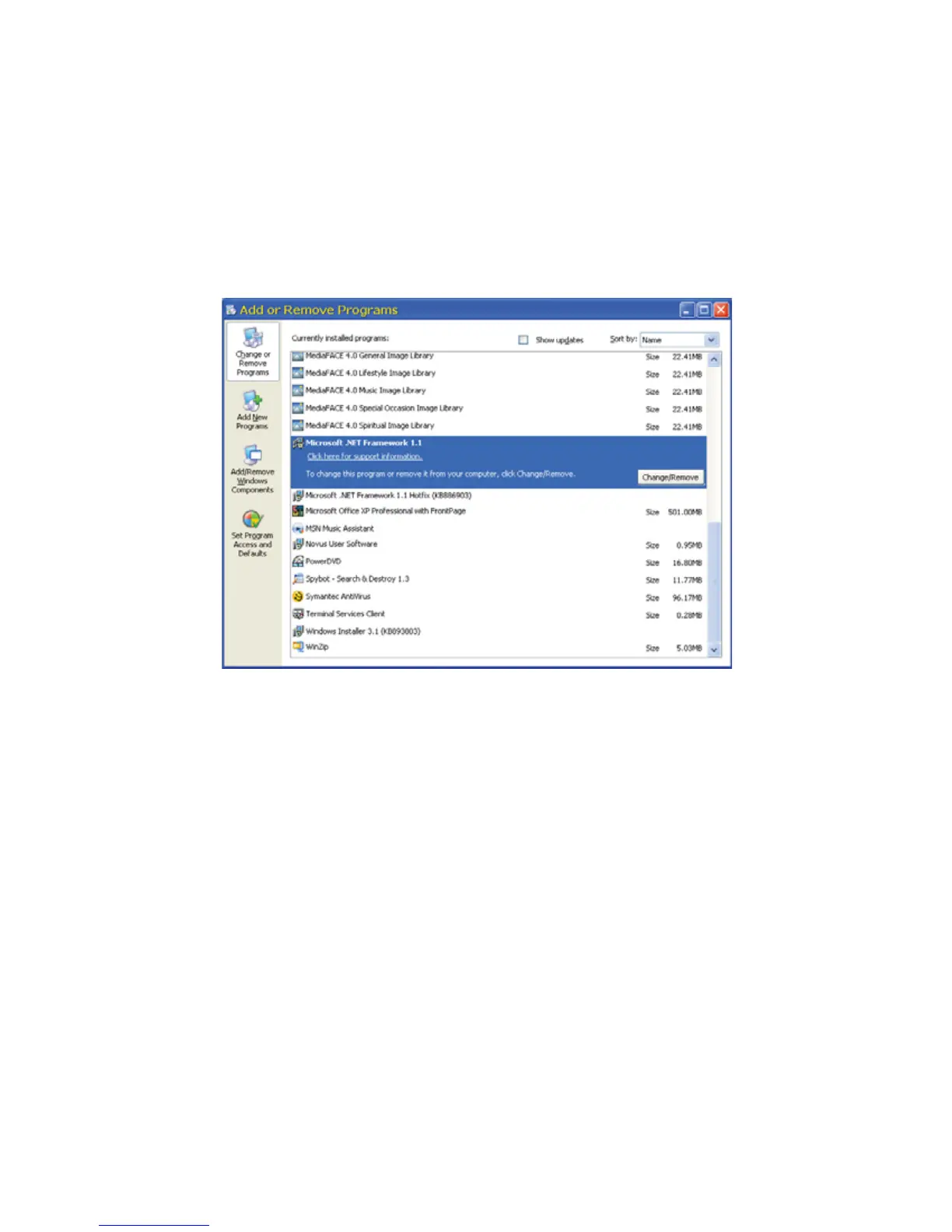
5. When the window shown in the figure below appears, scroll through the list of applications. If you
see Microsoft .NET Framework listed, the Framework is already installed and you can install the
Alpha UPS Monitor. If you don’t see it listed, you MUST install it from the Microsoft Windows update web site
before installing the software.
)LJXUH ² $GGRU5HPRYH3URJUDPV:LQGRZ
If you are downloading from Microsoft’s web site, an Internet web browser such as Internet Explorer or Firefox
must be installed on your computer. In addition to installing .NET, downloading from the web site will update your
computer with all the latest security updates. If your computer is part of a company network, check with your
network administrator before downloading software from the Internet.



 To Next Page