%5HY
6.9.11 Communicating with the Alpha UPS Monitor
Introduction
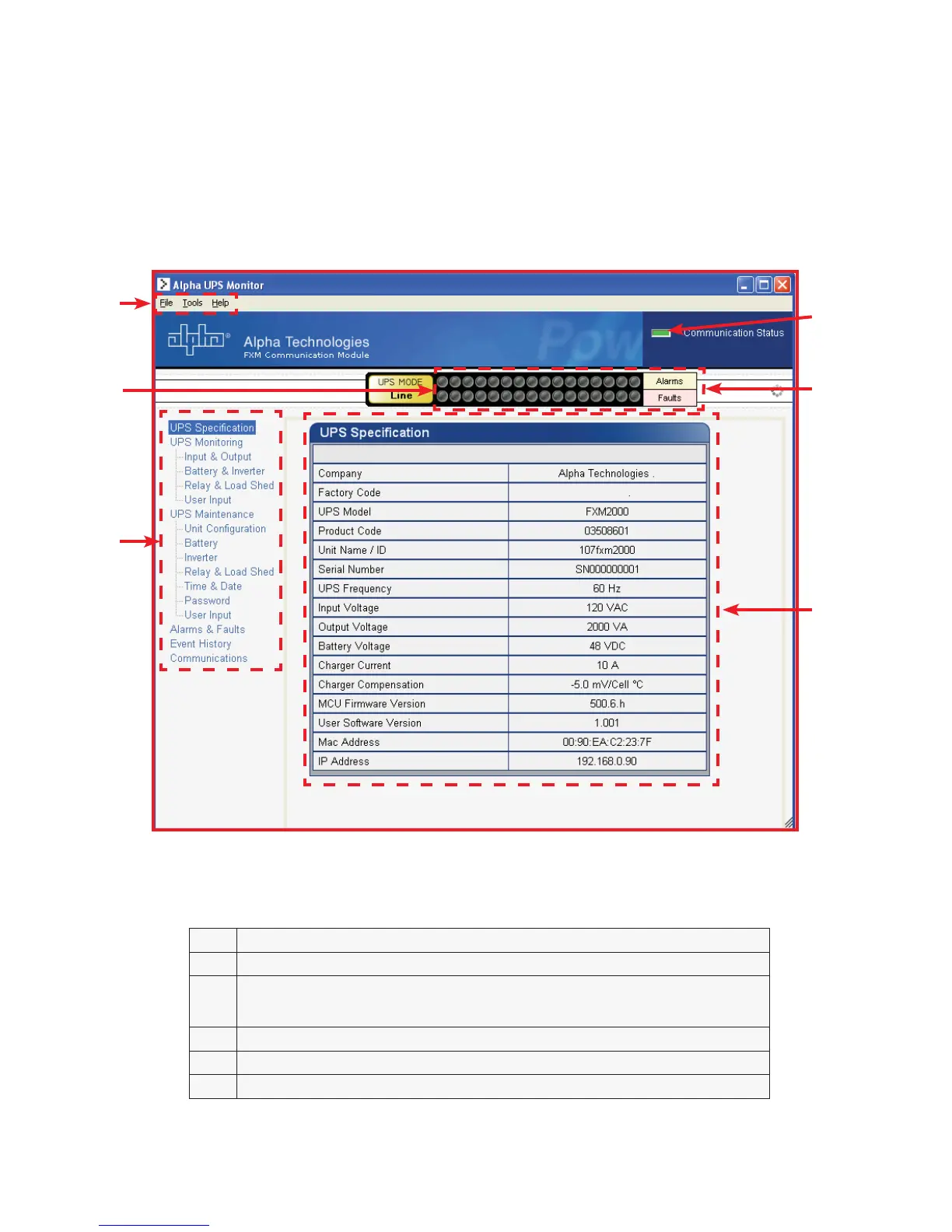
The Alpha UPS Monitor graphical user interface (GUI) provides web or Windows© like computer communications
with the Alpha FXM. The screen and its features are shown below. It is used to monitor, control and set various
parameters like the date and time, determine when to perform the weekly self test, change the relay configura-
tions, etc. The Fault or Alarm indicators show if the Alpha FXM has experienced a malfunction and the cause.
Descriptions of all the screens and their functions are given in “Operation”
.
)LJXUH ² $OSKD8360RQLWRU8366SHFLILFDWLRQ6FUHHQVKRZQ
$ 6FUHHQVHOHFWLRQPHQXV
% &XUUHQW836RSHUDWLQJPRGH7KLVLVXSGDWHGDXWRPDWLFDOO\
&
)DXOWDQGDODUPLQGLFDWRUV±ZKHQDOLJKWLQWKLVEDULVLOOXPLQDWHGPRYHWKHPRXVH
FXUVRURYHUWKHOLJKWWRGHWHUPLQHWKHPDOIXQFWLRQ'RXEOHFOLFNLQJRQWKHOLJKWZLOO
VHQG\RXWRWKH$ODUPV)DXOWVVFUHHQ
' 5HDGRXWVFUHHQV
( 'URSGRZQPHQXV
) 2QOLQHLQGLFDWRU
B
A
E
D
C
F



 To Next Page