%5HY
6.2 Operating the Control Panel
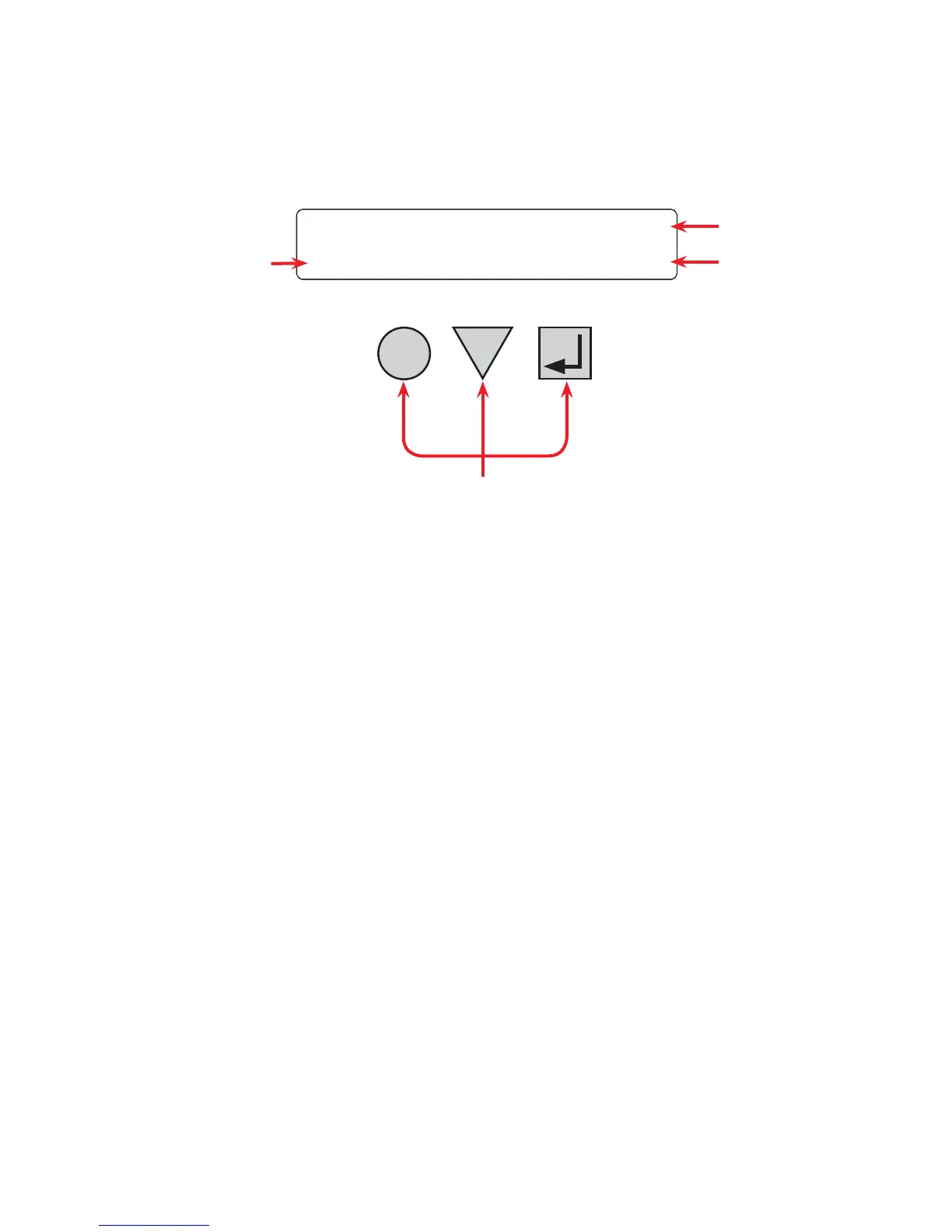
The LCD control panel provides “at a glance” monitoring. This panel, when used along with the CANCEL,
SCROLL and SELECT buttons, allows you to program, make measurements, and troubleshoot the Alpha FXM.
The layout is shown in the figure below.
The Alpha FXM is monitored and controlled with a series of menus and submenus. The Menu Tree is shown in
Figure 11. For a tutorial on how to use this panel, see “Replacing the Batteries”.
)LJXUH ² /&'&RQWURO3DQHO/RJR6FUHHQ
$ $OSKD);0PRGHOQDPH
%
$OSKD);0YROWDJHFRQ¿JXUDWLRQ9$&RU9$&
$OSKD);0)UHTXHQF\+]RU+]
6HQVH7\SHVHWWLQJ1RUPDO1RU*HQHUDWRU*VHH2SHUDWLQJWKH
$OSKD);06HQVH7\SH
& 3UHVHQWRSHUDWLQJPRGH/,1(PRGHVKRZQ6HH)LJXUH
'
&RQWUROEXWWRQV
6(/(&73UHVVLQJ6(/(&7PRYHV\RXGRZQOHYHOLQWKHPHQXWUHH
7DEOH&RUDFFHSWVDFKDQJHZKHQSURJUDPPLQJ
6&52//3UHVVLQJ6&52//PRYHV\RXWKURXJKWKHVXEPHQXV7DEOH&
RUWRJJOHVEHWZHHQFKRLFHVZKHQSURJUDPPLQJ
&$1&(/3UHVVLQJ&$1&(/PRYHV\RXXSRQHOHYHOLQWKHPHQXWUHH
7DEOH&
The Alpha FXM’s operating mode automatically changes as a result of changes in the line or the Alpha FXM’s
operating mode. See Table C and also "Specifications, Boost/Buck/Line Transfer Thresholds”. The LCD panel
automatically updates to reflect this.
D
A
B
C
CANCEL
SCROLL
SELECT
$OSKD
1
/,1(
);0



 To Next Page